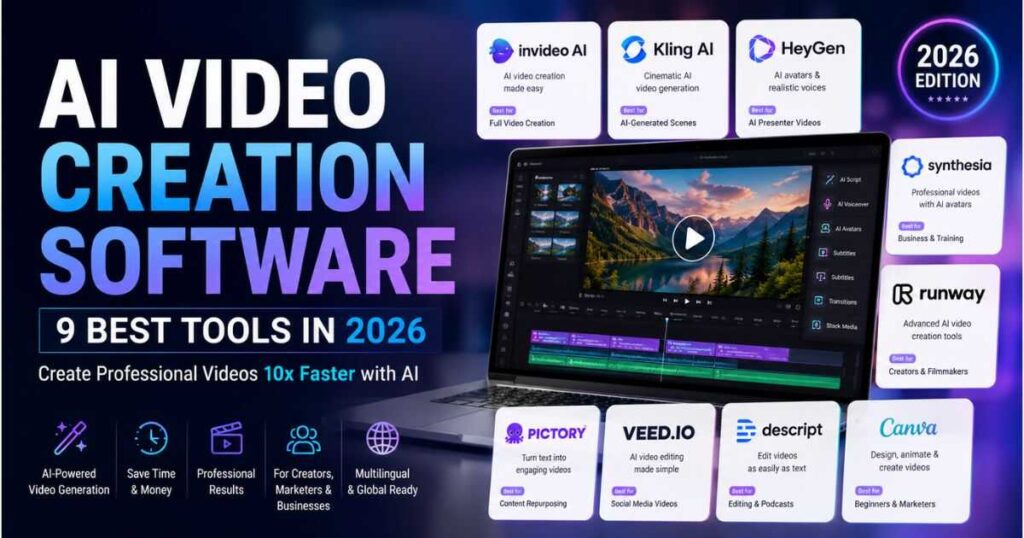
AI Video Creation Software: 9 Best Tools in 2026
Creating professional videos used to mean cameras, microphones, actors, editors, stock footage, and hours of work. Today, AI Video Creation Software can handle many of these tasks from a browser, allowing creators and businesses to turn ideas, scripts, images, and prompts into finished videos much faster.
But there is a problem: not every AI Video Creation Software platform is designed for the same type of video.
Some tools are excellent for cinematic AI-generated scenes. Others are better for faceless YouTube videos, AI avatars, marketing content, social media clips, or editing existing footage. Choosing the wrong platform can quickly become expensive and frustrating.
That is why this guide compares 9 of the best AI Video Creation Software options in 2026, focusing on what each tool does best and which type of creator should consider it.
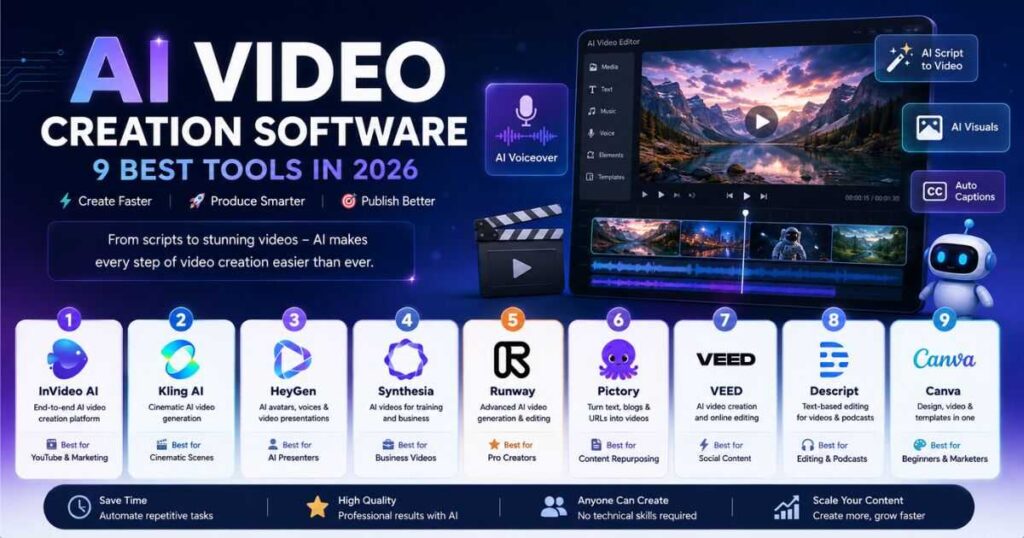
Best AI Video Creation Software at a Glance
| Tool | Best For | Main Strength | Ease of Use |
|---|---|---|---|
| InVideo AI | YouTube & marketing | End-to-end video creation | ⭐⭐⭐⭐⭐ |
| Kling AI | Cinematic AI video | Realistic generated scenes | ⭐⭐⭐⭐ |
| HeyGen | AI presenters | Realistic avatars and voices | ⭐⭐⭐⭐⭐ |
| Synthesia | Business videos | Training and presentations | ⭐⭐⭐⭐⭐ |
| Runway | Professional creators | Advanced generative video | ⭐⭐⭐⭐ |
| Pictory | Content repurposing | Text and URL to video | ⭐⭐⭐⭐⭐ |
| VEED | Social content | AI generation + editing | ⭐⭐⭐⭐⭐ |
| Descript | Editing & podcasts | Text-based editing | ⭐⭐⭐⭐⭐ |
| Canva | Beginners & marketing | Design + video workflow | ⭐⭐⭐⭐⭐ |
The important point is that there is no single winner for every situation. The best AI Video Creation Software depends on what you are trying to produce.
What Is AI Video Creation Software?
AI Video Creation Software is a category of tools that uses artificial intelligence to automate part or all of the video production process.
Depending on the platform, you may be able to:
- Generate videos from text prompts.
- Turn scripts into complete videos.
- Create AI-generated scenes.
- Generate voiceovers.
- Use AI avatars.
- Animate still images.
- Add subtitles automatically.
- Edit videos using text commands.
- Generate B-roll.
- Translate videos into other languages.
- Repurpose articles and URLs into videos.
The biggest advantage is not simply that AI can “make videos.”
The real advantage is production speed.
Instead of spending several hours assembling a basic video manually, a creator can use AI Video Creation Software to build the first version quickly and then spend time improving the parts that actually matter: the hook, storytelling, pacing, visuals, and call to action.
1. InVideo AI — Best AI Video Creation Software for YouTube
If your goal is to go from an idea or script to a relatively complete video without assembling every component manually, InVideo AI is one of the most interesting options in 2026.
The platform is designed around an AI-driven production workflow. You can start with a prompt, script, concept, or other source material and then direct the AI to build and refine the video.
Current InVideo materials describe a workflow that can handle scripting, storyboarding, voices, media, editing, and final exports, while its AI filmmaking workflow uses multiple AI models for different production tasks.
Why choose InVideo AI?
It is particularly useful when you do not want to manually create every scene from scratch.
For example, a faceless YouTube creator could start with:
Topic → Script → Scenes → Voiceover → Visuals → Editing → Final Video
That makes InVideo AI especially interesting for creators who want to publish consistently.
Best for: YouTube creators, marketers, faceless channels, businesses, and social media teams.
Our verdict
If your priority is producing complete videos rather than generating individual cinematic clips, InVideo AI deserves serious consideration.
Try InVideo AI and start building your next video with an AI-powered production workflow.
2. Kling AI — Best for Cinematic AI-Generated Video
Kling AI takes a different approach.
Instead of primarily focusing on turning an entire script into a finished presentation, Kling is particularly strong when you need visually impressive AI-generated footage.
The current Kling platform includes video generation, image generation, sound generation, AI video editing, text-to-video, image-to-video, and its newer Video 3.0 generation capabilities.
This makes Kling particularly useful for creating individual shots that can later be assembled into a larger video.
For example, imagine you are producing a faceless YouTube documentary about ancient civilizations. Instead of relying entirely on stock footage, you could generate cinematic scenes showing:
- Ancient cities.
- Historical environments.
- Dramatic landscapes.
- Characters walking through environments.
- Atmospheric establishing shots.
That footage can then become B-roll inside your main video.
Why Kling AI stands out
The biggest advantage is visual creativity.
Kling is particularly attractive when you care about cinematic presentation rather than simply getting information onto a screen.
Best for: filmmakers, YouTubers, advertisers, storytellers, and creators who need AI-generated footage.
Try Kling AI and create cinematic AI video scenes for your next project.
Related Videmint guides
If you want to explore Kling more deeply, continue with our guides on:
3. HeyGen — Best for AI Avatars and Presenter Videos
HeyGen is one of the strongest choices when the video needs a person on screen but you do not want to record yourself.
Its AI Video Generator can start with a script, URL, or idea and combine avatars, voice, B-roll, captions, and editing inside the browser. HeyGen also offers newer avatar technology designed around more consistent identity, expressions, movement, and lip synchronization.
This makes HeyGen excellent for:
- Tutorials.
- Product demonstrations.
- Marketing videos.
- Educational content.
- Business presentations.
- Social media videos.
- AI presenter videos.
HeyGen for faceless creators
Interestingly, “faceless” does not necessarily mean “no human-looking presenter.”
A creator can remain completely off-camera while an AI avatar delivers the script.
That can make certain educational or product-focused videos feel more personal than a slideshow with background footage.
Best for: creators, marketers, educators, businesses, YouTubers, and anyone who wants an AI presenter.
Our verdict
If realistic presenters are central to your video strategy, HeyGen is one of the first platforms we would test.
Try HeyGen and create your first AI presenter video without a camera or recording studio.
Read our complete HeyGen review
Before choosing a plan, check our HeyGen Review (2026) for a deeper look at its avatars, AI Studio, voice cloning, translation, pricing, and overall performance.
4. Synthesia — Best for Business and Training Videos
Synthesia is another major name in AI Video Creation Software, but its strongest use cases are somewhat different from Kling or InVideo.
The platform is heavily focused on professional communication, training, onboarding, presentations, internal communication, and educational content.
Synthesia allows users to start from prompts, scripts, files, PowerPoint presentations, templates, or a blank canvas. Its current documentation also supports videos with large numbers of scenes and long total durations.
Its platform combines AI avatars, voiceovers, translation, collaboration, brand controls, screen recording, analytics, and other business-focused capabilities.
Who should use Synthesia?
Synthesia is especially attractive for:
- Corporate training.
- Employee onboarding.
- Online courses.
- Product tutorials.
- Internal communications.
- Business presentations.
- Multilingual training.
If you are a YouTuber looking for cinematic AI footage, there are probably better options.
If you are a company that needs to produce dozens or hundreds of professional training videos, however, Synthesia becomes much more compelling.
Try Synthesia and create professional AI avatar videos for training, education, and business communication.
Related guide
Read our complete guide to Synthesia Text to Video to learn how to turn scripts and other content into AI videos.
5. Runway — Best for Advanced AI Video Creation
Runway is aimed more heavily at creators who want greater creative control over AI-generated video.
Its current AI video platform supports text-to-video, image-to-video, video-to-video workflows, AI editing, scene manipulation, extending clips, upscaling, and other creative tools.
Runway is particularly interesting because AI generation is not treated as the end of the process. You can generate footage and then modify elements of the footage using AI.
For example, you can change:
- Lighting.
- Backgrounds.
- Objects.
- Visual style.
- Scene elements.
Runway also supports references for maintaining character consistency across generated shots.
Who is Runway for?
Runway is better suited to creators who want more control and are willing to spend time learning the platform.
Best for: filmmakers, advanced YouTubers, agencies, visual storytellers, and professional creators.
Our verdict
Runway is powerful, but it is not necessarily the easiest choice for someone who simply wants “give me a script and make my YouTube video.”
For advanced visual production, however, it is one of the most capable options in this comparison.
6. Pictory — Best for Turning Existing Content Into Videos
Pictory focuses heavily on transforming existing content into video.
You can start with text, scripts, articles, blogs, URLs, PowerPoint files, images, or other media. Its current platform combines automatic scene creation, captions, AI voices, avatars, AI-generated visuals, and editing tools.
This makes Pictory particularly useful for content marketers.
Imagine you already have a 2,500-word blog post.
Instead of writing a completely new video script, you can use the existing content as your starting point and transform it into a video.
Best use cases
Pictory works well for:
- Blog-to-video content.
- YouTube videos.
- Marketing videos.
- Educational videos.
- Social media content.
- Content repurposing.
Best for: bloggers, marketers, educators, agencies, and creators who already have written content.
Try Pictory and turn your existing articles, scripts, and ideas into videos faster.
7. VEED — Best for AI Video Creation and Editing Together
VEED is useful for creators who want AI generation and conventional editing capabilities in the same environment.
Its current AI Video Generator can create video from text, scripts, or images and combine generated visuals with AI voiceovers, avatars, subtitles, and editing features.
This is important because generation is only one stage of video production.
After AI creates the first version, you often need to:
- Cut unnecessary scenes.
- Change the pacing.
- Add captions.
- Replace footage.
- Adjust audio.
- Add branding.
- Resize the video for different platforms.
VEED is particularly convenient when you want these tasks handled in one browser-based workflow.
Best for: social media creators, marketers, YouTubers, and small teams.
8. Descript — Best for Editing Videos by Editing Text
Descript is different from most tools on this list.
Instead of thinking primarily in terms of a traditional video timeline, Descript lets you edit video through its transcript.
Its current platform includes AI video editing, transcription, AI speech, captions, AI avatars, media generation, voice cloning, screen recording, and its Underlord AI co-editor.
This is particularly useful for:
- Podcasts.
- Talking-head videos.
- Interviews.
- Tutorials.
- Screen recordings.
- YouTube videos.
Suppose you recorded a 20-minute tutorial and said several things you do not need.
Instead of manually searching through the timeline, you can work with the transcript and remove the unwanted sections.
Descript’s AI can also help with editing, captions, audio cleanup, and generated media.
Best for: YouTubers, podcasters, educators, and creators who edit recorded content.
9. Canva — Best for Beginners and Marketing Content
Canva is not exclusively an AI video platform, but it belongs in this comparison because many creators already use it as part of their video production workflow.
Its biggest advantage is simplicity.
Canva is useful when your video requires a combination of:
- Text.
- Graphics.
- Presentations.
- Branding.
- Stock assets.
- Simple animation.
- Social media designs.
It is particularly useful for marketers and small businesses that need to create visually consistent content without learning professional editing software.
However, if your primary objective is cinematic AI-generated video, specialized platforms such as Kling or Runway are generally more appropriate.
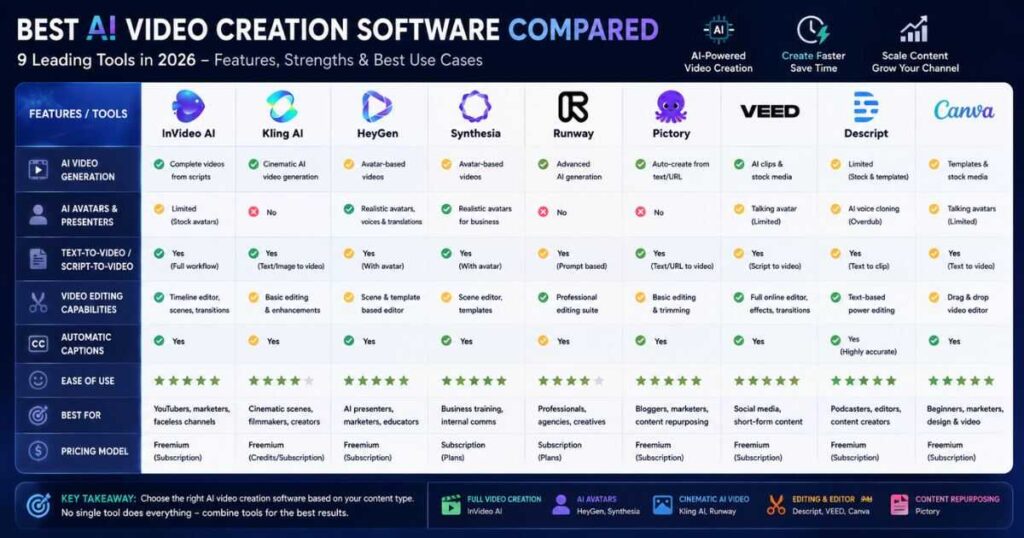
AI Video Creation Software Comparison: Which Tool Should You Choose?
The best choice depends heavily on your workflow.
| If you want to… | Consider |
|---|---|
| Make complete YouTube videos | InVideo AI |
| Create cinematic AI scenes | Kling AI |
| Use realistic AI presenters | HeyGen |
| Create business training videos | Synthesia |
| Create advanced AI footage | Runway |
| Turn blogs into videos | Pictory |
| Create and edit social videos | VEED |
| Edit recorded videos quickly | Descript |
| Design simple branded videos | Canva |
This is why comparing AI Video Creation Software based only on “which one is best?” can be misleading.
The better question is:
Which platform removes the biggest bottleneck in my workflow?
If writing and assembling complete videos takes too long, InVideo AI may save you the most time.
If finding cinematic B-roll is your biggest problem, Kling AI may be more useful.
If you need a presenter without appearing on camera, HeyGen or Synthesia makes more sense.
If editing recorded material consumes most of your day, Descript could provide a bigger productivity improvement than a pure video generator.
How to Choose the Best AI Video Creation Software
Before paying for an AI Video Creation Software subscription, consider these six questions.
1. What type of videos will you make?
Do not subscribe simply because a tool produces impressive demo videos.
Your workflow matters more than the demo.
A filmmaker needs different capabilities from a faceless YouTube creator or corporate training department.
2. Do you need complete videos or individual clips?
This is one of the most important distinctions.
Tools such as InVideo AI and Pictory are attractive when you want a broader production workflow.
Kling and Runway become especially interesting when individual AI-generated scenes are your priority.
3. Do you need an AI avatar?
If the answer is yes, focus on platforms such as HeyGen and Synthesia.
If you do not need a presenter, paying extra for avatar-focused features may not make sense.
4. How important is editing?
Some platforms focus heavily on generation.
Others combine generation with editing.
If you already use another editor, you may prefer a specialized generator. If you want everything in one place, an all-in-one AI Video Creation Software platform may save more time.
5. How much video do you actually produce?
Do not choose a plan based on the number of features.
Choose it based on your monthly production.
A creator publishing two videos per month has very different requirements from someone producing videos every day.
6. Can you maintain quality at scale?
Generating one impressive video is easy compared with producing 50 consistently good videos.
Look at:
- Scene consistency.
- Voice quality.
- Brand consistency.
- Editing speed.
- Export limitations.
- Credit usage.
- Workflow automation.
These factors become increasingly important as your channel grows.
Can AI Video Creation Software Replace a Human Editor?
Not completely.
At least not if quality is your priority.
The strongest workflow in 2026 is usually AI + human direction.
AI can help generate:
- Scripts.
- Scenes.
- Voiceovers.
- Visuals.
- Captions.
- Rough edits.
But humans still need to decide whether the final video is actually interesting.
A good creator should still review:
- The opening hook.
- The script.
- Scene relevance.
- Visual consistency.
- Voice pronunciation.
- Pacing.
- Captions.
- Music levels.
- Branding.
- The final call to action.
The goal is not to let AI do everything.
The goal is to let AI handle repetitive production work so you can focus on creative decisions.
A Practical AI Video Workflow for Creators
If you are building a YouTube channel, here is a practical workflow using several types of AI Video Creation Software.
Step 1: Start with the idea
Research a topic that your audience actually wants.
For a faceless YouTube channel, focus on topics that can be explained visually.
Step 2: Write the script
Create a strong hook first.
Do not begin with a long introduction.
Your first 10–20 seconds should give viewers a reason to continue watching.
Step 3: Build the main video
Use a tool such as InVideo AI or Pictory when you want to transform the script into a broader video structure.
Step 4: Generate custom visuals
For important scenes that need more visual impact, generate additional footage with Kling AI or Runway.
This hybrid approach is often better than forcing one platform to do everything.
Step 5: Add a presenter if necessary
For tutorials, explanations, or marketing videos, HeyGen or Synthesia can provide an AI presenter.
Step 6: Edit the final result
Review the generated video carefully.
Remove weak scenes, shorten slow sections, fix awkward narration, and make sure the visuals actually support the script.
Step 7: Optimize for YouTube
Finally, create:
- A strong title.
- A compelling thumbnail.
- A useful description.
- Chapters where appropriate.
- Captions.
- Relevant keywords.
AI can accelerate production, but YouTube performance still depends heavily on whether people actually want to watch the finished video.
The Best AI Video Creation Software Depends on Your Goal
After comparing these nine platforms, there is no reason to choose a tool simply because it is popular.
Choose according to the job.
For complete videos: InVideo AI is one of the strongest options to explore.
For cinematic visuals: Kling AI is an excellent choice.
For realistic AI presenters: HeyGen stands out.
For business training: Synthesia is particularly well suited.
For advanced visual production: Runway offers deeper creative control.
For content repurposing: Pictory is worth considering.
For social video creation: VEED is convenient.
For text-based editing: Descript is difficult to ignore.
For simple branded content: Canva remains highly accessible.
The best AI Video Creation Software is ultimately the one that fits your production process instead of forcing you to redesign your entire workflow around the tool.
Final Verdict: Which AI Video Creation Software Is Best in 2026?
The AI Video Creation Software market has moved far beyond simple “text-to-video” experiments.
Today’s platforms can handle increasingly large portions of production, from scripts and storyboards to AI-generated scenes, avatars, voices, editing, translation, and publishing.
For creators building faceless YouTube channels, a combination of tools can be more powerful than relying on one platform.
For example, you could use InVideo AI to structure the main video, Kling AI to create cinematic B-roll, and HeyGen when an AI presenter makes sense. This gives you different strengths at different stages of production.
For businesses, Synthesia may be a better fit because its workflow is built around professional communication, training, localization, and collaboration.
The important thing is to avoid buying every shiny AI tool you see.
Start with the bottleneck in your workflow.
If production is too slow, choose automation.
If your visuals look generic, choose a stronger generative video platform.
If you hate editing, choose an AI editor.
If you do not want to appear on camera, choose an AI avatar platform.
That is the smartest way to choose AI Video Creation Software in 2026—and it can save you both time and money while helping you produce more content.
Continue Learning
Want to build a stronger AI-powered video workflow? Explore these related Videmint guides:
- How to Make a Faceless YouTube Channel — Learn how to build a YouTube channel without appearing on camera.
- How to Make Faceless YouTube Videos With AI — Follow a practical workflow for producing AI-powered faceless videos.
- Kling AI Review — Explore Kling’s video generation capabilities in detail.
- Kling AI Prompts — Learn how to write better prompts for cinematic AI video.
- HeyGen Review (2026) — Explore avatars, AI Studio, voice cloning, translation, and more.
- Synthesia Text to Video — Learn how to turn scripts and other content into AI videos.
- Best AI Video Editors in 2026 — Compare the leading AI-powered editing platforms.
- Script to Video AI: 9 Best Tools in 2026 Compared — Compare the top AI tools for turning scripts into engaging videos faster and with less effort.
- Best AI Tools for Faceless YouTube Channels in 2026 — A practical comparison of the top AI tools for creating, editing, and growing faceless YouTube channels.
- How to Make AI Videos: Complete Step-by-Step Guide — A practical guide to creating AI videos from idea and script to generation, editing, and publishing.
- How to Write AI Video Prompts That Actually Work — Learn proven techniques, examples, and templates for creating clearer, more effective AI video prompts.
- How to Create Consistent Characters With AI: AI Video Guide — Learn how to keep AI-generated characters consistent across scenes, shots, and videos.
- AI Product Video Generator: Make Videos That Sell — Discover how AI can turn product images into engaging, professional videos designed to attract attention, showcase products, and drive more sales.
The future of video creation is not necessarily about finding one tool that does everything. It is about building a workflow where the right AI Video Creation Software handles the right task at the right time.