
Kling AI Models (2026): Complete Guide to Every Model
Introduction
Kling AI Models have expanded far beyond a single text-to-video generator. Today, the platform offers a growing collection of specialized AI models for video creation, image generation, multi-scene workflows, motion editing, and developer integrations through its Open Platform.
Whether you’re creating cinematic AI videos, generating high-quality images, building marketing campaigns, or integrating AI generation into your own application, understanding the available Kling AI Models is essential for choosing the right workflow.
In this guide, we’ll break down every major model currently available inside Kling AI, explain what each one does, compare their strengths, and help you decide which model fits your creative needs.
🚀 Ready to explore the latest Kling AI Models?
Start Using Kling AI Today →What Are Kling AI Models?
Unlike many AI generators that rely on a single engine, Kling AI Models are designed for different creative tasks. Each model has been optimized for specific workflows, allowing creators to balance quality, speed, cost, and flexibility.
Today, the platform includes models for:
- AI video generation.
- AI image generation.
- Image-to-video animation.
- Multi-image storytelling.
- Motion control.
- Native audio generation.
- Canvas workflows.
- API integrations.
Instead of forcing every project through one model, Kling AI lets users select the model that best matches their project requirements.
Why Kling AI Models Matter
Choosing the right Kling AI Models can dramatically improve both quality and efficiency.
Different models are optimized for different goals:
- Faster rendering.
- Higher realism.
- Better prompt understanding.
- Native audio generation.
- Professional production.
- Lower generation costs.
- Commercial workflows.
For example:
A quick social media clip may only require a lightweight model, while a commercial advertisement with multiple scenes will benefit from one of Kling’s latest premium models.
Understanding these differences helps creators avoid unnecessary costs while achieving better results.
Overview of Current Kling AI Models
The current platform includes several categories of Kling AI Models.
Video Generation Models
These models focus on creating AI-generated videos from text prompts, images, or existing videos.
Current video models include:
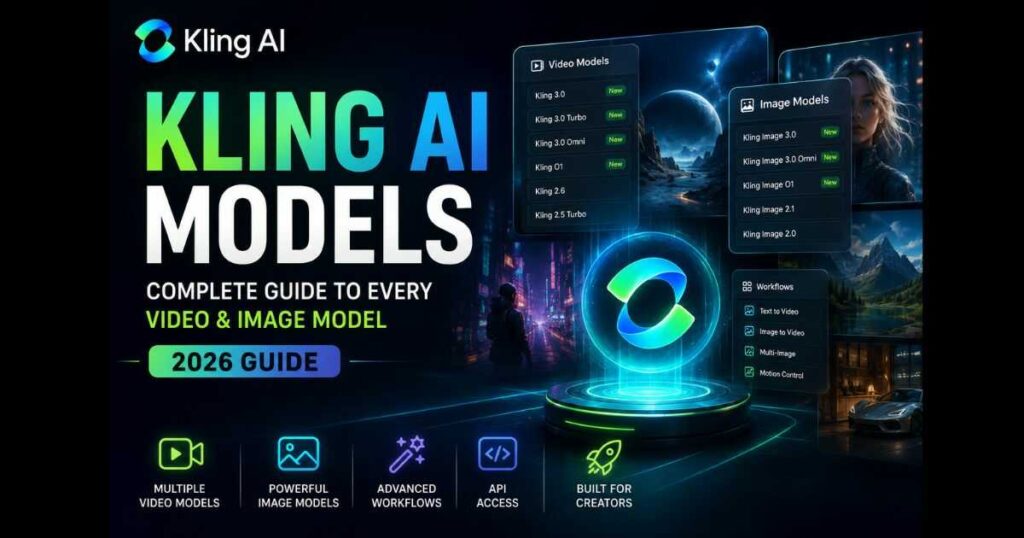
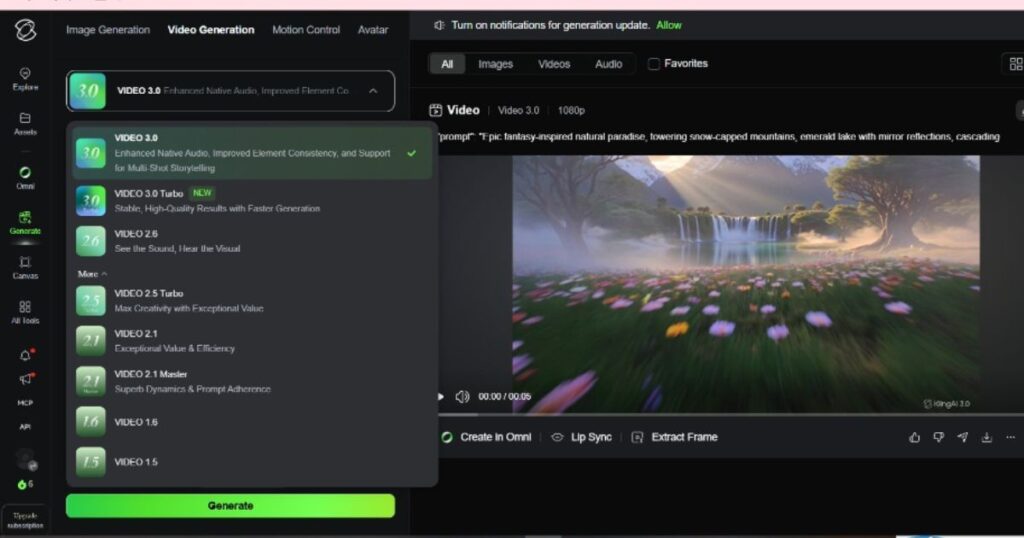
- Kling 3.0.
- Kling 3.0 Turbo.
- Kling 3.0 Omni.
- Kling O1.
- Kling 2.6.
- Kling 2.5 Turbo.
- Kling 2.1.
- Kling 2.1 Master.
- Kling 2.0 Master.
- Kling 1.6.
- Kling 1.5.
- Kling 1.0.
Each generation introduces improvements in realism, camera movement, prompt understanding, and production speed.
Image Generation Models
Kling has also developed dedicated Kling AI Models for image creation.
Current image models include:
- Kling Image 3.0.
- Kling Image 3.0 Omni.
- Kling Image O1.
- Kling Image 2.1.
- Kling Image 2.1 New.
- Kling Image 2.0.
- Kling Image 1.5.
- Kling Image 1.0.
These models support:
- Text-to-image.
- Image-to-image.
- Multi-image generation.
- AI product photography.
- Outpainting.
- Virtual try-on.
How Kling AI Models Are Organized
One advantage of Kling AI is that models are organized by purpose instead of hiding everything behind one generic generator.
Generally, you’ll find models grouped into:
Video Models
Designed for:
- Text-to-video.
- Image-to-video.
- Commercial videos.
- Cinematic animation.
- Motion control.
Image Models
Designed for:
- Concept art.
- Product photography.
- Character design.
- Marketing assets.
- AI illustrations.
Workflow Models
Certain Kling AI Models power advanced features such as:
- Canvas.
- Multi-element editing.
- Storyboarding.
- Project organization.
These workflows combine multiple AI capabilities into one production environment instead of generating isolated images or videos.
📖 Want to learn more about Canvas?
Read our Kling AI Canvas Review for a complete walkthrough of its creative workflow.
Evolution of Kling AI Models
One reason Kling AI has gained so much attention is its rapid development cycle.
The platform has evolved from early video generation into a complete creative ecosystem.
A simplified progression looks like this:
| Generation | Major Improvements |
| Kling 1.x | Early text-to-video generation |
| Kling 2.x | Better realism and camera movement |
| Kling 2.5 Turbo | Faster rendering |
| Kling 2.6 | Native audio, motion improvements |
| Kling 3.0 | Significant quality improvements |
| Kling 3.0 Turbo | Speed-focused production |
| Kling 3.0 Omni | Expanded multimodal capabilities |
| Kling O1 | Advanced generation workflows |
Rather than replacing previous versions immediately, Kling often keeps multiple Kling AI Models available so creators can choose based on quality, speed, and budget.
Kling 3.0 vs Kling 3.0 Turbo
Many users assume Kling 3.0 and Kling 3.0 Turbo are the same model with different names. In reality, they are optimized for different priorities.
Kling 3.0
The standard Kling 3.0 model focuses on maximizing output quality. It is the better choice when visual consistency, cinematic camera movement, and realistic details are more important than generation speed.
It is well suited for:
- Commercial advertisements.
- Brand videos.
- Product showcases.
- High-quality social media campaigns.
- Professional storytelling.
Kling 3.0 Turbo
Kling 3.0 Turbo is designed for faster generation while still maintaining impressive visual quality.
It works particularly well for creators who publish content frequently and need quicker turnaround times.
Recommended use cases include:
- Daily content creation.
- YouTube Shorts.
- TikTok videos.
- Instagram Reels.
- Rapid concept testing.
For many creators, Kling 3.0 Turbo provides the best balance between speed and quality.
Kling 3.0 Omni
Among the newest Kling AI Models, Kling 3.0 Omni expands the creative workflow beyond traditional text-to-video generation.
Rather than focusing only on creating videos, it supports more flexible production pipelines by combining multiple input methods and generation capabilities.
Depending on the selected workflow, creators can generate content using:
- Text prompts.
- Images.
- Existing videos.
- Combined visual inputs.
This makes Kling 3.0 Omni particularly attractive for agencies, marketing teams, and creators managing complex production pipelines.
Its strengths include:
- Flexible creative workflows.
- Better multimodal generation.
- Improved production efficiency.
- High-quality commercial outputs.
Kling O1
Kling O1 is another specialized member of the current Kling AI Models family.
Instead of replacing the flagship models, O1 is designed for workflows that require different input combinations and creative flexibility.
It supports scenarios such as:
- Text-based generation.
- Image-assisted generation.
- Video-assisted workflows.
Creators working with existing visual assets often find O1 especially useful because it integrates more naturally into production pipelines than starting every project from scratch.
Legacy Kling AI Models
Although most creators naturally gravitate toward the newest releases, older Kling AI Models remain available for specific situations.
These include:
- Kling 2.6.
- Kling 2.5 Turbo.
- Kling 2.1.
- Kling 2.1 Master.
- Kling 2.0 Master.
- Kling 1.6.
- Kling 1.5.
- Kling 1.0.
These versions may still be valuable when:
- Lower generation costs are preferred.
- Existing projects rely on older workflows.
- Specific legacy features are required.
- Developers need compatibility with previous implementations.
For new users, however, the latest models generally deliver better prompt understanding, more realistic motion, and stronger visual consistency.
Kling Image Models
Video generation is only one part of the ecosystem. Modern Kling AI Models also include a dedicated lineup for image generation.
Current image models include:
- Kling Image 3.0.
- Kling Image 3.0 Omni.
- Kling Image O1.
- Kling Image 2.1.
- Kling Image 2.1 New.
- Kling Image 2.0.
- Kling Image 1.5.
- Kling Image 1.0.
These models support several creative tasks, including:
- Text-to-image generation.
- Image-to-image transformation.
- Multi-image composition.
- AI product photography.
- Concept art.
- Character creation.
- Marketing visuals.
As newer image models have been introduced, improvements have focused on prompt accuracy, image realism, lighting quality, and finer detail.
Which Kling AI Model Should You Choose?
Choosing between the available Kling AI Models depends on your goals rather than simply selecting the newest version.
Here are some general recommendations:
| Goal | Recommended Model |
| Highest-quality AI videos | Kling 3.0 |
| Faster video generation | Kling 3.0 Turbo |
| Advanced multimodal workflows | Kling 3.0 Omni |
| Flexible production with multiple inputs | Kling O1 |
| Professional image generation | Kling Image 3.0 |
| Advanced image workflows | Kling Image 3.0 Omni |
Instead of asking which model is universally “best,” ask which one best matches your current project.
🚀 Ready to explore the latest Kling AI Models yourself?
Start Creating with Kling AI →How Kling AI Models Work with Canvas
One of the biggest improvements introduced in recent platform updates is the integration between Kling AI Models and Canvas.
Canvas is not a separate generation model. Instead, it acts as a creative workspace that allows multiple Kling AI Models to work together within a single project.
For example, a creator can:
- Generate concept images.
- Build a storyboard.
- Create multiple scenes.
- Edit project elements.
- Organize assets.
- Continue production without leaving the workspace.
This dramatically simplifies large creative projects compared to generating each asset separately.
If you’d like a deeper look at this workflow, check out our Kling AI Canvas Review, where we explain how Canvas improves project organization and multi-scene production.
Kling AI Models for API Developers
The Kling AI Models ecosystem is not limited to the standard web interface. Developers can also access many of these models through the Kling AI Open Platform API, making it possible to integrate AI generation directly into websites, applications, SaaS products, and automated workflows.
The API currently supports a wide range of capabilities, including:
- Text-to-video.
- Image-to-video.
- Multi-image-to-video.
- Multi-element video editing.
- Video extension.
- Text-to-image.
- Image-to-image.
- AI audio generation.
- Lip Sync.
- Avatar generation.
- Image recognition.
Instead of manually creating every asset inside the web application, developers can automate content generation using the same Kling AI Models through API requests.
This makes the platform attractive for:
- AI startups.
- Marketing automation platforms.
- Content management systems.
- Video generation services.
- Creative SaaS applications.
If you’re interested in the developer side of the platform, read our detailed Kling AI API Review, where we cover authentication, pricing, available endpoints, and practical use cases.
How Fast Are Kling AI Models?
Speed varies depending on the selected model and workflow.
Generally speaking:
- Turbo models prioritize faster generation.
- Standard flagship models prioritize quality.
- Image models usually complete much faster than video models.
- Complex workflows involving multiple scenes naturally require more processing time.
Rather than measuring only rendering speed, creators should also consider the amount of editing saved afterward. Higher-quality outputs often require fewer revisions, which can significantly reduce total production time.
Strengths of Kling AI Models
One reason Kling AI Models continue to attract creators is the balance between quality and versatility.
Some of the platform’s biggest strengths include:
Excellent Motion Quality
Kling AI has earned a strong reputation for producing smooth and natural movement, especially in character animation and cinematic camera motions.
Growing Model Library
Instead of relying on one universal model, Kling provides multiple specialized models optimized for different creative tasks.
This flexibility allows creators to select the most appropriate workflow rather than forcing every project through the same engine.
Powerful Image Generation
The latest image models produce:
- realistic lighting.
- detailed textures.
- improved prompt accuracy.
- consistent character design.
These improvements make them suitable for marketing assets, concept art, product photography, and social media content.
Flexible Creative Workflows
The combination of:
- Generate.
- Canvas.
- Motion Control.
- API.
- Image Models.
creates a much more complete production ecosystem than many standalone AI generators.
Continuous Development
Kling AI has been releasing new models and platform updates at a rapid pace.
Rather than remaining static, the platform continues expanding with:
- newer video models.
- newer image models.
- improved workflows.
- additional developer features.
- expanded commercial capabilities.
This rapid development is one of the biggest reasons many creators continue investing their time in learning the latest Kling AI Models.
Limitations of Kling AI Models
No AI platform is perfect, and understanding the limitations is just as important as recognizing the strengths.
Some considerations include:
Learning Curve
With so many Kling AI Models available, beginners may initially feel overwhelmed.
Understanding which model is best for a specific task takes some experimentation.
Different Models Serve Different Purposes
New users sometimes expect every model to produce identical results.
In reality, each model has been optimized for different priorities, such as:
- speed.
- quality.
- flexibility.
- multimodal workflows.
- image generation.
Choosing the wrong model may lead to results that don’t match expectations.
Commercial Projects May Require Premium Features
Many of the most advanced capabilities are designed for professional creators and businesses.
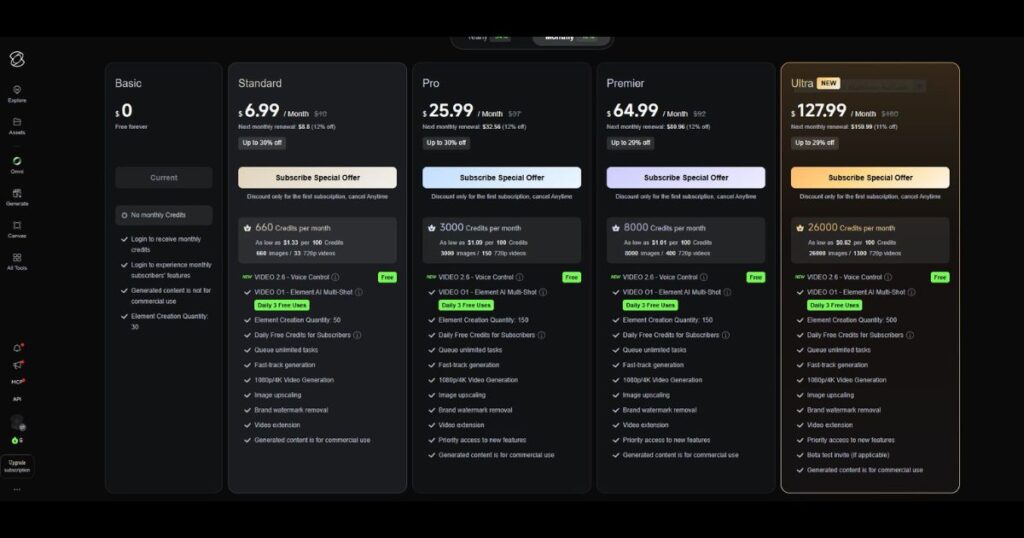
As projects become more demanding, users may eventually benefit from upgrading to access additional credits, faster generation, priority processing, and advanced production tools.
Who Should Use Kling AI Models?
The growing collection of Kling AI Models makes the platform suitable for a wide range of users.
It is an excellent choice for:
- YouTube creators.
- Social media marketers.
- Advertising agencies.
- Freelance designers.
- Small businesses.
- AI content creators.
- App developers.
- SaaS companies.
- Creative studios.
Whether you’re producing short-form videos, product images, marketing campaigns, or integrating AI into your own software, there’s likely a model designed specifically for your workflow.
Who Might Not Need Every Kling AI Model?
While the platform is incredibly versatile, not everyone needs access to every available model.
For example:
- Casual users creating occasional content may only need the standard video generator.
- Beginners can start with the default models before exploring more specialized options.
- Developers should focus on API-supported models relevant to their applications rather than learning every feature at once.
Choosing the right Kling AI Models is ultimately about matching the tool to your creative goals, not simply using the newest or most advanced option available.
Kling AI Models vs Other AI Video Models
With so many AI generators available today, it’s natural to wonder how Kling AI Models compare with competing platforms.
Rather than trying to be the fastest at everything, Kling focuses on offering specialized models for different creative workflows.
| Feature | Kling AI Models | Typical AI Video Generator |
| Multiple Video Models | ✅ Yes | Usually Limited |
| Dedicated Image Models | ✅ Yes | Sometimes |
| Canvas Workflow | ✅ Yes | Rare |
| Motion Control | ✅ Yes | Limited |
| Native Audio Support | ✅ Available on Supported Models | Varies |
| Open Platform API | ✅ Yes | Depends on Platform |
| Image-to-Video | ✅ Yes | Usually Available |
| Multi-image Workflows | ✅ Yes | Often Limited |
| Commercial Workflows | ✅ Strong | Varies |
The biggest advantage of Kling AI Models is flexibility. Instead of relying on one engine for every project, creators can choose the model that best fits their workflow.
Frequently Asked Questions About Kling AI Models
What are Kling AI Models?
Kling AI Models are the different AI engines available inside the Kling AI platform. Each model is optimized for specific tasks such as video generation, image creation, multimodal workflows, or developer integrations.
Which Kling AI Model is the best?
There isn’t a single “best” model.
The ideal choice depends on your project.
- Kling 3.0 prioritizes maximum visual quality.
- Kling 3.0 Turbo focuses on faster generation.
- Kling 3.0 Omni supports more advanced multimodal workflows.
- Kling O1 offers flexible production workflows.
- Kling Image 3.0 is ideal for high-quality image generation.
Are older Kling AI Models still available?
Yes.
Several previous generations remain available for creators who need compatibility with older workflows or prefer different pricing and performance characteristics.
Do Kling AI Models support API access?
Yes.
Many Kling AI Models can also be accessed through the Kling AI Open Platform API, allowing developers to integrate AI generation directly into their own software and services.
For a complete developer guide, see our Kling AI API Review.
Can Kling AI Models generate both images and videos?
Yes.
The platform now includes dedicated models for:
- AI video generation.
- AI image generation.
- Image-to-video.
- Multi-image generation.
- Commercial creative workflows.
This makes Kling AI a much broader creative platform than a traditional text-to-video tool.
Final Verdict
he growing collection of Kling AI Models is one of the platform’s biggest competitive advantages.
Instead of offering a single AI generator, Kling provides specialized models that cover nearly every stage of modern AI content creation—from realistic video generation and advanced image synthesis to Canvas workflows, Motion Control, and developer APIs.
For beginners, the number of available models may seem overwhelming at first. However, once you understand the purpose of each model, choosing the right workflow becomes straightforward and significantly improves both creative quality and production efficiency.
As the platform continues to evolve, learning how the different Kling AI Models work together will help you get the best results while making the most of your available credits and features.
Overall Rating: 9.4 / 10
Pros
- Excellent variety of specialized models.
- Strong video and image quality.
- Flexible workflows for different creative needs.
- Powerful Canvas integration.
- Developer-friendly Open Platform API.
- Continuous platform updates.
Cons
- New users may need time to understand the different models.
- Choosing the optimal model requires some experimentation.
🚀 Ready to try the latest Kling AI Models?
Start Creating with Kling AI →Continue Learning
Expand your knowledge of the Kling AI ecosystem with these detailed guides:
- Kling AI Review — A complete review of the platform, features, pricing, and overall performance.
- Kling AI Canvas Review — Learn how Canvas helps organize multi-scene creative projects.
- Kling AI API Review — Discover how developers can integrate Kling AI into applications and workflows.
- Kling AI Pricing — Compare subscription plans, credits, and feature differences.
- Kling AI Prompts — Improve your results with practical prompt-writing techniques.
- Kling AI Video 3.0 Review — Explore the latest flagship video generation model in detail.
- HeyGen Review (2026): Features, Pricing & Verdict – Explore HeyGen’s features, pricing, AI avatars, and overall value in our complete review.
- HeyGen Pricing (2026): Plans, Credits & Which Plan Is Best? – Compare every HeyGen plan, credits, pricing, and features to choose the best subscription for your needs.
- HeyGen Free (2026): Is It Really Free? Full Guide – Learn what’s included in the free plan, its limitations, and whether it’s worth using before upgrading.
- HeyGen Alternatives (2026): 10 Better AI Video Tools — Compare features, pricing, and the best AI video tools in one guide.

