Best Kling AI Prompts (2026): 25 Prompts That Actually Work
If you’ve spent any time using Kling AI, you’ve probably noticed something interesting: two people can use the exact same AI model and get completely different results.
One creator generates a breathtaking cinematic scene that looks like it came from a Hollywood production. Another gets a generic video that feels flat and uninspiring.
The difference usually comes down to one thing:Prompts.
In this guide, you’ll discover the best Kling AI prompts for cinematic videos, faceless YouTube channels, storytelling content, camera movements, and realistic AI-generated scenes. You’ll also learn how to write better prompts from scratch so you can consistently create higher-quality videos.
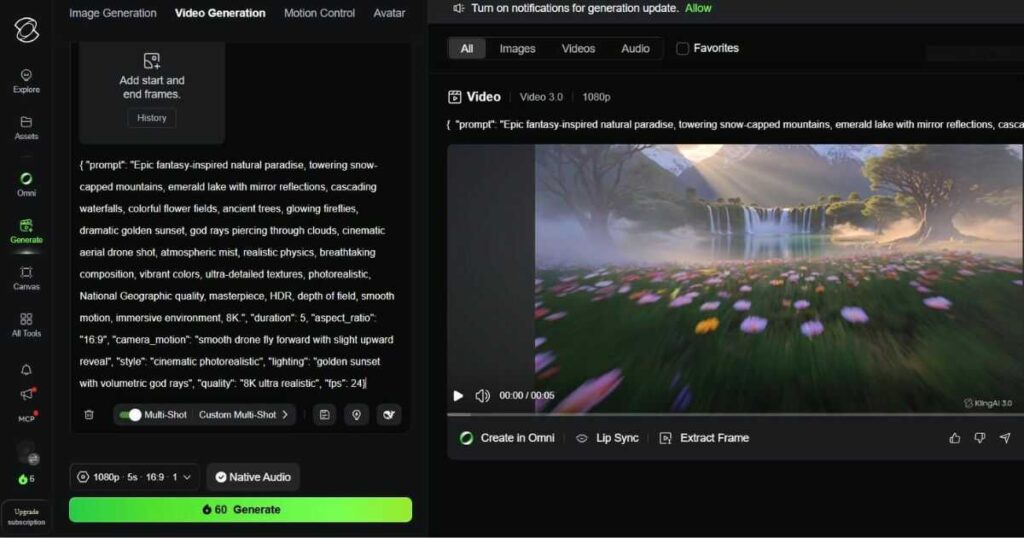
💡 Related Read: Before exploring these Kling AI prompts, make sure to read our complete Kling AI Review (2026), where we break down the platform’s features, pricing, real-world performance, and overall value for creators.
🚀 Ready to Create Cinematic AI Videos?
Stop reading about AI video generation and start creating. [Sign up for Kling AI for free] and turn your ideas into stunning cinematic videos with powerful AI tools.
Why Prompts Matter More Than the AI Model
Many beginners assume that better results come from better AI models.
That’s only partially true.
Modern AI video generators are already incredibly powerful. The real challenge is communicating your vision clearly enough for the AI to understand it.
Think of Kling AI as a movie production team.
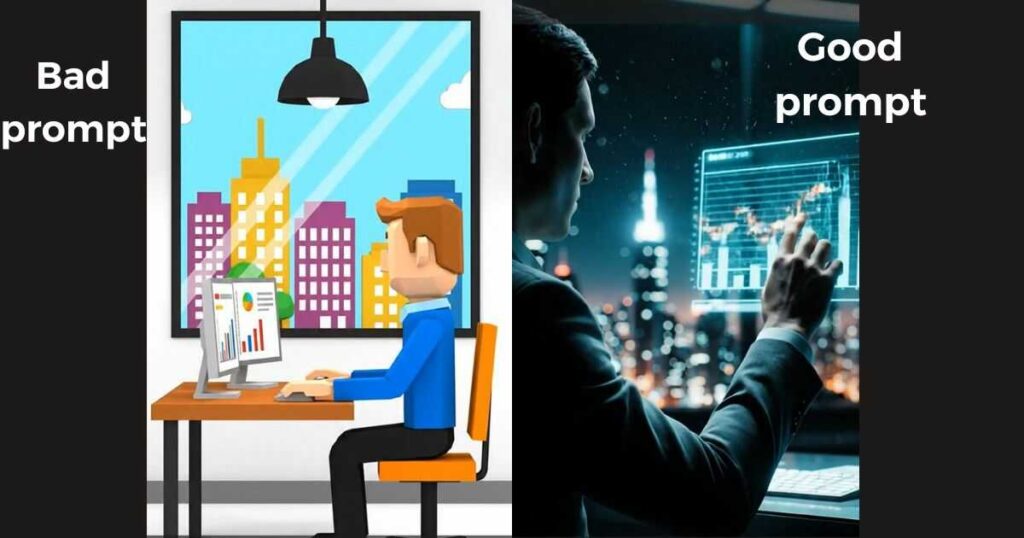
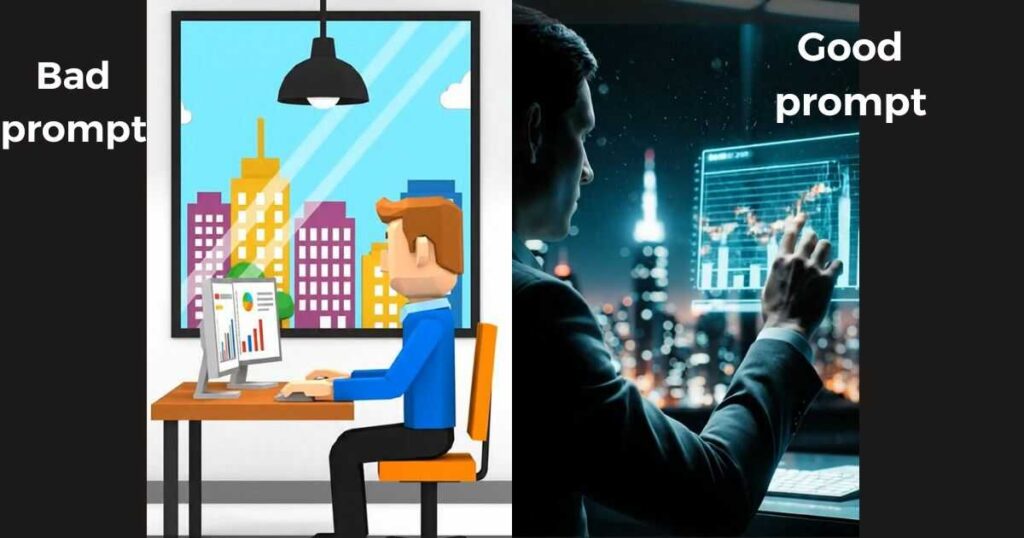
If you tell a production crew: “Create a city scene.”
You’ll get something generic.
But if you tell them: “Create a cinematic aerial shot of a futuristic neon city at night with glowing reflections, slow camera movement, volumetric fog, and dramatic lighting.”
The result becomes far more specific and visually appealing.
The same principle applies when writing Kling AI prompts.
Kling AI Prompt Guide: The Formula Behind Better Results
One of the biggest mistakes users make is writing prompts that are too short.
Instead of writing: A man walking in a city.
Use a structured prompt formula.
Recommended Formula
Subject + Environment + Action + Lighting + Camera Movement + Style
Example:
A faceless entrepreneur walking through a futuristic neon-lit city, cinematic atmosphere, glowing reflections, volumetric fog, slow tracking camera movement, ultra realistic film style.
Notice how much more information the AI receives.
This simple framework can dramatically improve video quality.
Common Mistakes That Ruin Kling AI Prompts
Before we look at examples, avoid these common errors:
Being Too Generic
Bad: Beautiful nature scene
Better: Cinematic mountain lake at sunrise, golden sunlight reflecting on crystal-clear water, slow drone shot, ultra realistic landscape photography.
Forgetting Camera Movement
Static prompts often produce less engaging videos.
Adding camera instructions improves realism.
Examples:
- Slow zoom.
- Tracking shot.
- Drone shot.
- Orbit shot.
- Push-in shot.
Ignoring Lighting
Lighting creates mood.
Examples:
- Golden hour lighting.
- Neon lighting.
- Soft cinematic lighting.
- Dramatic contrast lighting.
You can try the tool and start generating for free via the [Official Kling AI Website]
Best Prompts for Kling AI
Below are some of the best prompts for Kling AI that consistently generate impressive results.
Nature & Landscape Prompts
Prompt #1
Epic mountain range during sunrise, golden rays illuminating snowy peaks, cinematic drone shot, realistic atmosphere, volumetric clouds, ultra detailed landscape.
Prompt #2
Crystal-clear tropical beach with turquoise water, cinematic aerial movement, palm trees swaying naturally, golden sunlight, realistic reflections.
Prompt #3
Massive waterfall deep inside a rainforest, mist rising into the air, slow cinematic camera movement, highly detailed environment.
Fantasy Prompts
Prompt #4
Ancient floating kingdom above the clouds, magical waterfalls flowing into the sky, cinematic fantasy atmosphere, epic scale, ultra realistic rendering.
Prompt #5
Giant dragon flying over a medieval city at sunset, dramatic lighting, cinematic action scene, realistic motion.
Prompt #6
Mystical forest glowing with magical blue energy, enchanted creatures moving through the environment, cinematic fantasy film style.
💡 Tip for Advanced Users:
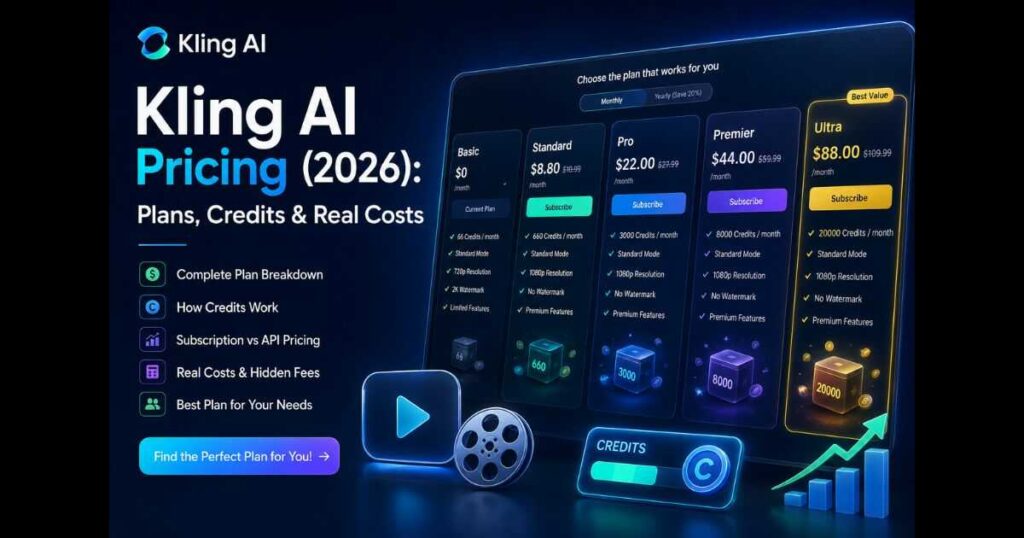
If you’re planning to scale your AI video workflow, understanding the cost structure is just as important as mastering prompts. Pricing, credits, and generation limits directly affect how many videos you can realistically produce.
👉 Learn more about how the system works here:
Kling AI Pricing (2026): Plans, Credits & Hidden Costs Explained
Kling AI Cinematic Prompts
These Kling AI cinematic prompts are designed to create scenes that feel like professional movie shots.
Prompt #7
Hollywood-style cinematic shot of a luxury sports car driving through a neon-lit city at night, wet streets reflecting colorful lights, slow tracking shot, ultra realistic visuals.
Prompt #8
Lone traveler standing on a cliff overlooking an endless futuristic city, dramatic lighting, cinematic atmosphere, slow zoom shot.
Prompt #9
Close-up cinematic portrait of a futuristic explorer, shallow depth of field, realistic skin textures, film-grade lighting.
Prompt #10
Space station orbiting Earth, cinematic camera movement, realistic reflections, epic science-fiction atmosphere.
Kling AI Camera Movement Prompts
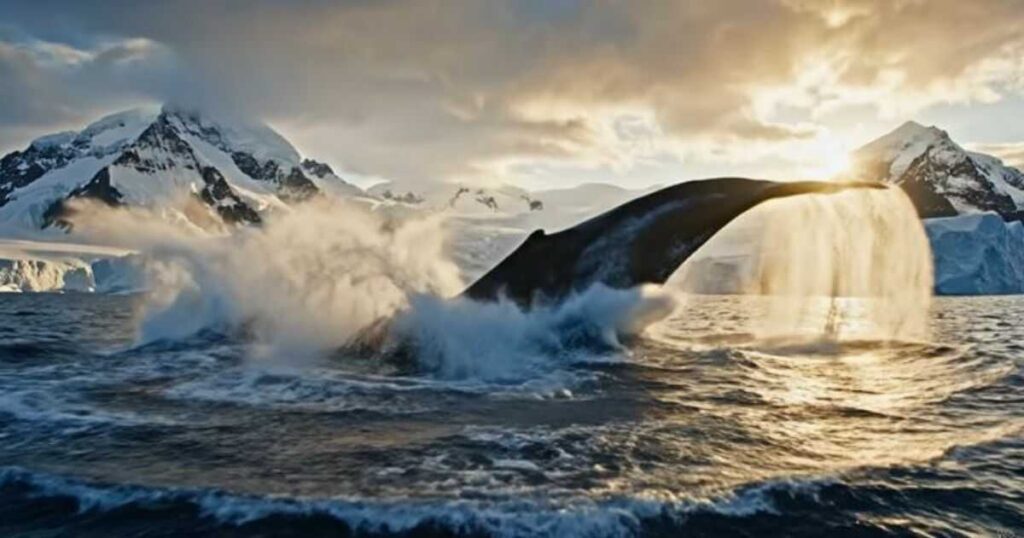
One of the fastest ways to improve video quality is learning how to control camera motion.
These Kling AI camera movement prompts can instantly make scenes feel more professional.
Slow Zoom
Prompt #11
Ancient castle at sunrise, cinematic slow zoom toward the main tower, golden light, realistic atmosphere.
Tracking Shot
Prompt #12
Futuristic businessman walking through a neon city, tracking camera following behind, cinematic lighting.
Orbit Shot
Prompt #13
Luxury sports car parked on a mountain road, orbit camera movement around the vehicle, sunset lighting.
Drone Shot
Prompt #14
Massive tropical island surrounded by crystal-clear water, cinematic drone flight, realistic aerial perspective.
Push-In Shot
Prompt #15
Determined entrepreneur working in a futuristic office, slow push-in camera movement, dramatic lighting.
Kling AI Text to Video Prompts
Many users search for effective Kling AI text to video prompts because this feature is the foundation of the platform.
Here are examples specifically optimized for text-to-video generation.
Prompt #16
Modern AI laboratory with holographic displays, researchers working on futuristic technology, cinematic lighting, ultra realistic environment.
Prompt #17
Busy Tokyo street at night, glowing neon signs, realistic crowd movement, cinematic urban atmosphere.
Prompt #18
Luxury penthouse overlooking a futuristic skyline, golden sunset light entering through large glass windows.
Prompt #19
Professional content creator working at a high-tech workstation, multiple screens displaying analytics, cinematic composition.
Prompt #20
Autonomous flying vehicles navigating through a futuristic metropolis, dynamic camera movement, realistic lighting.
Kling AI Prompts for YouTube
One of the most profitable use cases today involves creating faceless content.
These Kling AI prompts for YouTube are specifically designed for YouTube automation channels.
Prompt #21
Futuristic digital studio displaying YouTube analytics, glowing charts and graphs, cinematic lighting, professional content creator atmosphere.
Prompt #22
High-tech AI workspace with holographic screens showing business growth metrics, realistic environment, slow camera movement.
Prompt #23
Animated visual representation of financial growth, digital charts rising upward, cinematic business presentation style.
Prompt #24
Modern entrepreneur analyzing market trends inside a futuristic office, realistic visuals, professional atmosphere.
Prompt #25
Dynamic montage of AI tools, automation workflows, content creation systems, fast-paced cinematic editing style.
🎬 Turn These Prompts Into Real Videos
You now have the prompts. The next step is to test them yourself. [Start creating with Kling AI today] and see what your ideas can become.
Advanced Prompt Writing Tips
Once you’re comfortable using templates, start enhancing prompts with these techniques.
Add Emotion
Instead of: Person standing in a room.
Use: Determined entrepreneur standing in a futuristic office, dramatic lighting, focused expression, cinematic atmosphere.
Add Environmental Details
Instead of: Futuristic city.
Use: Futuristic neon city after rainfall, reflective streets, glowing advertisements, cinematic night atmosphere.
Add Visual Style
Examples:
- Hollywood cinematic style.
- Documentary style.
- Ultra realistic.
- Science fiction film.
- Fantasy epic.
These details often make a huge difference.
Building a Personal Prompt Library
The best creators rarely start from scratch. Instead, they maintain a library of proven prompts. Create categories such as:
- Nature.
- Business.
- Technology.
- YouTube Automation.
- Storytelling.
- Fantasy.
- Camera Movements.
Over time, you’ll develop a collection of reusable prompt frameworks that consistently produce high-quality results.
Final Thoughts on Kling AI Prompts
Mastering Kling AI prompts is one of the fastest ways to improve your AI-generated videos.
While Kling AI itself is a powerful video generator, the quality of your output ultimately depends on the instructions you provide.
The creators achieving the best results aren’t necessarily using a different version of the platform—they simply understand how to structure prompts more effectively.
Start with the examples in this guide, experiment with different camera movements, lighting styles, and environments, then build your own prompt library over time.
As you gain experience, you’ll discover that great prompts are often the difference between an average AI video and a cinematic scene that captures attention instantly.

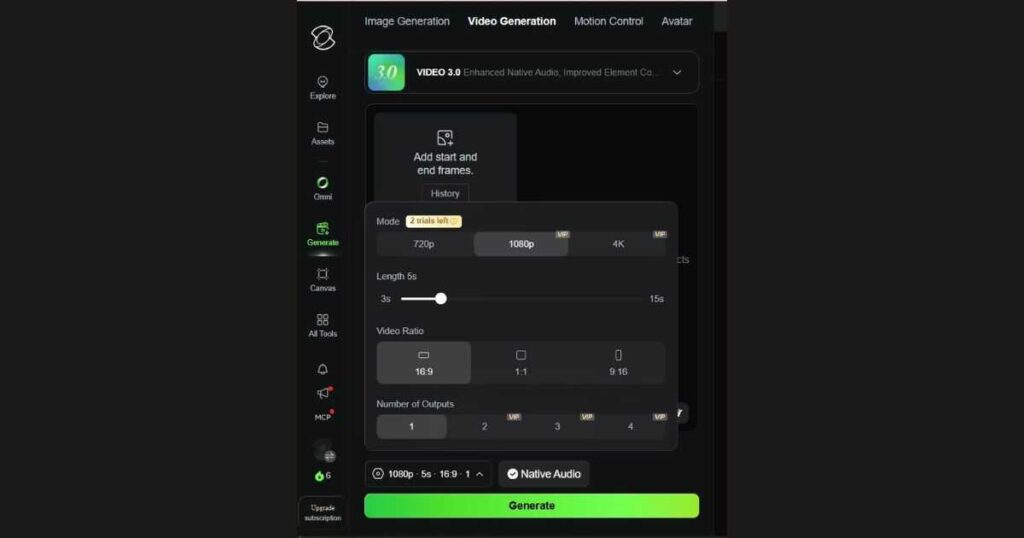
Now that you hold the secret formula for crafting professional prompts and fully understand how to configure the settings for maximum quality… the challenge is officially yours!
Test this equation for yourself right now; [Sign up for Kling AI here], add your own unique touch to the prompts we shared, and let the AI blow you away with the results!
🎬 Bring These Prompts to Life
Having the right prompts is just the first step. To learn exactly how to apply them, adjust generation settings, and master advanced camera controls, head over to our ultimate [Kling AI Tutorial (2026): How to Use Kling AI Step by Step] and start creating professional-quality videos right away.
Looking for a complete workflow? Our Kling AI Text to Video guide shows exactly how those prompts are transformed into cinematic AI videos inside Kling AI.
Continue Learning:
- Kling AI vs Runway (2026): Which AI Video Generator Is Better? — Curious whether the same prompts perform better in Runway? See our full comparison of prompt quality, realism, and overall video generation results.
- Kling AI Free (2026): How to Use Kling AI Without Paying — Learn how to access Kling AI without a subscription, maximize your free credits, understand the platform’s limitations, and decide when upgrading to a paid plan is actually worth it.
- Kling AI Alternatives (2026): 10 Better AI Video Tools — Discover the top platforms to upgrade your workflow, save budget, and generate high-quality cinematic videos instantly.
- Kling AI Motion Control (2026) — Discover how to create realistic AI character animation using Motion Control, reference videos, and advanced motion transfer techniques.
- Runway AI Review (2026): Discover whether Runway is the best AI video generator for creators in 2026.