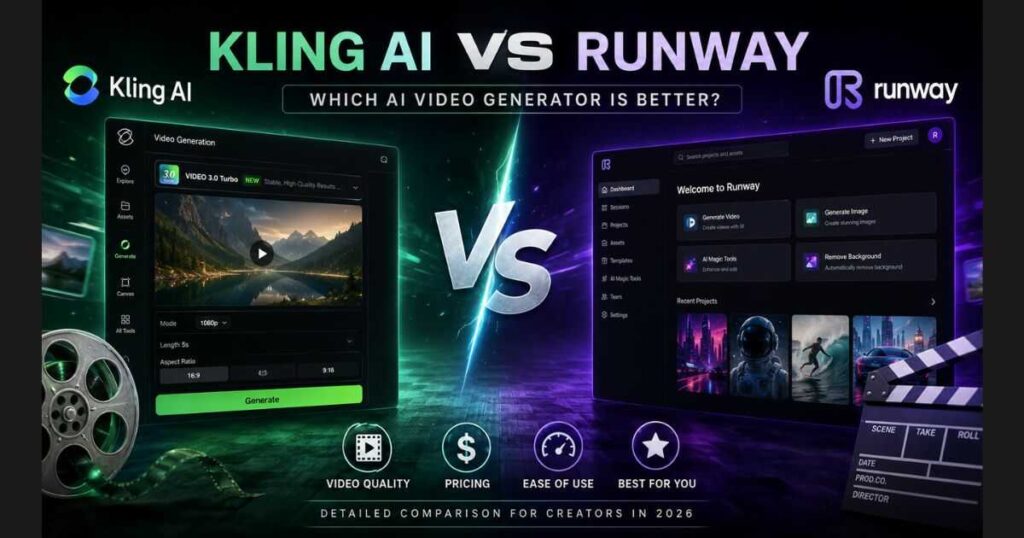
Kling AI vs Runway (2026): Which AI Video Generator Is Better?
Artificial intelligence has completely transformed the way creators produce videos. Tasks that once required expensive cameras, editing software, and hours of manual work can now be completed by simply writing a text prompt or uploading an image. Among the growing number of AI video generators, Kling AI and Runway have become two of the most popular choices for content creators, marketers, filmmakers, and businesses.
But which one actually delivers the best value?
If you’re comparing Kling AI vs Runway, you’re probably asking questions like:
- Which tool generates more realistic videos?
- Which one offers better image-to-video capabilities?
- Is Kling AI better for cinematic content?
- Is Runway easier for beginners?
- Which platform gives you the best value for your money?
This in-depth comparison answers all of those questions. Instead of simply listing features, we’ll compare both platforms based on real-world use cases, pricing, video quality, ease of use, speed, and who each tool is best suited for.
By the end of this guide, you’ll know exactly which AI video generator fits your workflow.
💡 New to Kling AI?
Before comparing it with Runway, you may want to read our Kling AI Review (2026) for a complete overview of its features, pricing plans, strengths, and limitations. It’s the perfect starting point if you’re exploring the platform for the first time.
Quick Verdict: Kling AI vs Runway
If you only want the short answer, here’s our verdict.
| Category | Winner |
| Image to Video Quality | 🏆 Kling AI |
| Cinematic Realism | 🏆 Kling AI |
| Prompt Understanding | 🏆 Kling AI |
| AI Video Editing | 🏆 Runway |
| Ease of Use | 🏆 Runway |
| Collaboration Features | 🏆 Runway |
| Fast Creative Workflow | 🏆 Runway |
| Overall Value for AI Video Generation | 🏆 Kling AI |
Choose Kling AI if you:
- Want cinematic AI-generated videos.
- Mainly create videos from text prompts or images.
- Prefer highly realistic motion and lighting.
- Focus on YouTube, TikTok, Instagram Reels, or storytelling content.
🎬 Ready to See Why Creators Choose Kling AI?
If cinematic realism, natural motion, and high-quality AI video generation are your priorities, the best way to compare Kling AI with Runway is to try it yourself.
👉 Try Kling AI for Free and Start Creating Cinematic Videos
Choose Runway if you:
- Need professional AI video editing tools.
- Work with existing footage instead of generating everything from scratch.
- Collaborate with a creative team.
- Want an all-in-one AI production platform.
Neither platform is objectively better for everyone—the right choice depends entirely on your workflow and the type of videos you create.
Kling AI vs Runway: What Are These Platforms?
Before diving deeper into the comparison, it’s important to understand that these two tools were built with slightly different goals.
What Is Kling AI?
Kling AI is an AI-powered video generation platform designed primarily for creating videos from text prompts and images. Its biggest strength is producing highly realistic motion, cinematic lighting, and natural camera behavior with minimal user input.
The platform is particularly popular among creators producing:
- AI short films.
- Cinematic storytelling videos.
- Social media content.
- Product showcases.
- Faceless YouTube channels.
- Image-to-video animations.
One of Kling AI’s biggest advantages is how easily beginners can generate impressive results by writing a well-crafted prompt.
What Is Runway?
Runway is a broader AI creative platform that combines AI video generation with advanced editing tools. While it also supports generating videos from prompts, its real strength lies in helping creators edit, extend, and enhance existing footage.
Runway is commonly used for:
- AI-assisted video editing.
- Green screen removal.
- Motion tracking.
- Character animation.
- Team collaboration.
- Professional production workflows.
Rather than focusing only on generating videos from scratch, Runway aims to become a complete AI-powered creative studio.
The Biggest Difference Between Kling AI and Runway
Although both platforms create AI videos, their priorities are different.
Kling AI focuses on generating visually impressive, cinematic videos with realistic movement directly from text or images.
Runway, on the other hand, emphasizes creative flexibility by combining AI generation with professional editing tools that fit into larger production pipelines.
A simple way to think about it is:
- Kling AI is optimized for creating stunning AI-generated scenes.
- Runway is optimized for editing, enhancing, and producing complete video projects.
Understanding this difference makes choosing the right platform much easier because the “best” option depends on what you actually want to create.
💡 Creator Tip
If your goal is to generate cinematic AI videos from scratch, spend time learning how to write effective prompts before upgrading to a paid plan. A strong prompt often improves your results far more than simply choosing a more expensive subscription.
If you haven’t mastered prompt writing yet, our Best Kling AI Prompts (2026) guide includes proven prompt templates that consistently produce higher-quality videos.
Feature Comparison Overview
Now that you understand the philosophy behind each platform, let’s compare Kling AI vs Runway feature by feature, starting with the capabilities that matter most to creators: video quality, realism, workflow, editing tools, pricing, and overall value.
Feature Comparison — Kling AI vs Runway
Choosing between Kling AI vs Runway isn’t simply about selecting the platform with the longest feature list. Instead, it comes down to understanding which tool aligns with your workflow, creative goals, and experience level.
Both platforms use advanced AI models, but they approach video generation differently. Kling AI focuses on cinematic realism with minimal effort, while Runway offers a broader creative environment with professional editing capabilities.
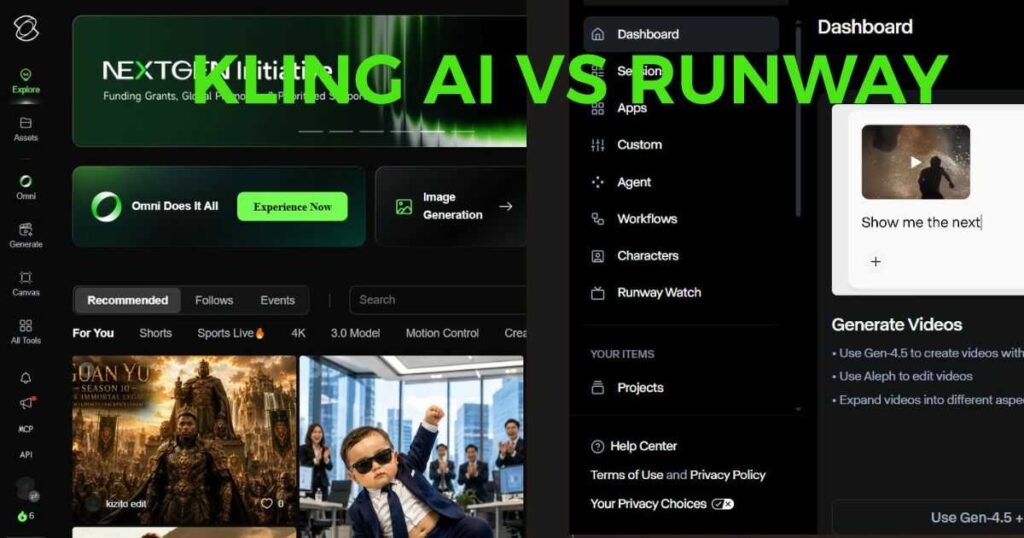
Kling AI vs Runway: Interface and Ease of Use
One of the biggest differences you’ll notice is the user interface.
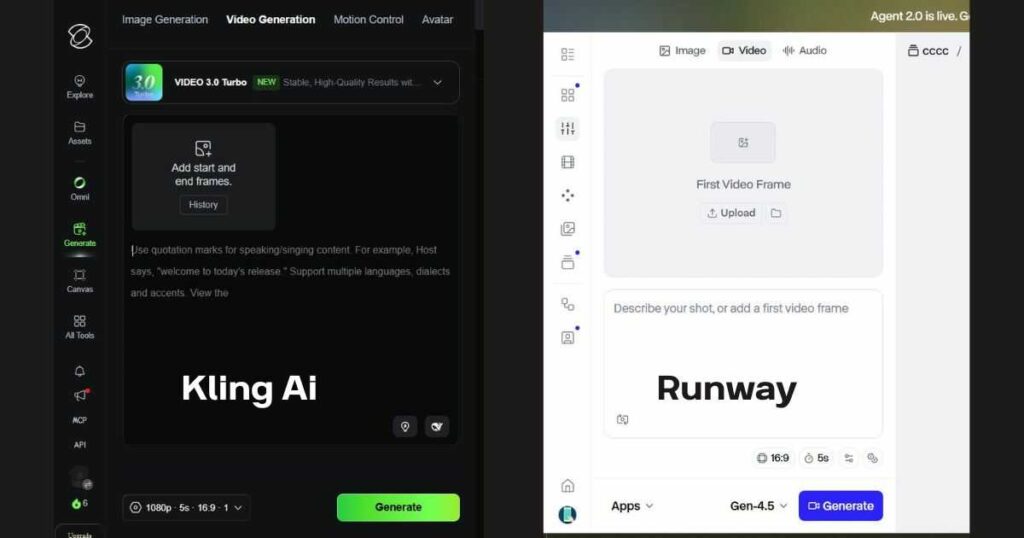
Kling AI is designed around simplicity. After logging in, you immediately see the main generation workspace where you can choose between image generation, video generation, motion control, avatars, and additional AI tools.
For beginners, the workflow feels straightforward:
- Select the generation model.
- Upload an image or write a prompt.
- Choose video length and aspect ratio.
- Generate your video.
There are very few settings that might overwhelm new users, making Kling AI an excellent option for creators who simply want fast, high-quality results.
Runway, on the other hand, feels more like a professional creative suite.
Besides AI video generation, it includes:
- AI image generation.
- Character animation.
- Video editing.
- Multi-project management.
- Creative workflows.
- Asset organization.
- Collaboration features.
While this flexibility is powerful, first-time users may need more time to become familiar with the interface.
Quick Verdict
| Category | Winner |
| Beginner Friendly | ✅ Kling AI |
| Professional Workspace | ✅ Runway |
Kling AI vs Runway: Video Quality
For many creators, this is the most important comparison.
Who produces the better-looking videos?
Kling AI
Kling AI has earned its reputation because of its realistic motion generation.
Its strengths include:
- Smooth human movement.
- Realistic facial expressions.
- Natural lighting.
- Excellent depth perception.
- Consistent object motion.
- Strong cinematic feel.
Many creators specifically choose Kling AI when they want videos that resemble movie scenes rather than typical AI animations.
It performs especially well with:
- Portrait videos.
- Nature scenes.
- Fashion content.
- Product showcases.
- Fantasy environments.
- Storytelling sequences.
🚀 Experience Kling AI’s Cinematic Video Quality
Want to see how realistic AI-generated motion can look? Start creating videos with Kling AI and experiment with cinematic scenes, realistic movement, and dynamic camera shots.
👉 Start Creating with Kling AI Today
Runway
Runway has improved significantly over the past year.
Its latest generation models create:
- Detailed environments.
- Creative visual effects.
- Dynamic camera movement.
- Consistent scene composition.
Runway particularly excels when creators want more artistic control instead of simply generating realistic footage.
For example:
- Commercial advertisements.
- Music videos.
- Experimental filmmaking.
- Creative storytelling.
- Motion graphics.
Which Looks More Realistic?
For purely cinematic realism, many creators currently prefer Kling AI.
For creative flexibility and post-production workflows, Runway often has the advantage.
Neither platform is objectively better—the “best” choice depends entirely on the type of content you’re creating.
Image-to-Video Performance
Since many AI creators start with a single image, image-to-video generation deserves its own comparison.
Kling AI
Kling AI has become one of the strongest tools in this category because it preserves image quality while generating realistic movement.
It handles:
- Camera push-ins.
- Slow cinematic motion.
- Environmental animation.
- Facial movement.
- Hair simulation.
- Clothing movement.
One of its biggest strengths is maintaining the original composition without dramatically altering the uploaded image.
This makes it ideal for:
- AI artwork.
- Midjourney images.
- FLUX images.
- Portrait photography.
- Product images.
- Landscape photography.
If your workflow relies heavily on animating still images, Kling AI often delivers more natural-looking results with less prompt engineering.
Read our Kling AI Image to Video (2026) guide for advanced animation techniques.
Runway
Runway also supports image-to-video workflows, but it tends to encourage more experimentation.
Its generations can introduce:
- Larger scene transformations.
- Stronger creative interpretation.
- More dramatic motion.
This can be beneficial for artistic projects but may require additional attempts if you’re aiming to preserve the original image exactly.
Text-to-Video Capabilities
Both platforms allow users to generate videos directly from text prompts.
However, they approach prompting differently.
Kling AI
Kling AI generally rewards clear, descriptive prompts.
For example:
- Subject.
- Environment.
- Lighting.
- Mood.
- Camera movement.
- Style.
A well-written prompt can produce cinematic results without requiring dozens of technical keywords.
This makes it accessible even for beginners.
Runway
Runway gives creators more creative freedom but also benefits from more detailed prompting.
Professional users often combine:
- scene descriptions.
- camera language.
- cinematic references.
- motion instructions.
- lighting techniques.
to achieve highly customized outputs.
If you enjoy experimenting with prompt engineering, Runway provides a deeper playground.
Rendering Speed
Speed matters when generating multiple versions of a project.
Kling AI
Generation speed depends on:
- server load.
- subscription plan.
- video duration.
- selected model.
Paid members generally receive priority processing, making rendering noticeably faster than the free tier.
Runway
Runway also prioritizes subscribers, but rendering time varies depending on the complexity of the generation model being used.
For professional projects involving editing and AI generation together, overall workflow efficiency may outweigh pure rendering speed.
Which Platform Is Better for Beginners?
If someone has never used AI video tools before, the learning curve becomes an important factor.
Choose Kling AI if you want:
- Faster learning.
- Simpler interface.
- Excellent cinematic quality.
- Realistic motion.
- Quick social media content.
- Minimal technical knowledge.
Choose Runway if you want:
- Professional editing tools.
- Advanced creative workflows.
- Team collaboration.
- Multiple AI features in one platform.
- More production flexibility.
Pricing, Pros & Cons, and Final Verdict
Kling AI vs Runway Pricing
Price is one of the biggest deciding factors for creators, especially if you’re planning to generate videos regularly.
Both platforms operate on a subscription model, but they target slightly different audiences.
Kling AI Pricing
Kling AI uses a credit-based system. Every generated video consumes a certain number of credits depending on factors such as:
- Selected AI model.
- Video duration.
- Resolution.
- Output quantity.
The platform currently offers a free plan, allowing users to test its capabilities before committing to a subscription. Paid plans provide significantly more monthly credits, faster generation queues, watermark-free exports, and access to premium features.
For creators publishing consistently on YouTube Shorts, TikTok, or Instagram Reels, the paid plans are generally much more practical than relying on the free tier.
Related Guide: If you want a detailed breakdown of plans, credits, and hidden costs, read our Kling AI Pricing (2026) guide.
💡 Ready to Test Kling AI Before You Upgrade?
Don’t rely on comparisons alone. Start with Kling AI’s available free options, test the platform with your own prompts, and discover whether its video generation workflow fits your needs.
👉 Try Kling AI for Free and Explore Its AI Video Tools
Runway Pricing
Runway also provides a free plan with limited AI credits, making it easy to explore the platform.
Its paid subscriptions unlock:
- More AI generations.
- Faster rendering.
- Commercial usage.
- Larger project limits.
- Advanced editing capabilities.
Unlike Kling AI, Runway positions itself as an all-in-one creative workspace rather than purely an AI video generator.
If your workflow includes editing, collaboration, and multiple AI tools in one platform, the higher subscription price may still represent good value.
Thinking about upgrading? Before purchasing any subscription, compare the available plans and monthly credits carefully. A lower-priced plan, like the basic tiers on Kling AI, is often enough for creators publishing only a few videos each week, while frequent publishers may benefit from the additional credits included in higher Runway tiers.
Which Platform Offers Better Value?
The answer depends on your goals.
Choose Kling AI if:
- You mainly create AI-generated videos.
- Your focus is cinematic quality.
- You want realistic motion with minimal editing.
- You publish short-form content frequently.
Choose Runway if:
- You also edit videos.
- You work with clients.
- You collaborate with teams.
- You need one platform for multiple creative tasks.
Neither platform is objectively cheaper once your workflow grows. Instead, think about which features you’ll actually use every week.
Pros and Cons
Kling AI
Pros
- Excellent cinematic realism.
- Beginner-friendly interface.
- Outstanding image-to-video generation.
- High-quality facial animation.
- Realistic camera motion through prompts.
- Fast learning curve.
- Consistent visual quality.
Cons
- Credit consumption can increase quickly on larger projects.
- Fewer built-in editing features than Runway.
- Advanced creators may occasionally want more manual control.
Runway
Pros
- Complete creative workspace.
- Powerful AI editing tools.
- Excellent collaboration features.
- Flexible production workflow.
- Frequent model improvements.
- Strong ecosystem for professional creators.
Cons
- Steeper learning curve.
- Interface can feel overwhelming for beginners.
- More features also mean more complexity.
- Some AI generations require additional experimentation to achieve the desired result.
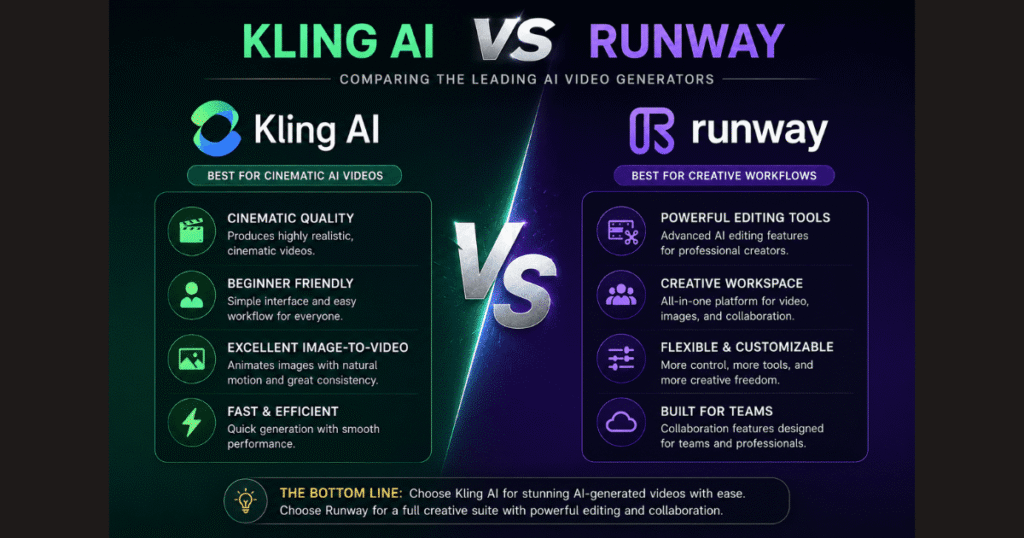
Which One Should You Choose?
This is the question most readers came here to answer.
After comparing Kling AI vs Runway across interface, video quality, image animation, text-to-video generation, workflow, and pricing, here’s the simplest recommendation.
Choose Kling AI if you are:
- A beginner.
- A YouTuber.
- A TikTok creator.
- A Reels creator.
- A digital marketer.
- A blogger creating AI videos.
- Someone focused primarily on cinematic AI generation.
Kling AI lets you produce impressive videos with less effort, making it one of the easiest platforms to start using.
Choose Runway if you are:
- A filmmaker.
- A video editor.
- A designer.
- A creative agency.
- A production team.
- A professional content creator managing multiple projects.
Its editing tools and broader creative ecosystem make it better suited to complex workflows.
Can You Use Both Together?
Absolutely.
In fact, many professional creators do exactly that.
A common workflow looks like this:
- Generate a cinematic scene in Kling AI.
- Export the video.
- Import it into Runway.
- Add transitions, visual effects, captions, or additional edits.
- Publish the final result.
This combination allows you to benefit from Kling AI’s realistic video generation while taking advantage of Runway’s professional editing capabilities.
For creators aiming to produce premium-quality content, using both tools together can often deliver better results than relying on just one platform.
A Practical Recommendation for New Creators
If you’re just entering the world of AI video generation, don’t feel pressured to subscribe immediately.
Start by experimenting with the free plans available on both platforms. Create a few short videos, compare the outputs, and see which interface feels more natural to you.
When you’re ready to publish content consistently or work on commercial projects, upgrading to a paid plan becomes much easier to justify because you’ll already know which platform fits your workflow.
This approach saves money while helping you make a decision based on real experience rather than marketing claims.
Frequently Asked Questions
Below are some of the most common questions users ask when comparing Kling AI vs Runway.
Is Kling AI better than Runway?
It depends on what you want to create.
If your goal is generating cinematic AI videos from text prompts or images with minimal effort, Kling AI is generally the better choice. Its realistic motion, lighting, and natural-looking scenes make it one of the strongest AI video generators available today.
However, if your workflow includes editing existing footage, collaborating with a team, or building complete video productions, Runway offers a broader creative ecosystem.
Which platform produces more realistic AI videos?
For realism alone, Kling AI currently has the advantage.
Its AI models consistently generate:
- Natural human movement.
- Better facial expressions.
- More realistic physics.
- Cinematic lighting.
- Smooth camera motion described directly in prompts.
Runway also produces excellent results, but many creators prefer Kling AI when realism is the highest priority.
Which is easier for beginners?
For most new users, Kling AI has a shorter learning curve.
Its interface is clean and focused on AI generation, allowing beginners to create impressive videos without navigating a complex editing environment.
Runway provides many more creative tools, which makes it extremely powerful—but also slightly more challenging for first-time users.
Can I use both Kling AI and Runway together?
Yes—and many professional creators do.
A practical workflow is to generate cinematic scenes in Kling AI and then import those clips into Runway for editing, color adjustments, captions, transitions, or other post-production work.
This combination gives you the strengths of both platforms.
Which platform offers the best value?
If your primary goal is AI video generation, Kling AI generally provides better value because it focuses specifically on creating high-quality AI videos.
If you need advanced editing tools in addition to AI generation, Runway’s broader feature set may justify its subscription cost.
Ultimately, the best value depends on how you create content and which features you’ll actually use.
Still undecided? Try generating the same prompt in both Kling AI and Runway. Comparing the results side by side is one of the fastest ways to discover which platform matches your creative style and production goals.
🎥 Start Creating with Kling AI Today
After comparing Kling AI and Runway across video quality, realism, ease of use, image-to-video generation, and pricing, the best way to make your final decision is to experience the workflow yourself.
If cinematic AI video generation is your priority, Kling AI gives you a powerful way to turn text prompts and images into realistic, engaging videos.
👉 Try Kling AI for Free and Create Your First AI Video
Final Verdict: Kling AI vs Runway
After comparing every major aspect of Kling AI vs Runway, one conclusion becomes clear:
Both platforms are excellent—but they serve different types of creators.
Choose Kling AI if your priority is generating visually stunning, cinematic AI videos from text prompts or images. It delivers impressive realism, an intuitive interface, and a fast workflow, making it an outstanding choice for YouTubers, social media creators, marketers, and storytellers.
Choose Runway if you need a complete AI-powered creative studio. Its advanced editing features, collaboration tools, and flexible production workflow make it better suited for filmmakers, designers, agencies, and professional production teams.
If you’re just getting started, experimenting with the free plans of both platforms is the smartest approach. After creating a few projects, you’ll quickly discover which one fits your creative style and long-term workflow.
Continue Learning Kling AI
If you’re planning to get the most out of Kling AI, these in-depth guides will help you build your skills step by step:
- Kling AI Review (2026): Features, Pricing, Pros & Cons — Explore everything Kling AI offers, including its strengths, limitations, supported features, and who it’s best suited for.
- Best Kling AI Prompts (2026): 25 Prompts That Actually Work — Discover ready-to-use prompts that consistently generate more cinematic, realistic, and engaging AI videos.
- Kling AI Pricing (2026): Plans, Credits & Hidden Costs — Compare every subscription plan, understand the credit system, and learn how to choose the most cost-effective option for your workflow.
- Kling AI Tutorial (2026): How to Use Kling AI Step by Step — Follow a beginner-friendly walkthrough covering account setup, video generation, prompt writing, and exporting your projects.
- Kling AI Image to Video (2026): How to Turn Images into Cinematic Videos — Learn how to animate still images into professional-looking videos using practical techniques and proven prompt strategies.
- Kling AI Free (2026): How to Use Kling AI Without Paying — Learn how to access Kling AI without a subscription, maximize your free credits, understand the platform’s limitations, and decide when upgrading to a paid plan is actually worth it.
- Kling AI Alternatives (2026): 10 Better AI Video Tools — Discover the top platforms to upgrade your workflow, save budget, and generate high-quality cinematic videos instantly.
- Kling AI Motion Control (2026) — Discover how to create realistic AI character animation using Motion Control, reference videos, and advanced motion transfer techniques.
- Kling AI Video 3.0 Review (2026): Is It Worth It? — Discover the latest features, video quality, pricing, and whether Kling AI Video 3.0 is worth using.
- Runway AI Review (2026): Discover whether Runway is the best AI video generator for creators in 2026.
- Runway AI Pricing (2026): Plans, Features & Value – A complete breakdown of subscription costs, credit limits, and how to choose the perfect plan for your workflow without overspending.
Reading these guides together will give you a complete understanding of Kling AI—from choosing the right plan to writing better prompts and creating higher-quality AI videos.
💡 Final Creator Tip: Kling AI vs Runway
Don’t judge either AI video platform after generating just one clip. When analyzing Kling AI vs Runway, the quality of your results depends on several crucial factors, including your prompt precision, the source image, video duration, and your creative objective. Testing the exact same project in both Kling AI vs Runway pipelines remains the fastest way to understand each platform’s unique strengths. The more you experiment, refine your prompts, and analyze the outputs, the better your AI videos will become—regardless of which platform you ultimately choose.
“If you’re serious about creating professional AI videos, start with the free versions of both platforms—try the Kling AI free version and explore Runway’s creative tools—and compare them using the same prompt. Once you’ve identified the workflow that matches your creative needs, upgrading to a paid plan becomes a much more confident—and worthwhile—decision.”