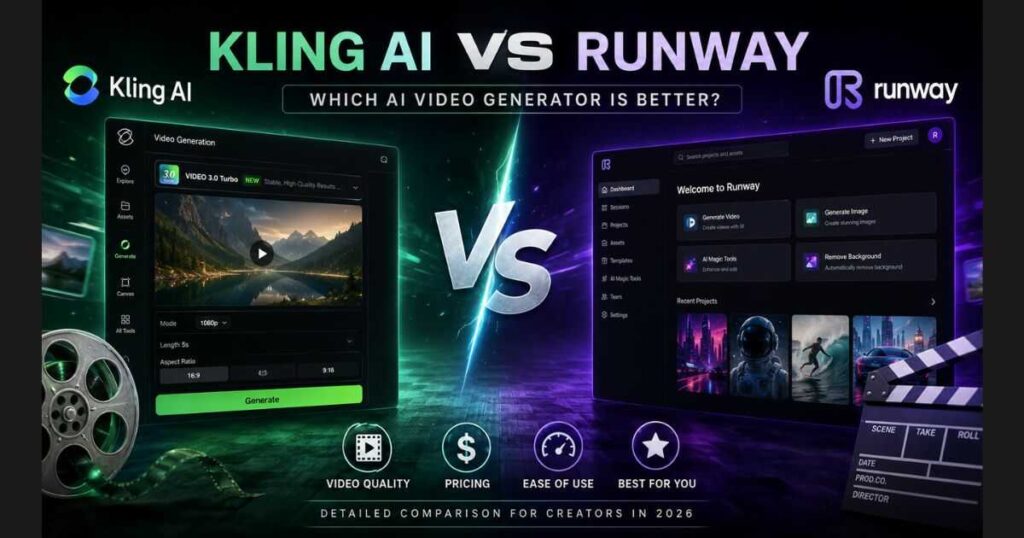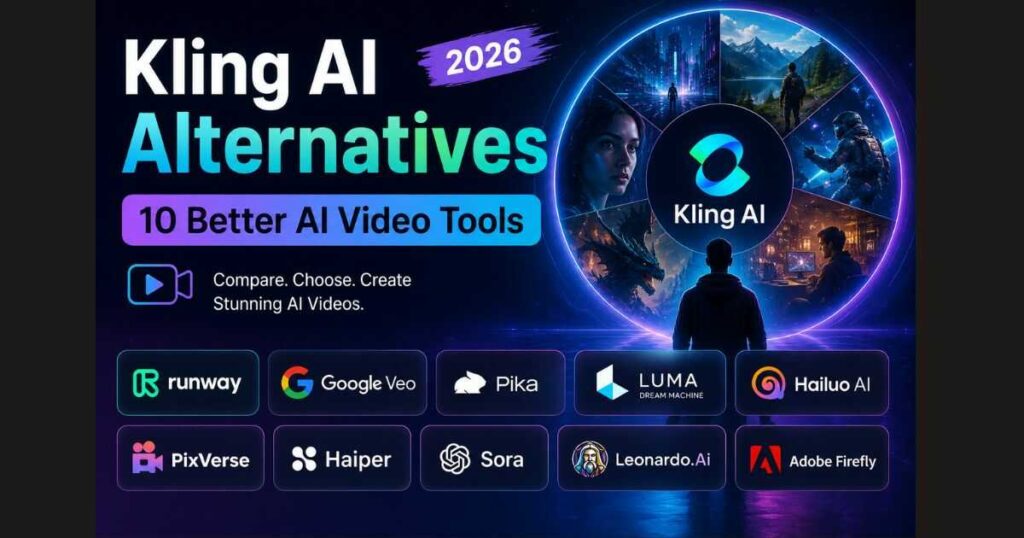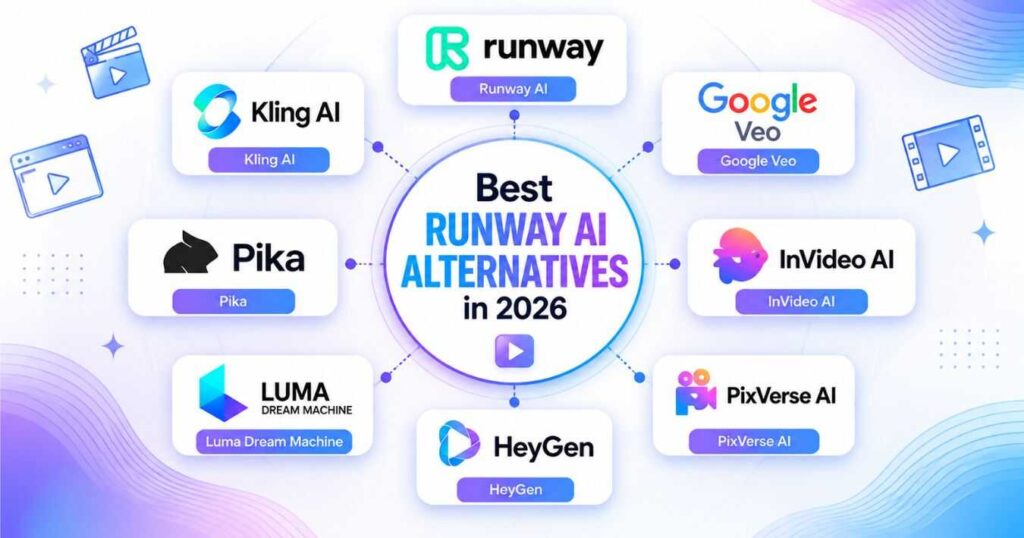
Runway AI Alternatives: 7 Best AI Video Tools (2026)
The AI video generation industry has evolved rapidly over the past year, giving creators more choices than ever before. While Runway AI remains one of the most popular platforms for AI-powered video creation, it isn’t necessarily the perfect solution for everyone. Depending on your budget, workflow, or creative goals, you may find another platform that better fits your needs.
That’s exactly why this guide explores the best Runway AI Alternatives available in 2026.
Whether you’re a YouTube creator, filmmaker, marketer, content creator, or business owner, choosing the right AI video tool can save countless hours while dramatically improving the quality of your projects.
In this guide, you’ll discover seven powerful Runway AI Alternatives, compare their strengths and weaknesses, learn which one excels for different use cases, and decide which platform deserves your investment.
If you’re still evaluating Runway itself, don’t miss our comprehensive Runway AI Review (2026): Is It Worth Using? where we cover its latest features, pros, cons, and real-world performance before comparing it against competitors.
Who Should Look for Runway AI Alternatives?
Although Runway AI is one of the industry’s leaders, many creators search for Runway AI Alternatives because they want:
- Lower monthly costs.
- More cinematic video quality.
- Longer AI-generated videos.
- Better character consistency.
- Easier interfaces for beginners.
- Higher rendering speed.
- Specialized tools for marketing or social media.
Fortunately, today’s AI landscape offers several excellent alternatives, each focusing on different creative strengths.
What Makes a Great Runway AI Alternative?
Not every AI video generator deserves your attention.
Before selecting the best Runway AI Alternatives, we evaluated every platform using the following criteria:
- AI video quality.
- Motion realism.
- Prompt understanding.
- Image-to-video performance.
- Video editing capabilities.
- Ease of use.
- Rendering speed.
- Pricing value.
- Export quality.
- Team collaboration.
- Commercial licensing.
This approach ensures our recommendations are based on practical value rather than marketing claims.
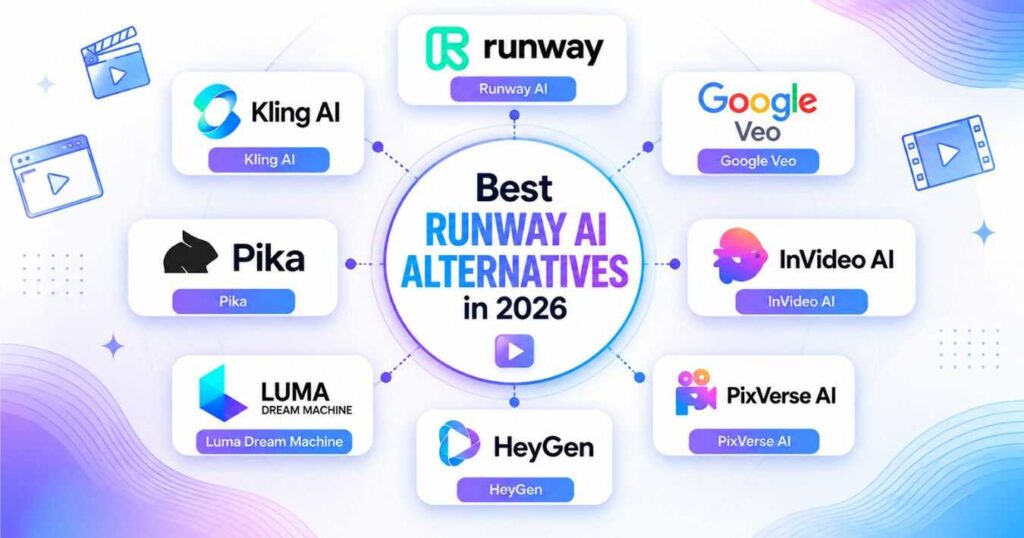
Quick Comparison of the Best Runway AI Alternatives
| AI Tool | Best For | Difficulty | Free Plan |
| Kling AI | Cinematic realism | ⭐⭐⭐ | ✅ |
| InVideo AI | Faceless YouTube & script-to-video | Beginner-friendly | Check current offering |
| Google Veo | Professional filmmaking | ⭐⭐⭐⭐ | Limited |
| Pika | Social media creators | ⭐⭐ | ✅ |
| Luma Dream Machine | Smooth motion videos | ⭐⭐ | ✅ |
| HeyGen | AI avatars & presentations | ⭐ | ✅ |
| PixVerse AI | Fast creative videos | ⭐⭐ | ✅ |
Each of these Runway AI Alternatives excels in different areas, and we’ll examine them individually throughout this guide.
Kling AI — Best for Cinematic AI Videos
When discussing Runway AI Alternatives, Kling AI is usually the first platform professionals mention.
Developed with an emphasis on cinematic realism, Kling AI produces highly detailed motion, natural physics, realistic facial expressions, and longer video sequences than many competing platforms.
Best for
- Short films.
- AI commercials.
- YouTube videos.
- Cinematic storytelling.
- Creative agencies.
Strengths
- Outstanding realism.
- Excellent prompt understanding.
- High-quality motion physics.
- Long video duration support.
- Frequent model improvements.
Weaknesses
- Generation can take longer than Runway..
- Some advanced features require paid plans.
If you’re interested in learning everything about Kling AI, you can also read our complete Kling AI Guide and other Kling AI tutorials available on our website.
If cinematic realism is your highest priority, Kling AI is one of the strongest Runway AI Alternatives available today.
Google Veo — Best for Professional AI Filmmaking
If you’re searching for premium Runway AI Alternatives, Google Veo deserves a place at the top of your shortlist.
Developed by Google DeepMind, Veo is designed to generate cinematic-quality videos with exceptional prompt understanding, realistic camera movements, and impressive consistency across longer scenes. Unlike many AI video generators that excel only at short clips, Veo focuses on producing footage suitable for storytelling, advertising, and professional productions.
Although access is still limited in some regions and plans, Google continues expanding Veo’s capabilities, making it one of the strongest competitors to Runway AI.
Best for
- Professional filmmakers.
- Creative agencies.
- Commercial advertising.
- Story-driven content.
- High-end marketing videos.
Strengths
- Outstanding prompt accuracy.
- Highly realistic camera motion.
- Excellent scene consistency.
- Professional-quality lighting.
- Strong understanding of cinematic language.
Weaknesses
- Limited public availability.
- Premium access may not be available for every user.
- Learning curve is steeper than beginner-friendly tools.
Who Should Choose Google Veo?
Choose Google Veo if your projects demand the highest visual quality and you’re willing to trade simplicity for advanced creative control.
Pika — Best for Social Media Creators
Among today’s Runway AI Alternatives, Pika has become one of the fastest-growing tools thanks to its simplicity and creator-friendly workflow.
Instead of overwhelming beginners with complex settings, Pika focuses on helping users generate engaging short-form videos for platforms like TikTok, Instagram Reels, YouTube Shorts, and Facebook.
If speed matters more than advanced filmmaking tools, Pika is an excellent option.
Best for
- TikTok creators.
- Instagram Reels.
- YouTube Shorts.
- Influencers.
- Small businesses.
Strengths
- Very easy to learn.
- Fast video generation.
- Beginner-friendly interface.
- Frequent feature updates.
- Great for social content.
Weaknesses
- Less cinematic than Runway.
- Limited advanced editing features.
- Shorter video generation compared to premium tools.
Looking for a simple AI video generator that gets results fast?
Luma Dream Machine — Best for Smooth Motion
When discussing motion quality, Luma Dream Machine consistently appears among the top Runway AI Alternatives.
Luma focuses heavily on creating fluid movement between frames, making videos feel natural and realistic. Many creators choose it specifically because its motion interpolation often produces fewer visual artifacts than competing platforms.
It performs especially well with:
- Landscapes.
- Drone shots.
- Cinematic travel videos.
- Product showcases.
- Nature scenes.
Best for
- Cinematic visuals.
- Product marketing.
- Travel content.
- Smooth camera movement.
- Creative storytelling.
Strengths
- Excellent motion realism.
- Beautiful lighting.
- Natural camera movement.
- High-quality image-to-video generation.
- Beginner-friendly interface.
Weaknesses
- Editing tools are limited.
- Prompt interpretation can occasionally vary.
- Advanced workflows are less flexible than Runway.
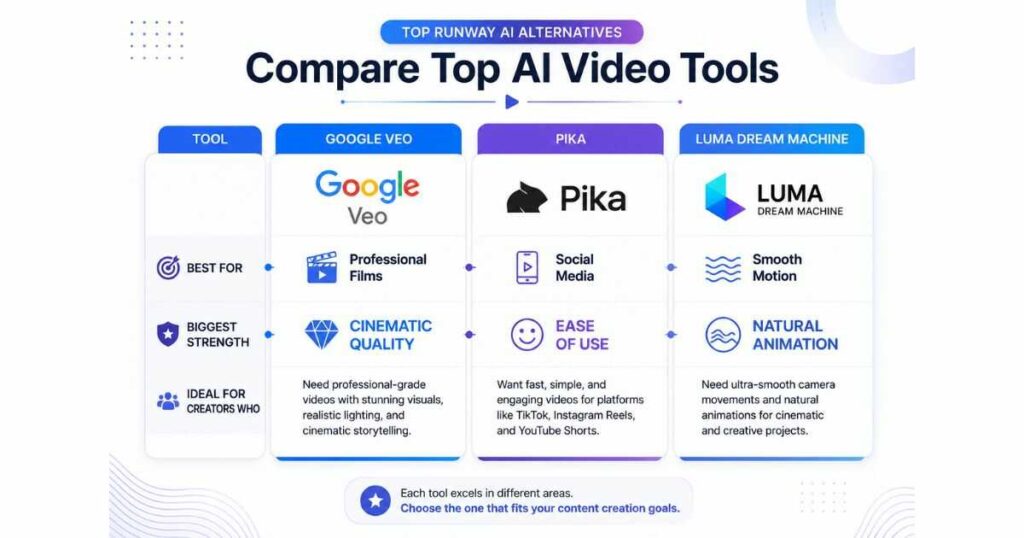
Feature Comparison
Here’s a quick look at how these three Runway AI Alternatives compare.
| Feature | Google Veo | Pika | Luma Dream Machine |
| Beginner Friendly | ⭐⭐⭐ | ⭐⭐⭐⭐⭐ | ⭐⭐⭐⭐ |
| Video Quality | ⭐⭐⭐⭐⭐ | ⭐⭐⭐⭐ | ⭐⭐⭐⭐⭐ |
| Motion Realism | ⭐⭐⭐⭐⭐ | ⭐⭐⭐ | ⭐⭐⭐⭐⭐ |
| Prompt Accuracy | ⭐⭐⭐⭐⭐ | ⭐⭐⭐⭐ | ⭐⭐⭐⭐ |
| Rendering Speed | ⭐⭐⭐ | ⭐⭐⭐⭐⭐ | ⭐⭐⭐⭐ |
| Best For | Films | Social Content | Cinematic Motion |
If you’re still deciding whether Runway AI itself is worth using before switching platforms, you can compare these tools with our in-depth Runway AI Review (2026), where we evaluate the latest models, editing tools, and real-world performance.
InVideo AI — Best for Faceless YouTube Videos
Not every creator needs to generate cinematic clips one at a time. If your goal is to create complete YouTube videos without appearing on camera, InVideo AI is worth considering.
InVideo AI focuses on an AI-assisted script-to-video workflow, helping creators turn ideas or prompts into videos with visuals, voiceovers, music, and editing tools. This makes it a different type of alternative to Runway AI, especially for creators who want to simplify the production of regular content.
Best for
- Faceless YouTube channels.
- Script-to-video creation.
- Educational and explainer videos.
- Marketing and promotional content.
- Creators who want a more integrated production workflow.
Strengths
- AI-assisted video creation from prompts and ideas.
- Visuals and voiceovers within a connected workflow.
- Useful for producing complete videos rather than only individual clips.
- Suitable for creators who publish content regularly.
- Can reduce the amount of manual editing required.
Weaknesses
- Generated videos may require editing to match your expectations.
- Features, usage limits, and available models depend on your plan.
- It does not replace every advanced cinematic generation or editing feature offered by Runway.
Who Should Choose InVideo AI?
Choose InVideo AI if you want to create complete videos for a faceless YouTube channel or turn scripts into video content with less manual work.
If your priority is cinematic AI-generated scenes, Kling AI may be a better fit. If you need advanced AI-powered visual editing, Runway AI may still be the stronger choice for your workflow.
Before subscribing, compare the available plans and usage limits to make sure the platform fits your publishing needs and budget.
Explore InVideo AI: Read our InVideo AI review to discover its features, strengths, and limitations before choosing a tool.
HeyGen — Best for AI Avatars & Business Videos
Not every creator needs Hollywood-quality AI movies.
Many businesses simply want professional spokesperson videos, product presentations, online courses, sales videos, or multilingual marketing content.
That’s exactly where HeyGen shines.
Unlike most Runway AI Alternatives, HeyGen specializes in AI avatars and voice-driven presentations rather than cinematic filmmaking.
Best for
- Business presentations.
- Marketing videos.
- Online courses.
- Corporate training.
- Product demonstrations.
- AI spokesperson videos.
Strengths
- Extremely easy to use.
- High-quality AI avatars.
- Excellent voice cloning.
- Multiple languages.
- Fast rendering.
Weaknesses
- Not designed for cinematic filmmaking.
- Limited creative camera movement.
- Less suitable for artistic storytelling.
If your primary goal is business communication instead of filmmaking, HeyGen may actually outperform Runway AI.
Need professional AI spokesperson videos instead of cinematic filmmaking?
PixVerse AI — Best for Fast Creative Videos
PixVerse AI has quickly become one of the most exciting Runway AI Alternatives for creators who prioritize speed and creativity.
Its interface is simple, generations are relatively fast, and it continuously introduces new creative templates and effects aimed at social media creators.
While PixVerse may not yet match Runway’s advanced editing ecosystem, it offers impressive value—especially considering its free features.
Best for
- Fast AI videos.
- Content creators.
- Social media.
- Short marketing videos.
- Creative experiments.
Strengths
- Fast generation.
- Easy interface.
- Good prompt accuracy.
- Frequent updates.
- Free plan available.
Weaknesses
- Editing tools are limited.
- Less suitable for professional productions.
- Character consistency still improving.
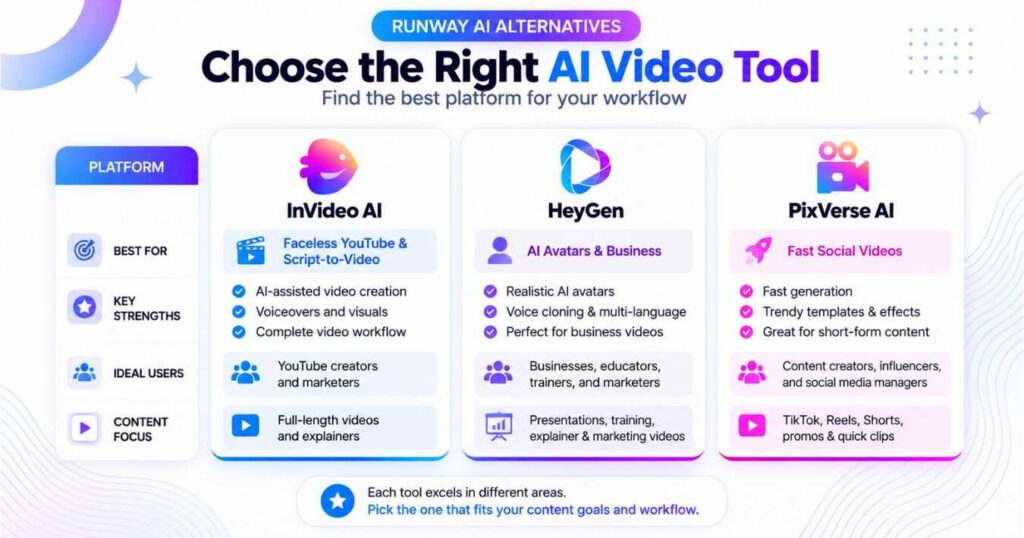
Complete Comparison of the Best Runway AI Alternatives
| AI Tool | Beginner Friendly | Video Quality | Editing Tools | Best Use Case |
| Runway AI | ⭐⭐⭐⭐ | ⭐⭐⭐⭐⭐ | ⭐⭐⭐⭐⭐ | Professional Editing |
| InVideo AI | ⭐⭐⭐⭐⭐ | ⭐⭐⭐⭐⭐ | ⭐⭐⭐⭐ | Complete YouTube videos |
| Kling AI | ⭐⭐⭐ | ⭐⭐⭐⭐⭐ | ⭐⭐⭐⭐ | Cinematic Videos |
| Google Veo | ⭐⭐⭐ | ⭐⭐⭐⭐⭐ | ⭐⭐⭐⭐ | Filmmaking |
| Luma Dream Machine | ⭐⭐⭐⭐ | ⭐⭐⭐⭐⭐ | ⭐⭐⭐ | Smooth Motion |
| Pika | ⭐⭐⭐⭐⭐ | ⭐⭐⭐⭐ | ⭐⭐⭐ | Social Media |
| HeyGen | ⭐⭐⭐⭐⭐ | ⭐⭐⭐⭐ | ⭐⭐⭐⭐ | Business Videos |
| PixVerse AI | ⭐⭐⭐⭐ | ⭐⭐⭐⭐ | ⭐⭐⭐ | Fast Content |
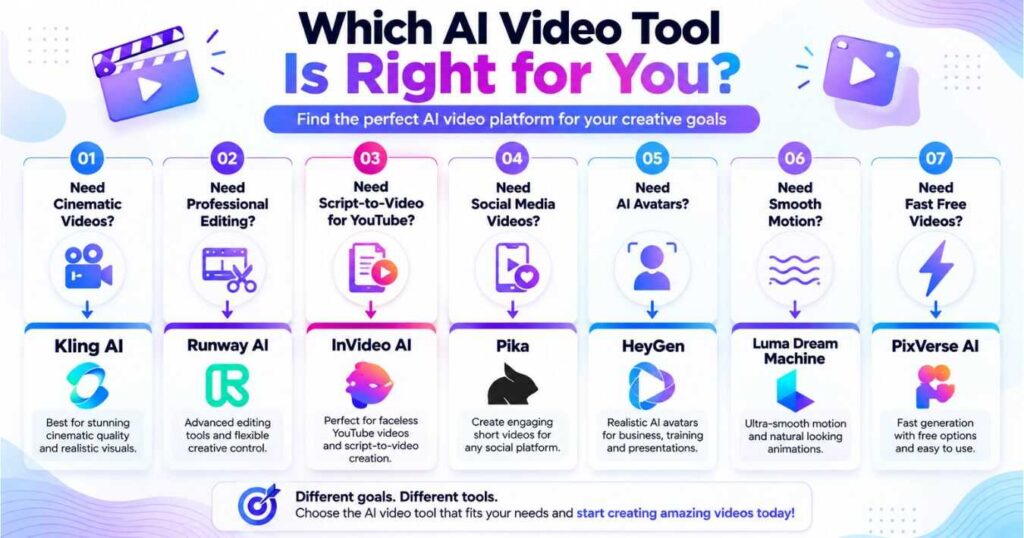
Which Runway AI Alternative Should You Choose?
Choosing among the many Runway AI Alternatives depends entirely on your creative goals.
Choose Kling AI if:
- You want cinematic realism.
- You create YouTube documentaries.
- You need advanced image-to-video quality.
Choose InVideo AI if:
- You want to create complete faceless YouTube videos
- You prefer a script-to-video workflow
- You want to simplify regular video production
Choose Google Veo if:
- You produce professional commercials.
- You prioritize filmmaking.
- You need advanced prompt interpretation.
Choose Pika if:
- You create TikTok videos.
- You publish Instagram Reels.
- You want quick results.
Choose Luma Dream Machine if:
- Smooth animation matters most..
- You create travel or landscape videos.
- You love cinematic motion.
Choose HeyGen if:
- You need AI presenters.
- You create business content.
- You produce training videos.
Choose PixVerse AI if:
- You want free creative experimentation.
- You publish lots of social content.
- Speed is your highest priority.
If you’re still learning the Runway ecosystem before deciding whether to switch, our Runway AI Tutorial: Complete Beginner’s Guide (2026) walks you through the platform step by step, while our Runway AI Pricing guide helps you compare subscription costs before making a final decision.
Choose InVideo AI for Faceless YouTube Content
If you want to build a faceless YouTube channel, your needs may be different from those of a filmmaker generating cinematic scenes.
InVideo AI is worth considering when you want to turn scripts or ideas into complete videos using an AI-assisted production workflow. Instead of focusing only on individual clips, you can explore a workflow designed around assembling video content.
Before choosing a subscription, consider how often you publish, how much editing you are willing to do, and which features are included in your preferred plan.
Read our InVideo AI review to see whether it fits your content strategy.
Are Runway AI Alternatives Better Than Runway?
This is one of the most common questions creators ask.
The honest answer is:
Not necessarily.
Each of the Runway AI Alternatives we’ve covered has its own strengths, and none of them completely replaces Runway for every workflow.
For example:
- Kling AI produces some of the most cinematic AI videos available today.
- Google Veo focuses on professional filmmaking and advanced scene understanding.
- Pika is ideal for fast social media content.
- Luma Dream Machine creates exceptionally smooth camera movement.
- HeyGen dominates AI avatar videos and business presentations.
- PixVerse AI offers impressive speed and accessibility.
- InVideo AI focuses on an AI-assisted workflow for creating complete videos, making it worth considering for faceless YouTube channels.
Meanwhile, Runway AI remains one of the most complete creative ecosystems, combining AI video generation, image generation, editing, workflows, project management, and collaboration in a single platform.
Rather than asking which platform is universally “better,” the smarter question is:
Which platform is better for your specific workflow?
Runway AI vs Kling AI vs InVideo AI: Which Should You Choose?
The best tool depends on the type of videos you want to create and how you prefer to work.
| Your Main Goal | Tool to Consider |
|---|---|
| Advanced AI video editing and creative control | Runway AI |
| Cinematic AI-generated scenes | Kling AI |
| Complete faceless YouTube videos | InVideo AI |
Choose Runway AI if its video generation and editing features fit your creative workflow. Choose Kling AI if cinematic scenes and realistic motion are your priority. Choose InVideo AI if you want an AI-assisted workflow for creating complete videos from scripts or ideas.
Before paying for any platform, compare its current pricing, generation limits, and features against your actual needs.
Explore our Kling AI review and InVideo AI review to compare the tools in more detail before making your decision.
Frequently Asked Questions
What is the best Runway AI alternative?
There isn’t a single answer for everyone.
If your priority is cinematic realism, Kling AI is an excellent choice.
If you create marketing presentations, HeyGen is likely the better option.
For professional filmmaking, Google Veo is one of the strongest competitors.
Are there free Runway AI Alternatives?
Yes.
Several platforms offer free plans or free trials, including:
- Kling AI.
- Pika.
- Luma Dream Machine.
- HeyGen.
- PixVerse AI.
Although free plans usually include limitations, they’re an excellent way to compare platforms before purchasing a subscription.
Which Runway AI Alternative is easiest for beginners?
For complete beginners, the easiest platforms are:
- HeyGen.
- Pika.
- PixVerse AI.
Their interfaces are simple and require very little learning before generating content.
Which AI video tool produces the most realistic videos?
Currently, the leaders are:
- Kling AI.
- Google Veo.
- Runway Gen-4.5.
Each excels in different scenarios, but all deliver impressive cinematic quality.
Is InVideo AI a good alternative to Runway AI?
InVideo AI can be a useful alternative if you want an AI-assisted workflow for creating complete videos, particularly for faceless YouTube content. Runway AI is more relevant when you need its specific video generation and editing capabilities, while Kling AI is worth considering for cinematic AI-generated scenes. The right choice depends on your content goals, preferred workflow, and budget.
Should I switch from Runway AI?
Not necessarily.
If Runway already meets your needs, there’s no reason to change.
However, if you:
- Need longer videos,
- Want different AI models,
- Prefer another pricing structure,
- Or require specialized features,
then exploring other Runway AI Alternatives may help you find a better fit.
The easiest way to find your ideal AI video platform is to test two or three tools using the same prompt.
Compare the video quality, rendering speed, editing experience, and overall workflow before committing to a subscription.
👉 Explore AI Video Tools & Start Creating Today
Conclusion
Choosing among today’s Runway AI Alternatives ultimately comes down to understanding your creative needs rather than simply selecting the most popular platform. Every tool featured in this guide offers unique advantages, whether that’s cinematic realism, AI storytelling, avatar creation, professional editing, or rapid content production.
If you’re looking for an all-in-one creative workspace, Runway AI remains one of the strongest options available. However, creators focused on specific goals may achieve even better results with alternatives like Kling AI, Google Veo, HeyGen, Pika, Luma Dream Machine, or PixVerse AI.
The good news is that most of these platforms offer free plans or trial options, making it easy to experiment before investing in a subscription. Testing the same prompt across several Runway AI Alternatives is often the fastest way to discover which platform best fits your workflow.
As AI video technology continues to evolve, staying familiar with multiple tools will give you greater flexibility, higher-quality results, and a significant creative advantage.
Continue Learning
Continue building your AI video production skills with these detailed guides:
- Runway AI Review (2026): Is It Worth Using? — Explore Runway’s latest AI models, editing features, and real-world performance.
- Runway AI Pricing (2026): Plans, Credits & Which Plan Is Best? — Compare subscriptions, monthly credits, and pricing to choose the right plan.
- Runway AI Tutorial: Complete Beginner’s Guide (2026) — Learn how to use Runway AI step by step, from creating your account to generating your first AI video.
- Kling AI Review (2026): Features, Pricing & Pros and Cons — Discover why Kling AI is one of the strongest competitors to Runway.
- Kling AI Text to Video (2026): Create Cinematic AI Videos — Master AI video generation with advanced prompting techniques.
- Kling AI Motion Control (2026): Create Realistic AI Character Animation — Learn how to animate characters using reference videos and AI motion transfer.
- Kling AI Omni: Complete Guide (2026) — Learn how Kling AI Omni combines AI video, image, audio, and editing tools into one seamless creative workflow.
- Kling O1 Review (2026)-Explore the latest Kling O1 features, real-world performance, pricing, and whether it’s the right AI video model for you.
- Kling AI Video 3.0 Review (2026): Is It Worth It? — Discover the latest features, video quality, pricing, and whether Kling AI Video 3.0 is worth using.