
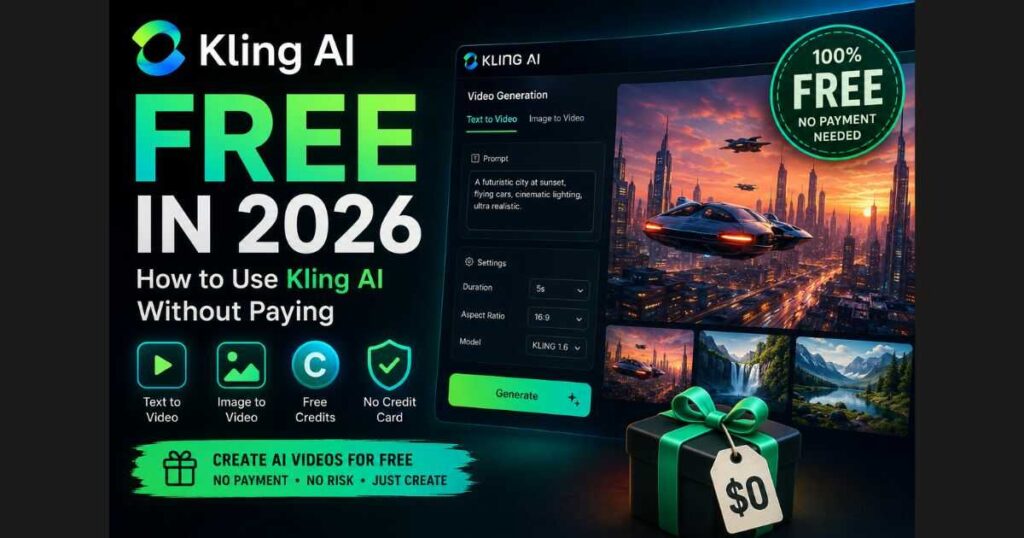
Kling AI Free (2026): How to Use Kling AI Without Paying
Artificial intelligence has made professional video creation easier than ever, but many creators still ask the same question before trying a new tool:
Is Kling AI free?
The short answer is yes—but with a few important limitations that every user should understand.
In 2026, Kling AI Free allows anyone to experience one of the world’s most advanced AI video generators without purchasing a subscription. Whether you want to create cinematic videos from text prompts, animate still images, or simply test the platform before upgrading, the free plan offers enough features to help you get started.
However, many beginners become confused after signing up. They expect unlimited generations, only to discover daily limits, credit restrictions, or premium features that require a paid plan.
This guide explains everything you need to know about Kling AI Free, including:
- What you get for free.
- Current limitations.
- How daily credits work.
- Whether the free plan is enough for content creators.
- Tips for getting the most value without spending money.
- When upgrading actually makes sense.
By the end of this guide, you’ll know exactly whether the free version fits your workflow or if investing in a paid subscription is the better choice.
Is Kling AI Free?
Yes.
Kling AI Free offers a genuine free plan that lets new users explore the platform without entering a credit card.
Unlike many AI tools that only provide a short trial, Kling AI gives users the opportunity to generate videos using a limited number of free credits.
This makes it possible to:
- Generate AI videos from text prompts.
- Turn images into animated videos.
- Test different prompts.
- Learn the interface.
- Compare video quality before subscribing.
For creators who are simply learning AI video generation, this free access is often enough to understand how Kling AI works.
That said, the free plan is designed primarily for experimentation—not for producing large volumes of content every day.
🚀 Start Creating with Kling AI for Free
Want to see what Kling AI can create for yourself? Sign up for free, explore the platform, and start generating AI videos without committing to a paid subscription.
👉 Try Kling AI for Free and Start Creating
What Can You Do with Kling AI Free?
Even without paying, the platform includes many of its core capabilities.
With Kling AI Free, you can typically:
- Generate videos from text prompts.
- Create Image-to-Video animations.
- Experiment with different artistic styles.
- Learn prompt engineering.
- Test motion quality.
- Explore the interface before upgrading.
For someone who has never used AI video tools before, this is surprisingly generous.
Instead of guessing whether the platform fits your needs, you can create several real projects and evaluate the results yourself.
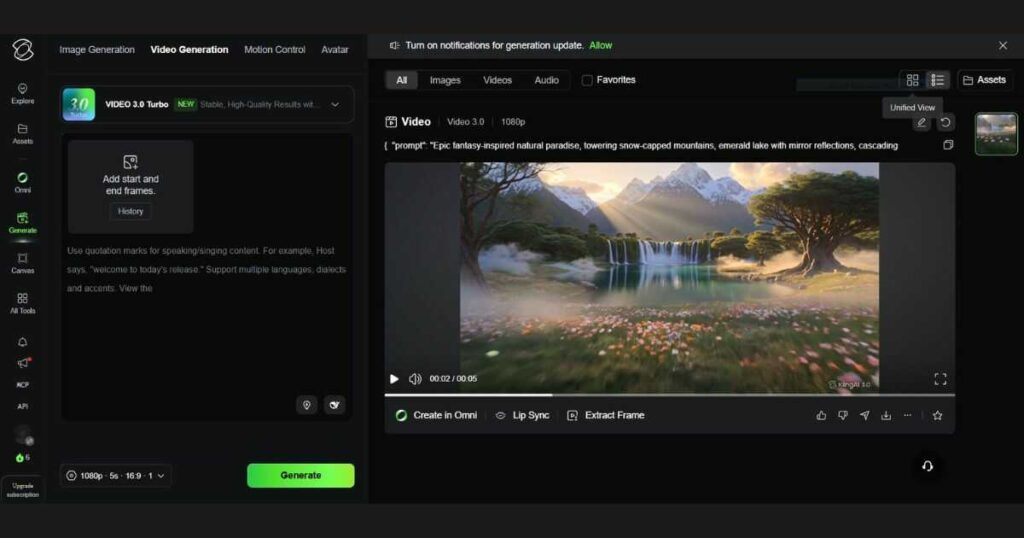
🎬 Ready to Create Your First AI Video?
Turn your ideas into cinematic videos, animate images, and experiment with AI video generation using Kling AI’s free plan.
👉 Create Your First AI Video with Kling AI
What’s Included in the Free Plan?
Although OpenAI, Runway, and other AI platforms frequently adjust their free tiers, Kling AI generally provides access to its essential workflow.
Free users can normally access:
| Feature | Available on Free Plan |
| Text to Video | ✅ Yes |
| Image to Video | ✅ Yes |
| AI Prompt Input | ✅ Yes |
| Multiple Aspect Ratios | ✅ Limited |
| Daily Credits | ✅ Yes |
| Premium Models | Limited |
| High Output Volume | ❌ No |
| Faster Queue Priority | ❌ No |
The exact allocation of credits may change over time as Kling updates its pricing model, but the overall experience remains very similar: free users can test almost every major feature before deciding whether to upgrade.
Who Should Use Kling AI Free?
The free version is surprisingly capable—but it’s not designed for everyone.
It’s ideal for:
Beginners
If you’re just learning AI video generation, there’s no reason to spend money immediately.
The free version gives you enough experience to understand prompting, video generation, and workflow optimization.
Content Creators Testing Ideas
Many YouTubers and TikTok creators use Kling AI Free to prototype concepts before generating the final versions with a paid plan.
Instead of spending credits on every experiment, they first refine their prompts using the free tier.
Bloggers Reviewing AI Tools
If you’re writing tutorials or comparing AI platforms, the free version allows you to evaluate the interface, video quality, and usability before recommending it to your audience.
Students
Students interested in AI filmmaking, animation, or digital storytelling can learn the platform without investing upfront.
This makes Kling AI an excellent educational tool.
A Smart Way to Test Before Paying
Many creators feel pressured to purchase a subscription immediately after discovering a popular AI tool.
In reality, that’s rarely necessary.
A better approach is to spend a few days exploring Kling AI Free, testing different prompts, experimenting with image animation, and learning how the platform responds to various styles.
By the time you’ve reached the limits of the free plan, you’ll have a much clearer idea of whether the paid features are actually worth it for your projects—not because of marketing claims, but because you’ve already experienced the workflow yourself.
If your goal is to publish AI-generated content consistently rather than just experiment, it can be worth comparing what the Kling AI paid plans unlock after you’ve become comfortable with the free version. Upgrading tends to make the biggest difference once you’re producing videos regularly, not while you’re still learning.
Getting Started With Kling AI Free
One of the reasons Kling AI Free has become so popular is that you can start creating videos almost immediately. Unlike many AI platforms that require payment before you can test their features, Kling AI lets new users explore the platform and generate videos without making an upfront investment.
The free plan isn’t unlimited, but it’s generous enough to help you understand how the platform works and decide whether it’s worth upgrading later.
How to Create Your First Video Using Kling AI Free
If you’ve never used the platform before, the process is surprisingly simple.
Step 1: Create an Account
Visit the official Kling AI website and create your account.
After verifying your email (or signing in with a supported account), you’ll arrive at the dashboard where you can access the video generation tools.
If you’re only curious about Kling AI, the free account is usually the smartest place to begin. It lets you experience the interface and output quality before deciding whether a paid plan fits your workflow.
Step 2: Choose Your Generation Mode
Depending on your account and the latest platform updates, you’ll typically see several AI generation options, including:
- Text to Video.
- Image to Video.
- Character Animation.
- Other experimental AI features.
For most beginners, Text to Video is the easiest starting point.
If you’re interested in animating existing artwork or photographs, Image to Video is often the better choice.
If your goal is turning static images into cinematic animations, don’t miss our complete guide: Kling AI Image to Video (2026): How to Turn Images into Cinematic Videos.
Step 3: Write a Good Prompt
Your prompt is the most important part of the generation process.
Instead of writing: “A cat”
Try something more descriptive: “A fluffy white cat walking slowly through a snowy forest during sunrise, cinematic lighting, ultra realistic, shallow depth of field.”
The more details you provide, the better Kling AI understands your vision.
Include details such as:
- Subject.
- Environment.
- Lighting.
- Camera angle.
- Mood.
- Style.
- Movement.
Good prompts often produce dramatically better results than simply increasing video quality settings.
✨ Try Kling AI Yourself
You’ve seen how simple the process is. Now create your own account, test different prompts, and discover what Kling AI can generate for your projects.
👉 Sign Up for Kling AI and Start Creating for Free
Can You Really Create High-Quality Videos With Kling AI Free?
Yes—but there are some limitations.
Many users are surprised by how good the free outputs look.
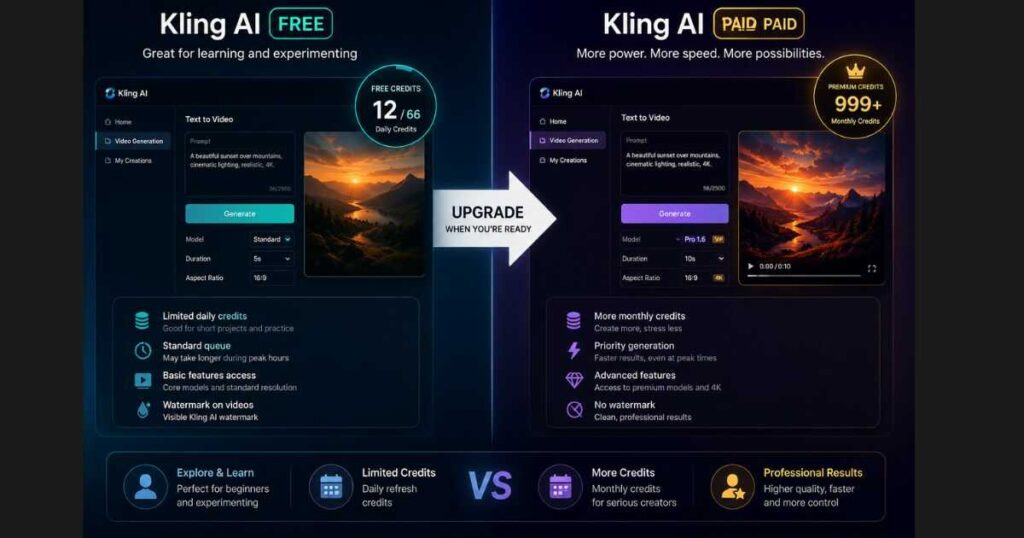
The AI engine is the same technology used by paying customers. The biggest differences usually involve:
- Free credit limits.
- Video duration.
- Rendering priority.
- Watermarks.
- Access to premium models and higher resolutions.
Depending on your account type, region, and Kling’s current promotions, free credits may refresh periodically (such as daily or monthly), so it’s always worth checking your account dashboard for the latest allowance.
This means the quality itself can still be excellent, even if the number of videos you can generate is limited.
For hobby creators, students, and anyone learning prompt engineering, the free version is often more than enough to practice and build experience before deciding whether a paid plan is worthwhile.
What Can You Do With Kling AI Free?
Even without paying, you can experiment with many creative projects.
Popular use cases include:
Social Media Content
Create eye-catching short videos for:
- TikTok.
- Instagram Reels.
- YouTube Shorts.
- Facebook.
Marketing Videos
Small businesses often use Kling AI Free to create:
- Product teasers.
- Promotional animations.
- Brand storytelling.
- Advertisement concepts.
Storytelling
Writers and filmmakers use the platform to visualize scenes before investing in full production.
Instead of imagining a scene, they can generate a short AI video in minutes.
Concept Art Animation
Artists frequently animate:
- Fantasy illustrations.
- Architecture concepts.
- Sci-fi environments.
- Character designs.
This makes portfolios much more engaging than static images alone.
Limitations of Kling AI Free
While the free version is impressive, it’s important to understand its boundaries.
Here are the most common limitations users encounter.
Limited Daily Credits
Free users receive a limited number of generations.
Once those credits are used, you’ll typically need to wait until new credits become available or upgrade your account.
Slower Processing
Paid users generally receive priority in the rendering queue.
That means free users may occasionally wait longer during busy periods.
Fewer Premium Features
Some advanced capabilities are reserved for paid subscribers, such as:
- Higher resolutions.
- More output options.
- Additional AI models.
- Premium generation modes.
Limited Commercial Flexibility
If you’re producing videos professionally every day, the free plan may quickly become restrictive because of generation limits.
For casual creators, however, these limitations are often manageable.
Tips to Get the Most Out of Kling AI Free
If you want better results without spending money, these strategies can significantly improve your experience.
Write Better Prompts
The quality of your prompt matters far more than many beginners realize.
A detailed prompt almost always beats a vague one.
Generate Fewer—but Better—Videos
Instead of creating ten average videos, spend more time refining one prompt.
Each generation should have a clear purpose.
Plan Before Using Credits
Think through:
- Camera angle.
- Subject.
- Lighting.
- Style.
- Motion.
before clicking Generate.
This simple habit can save valuable credits.
Save Your Best Prompts
Whenever a prompt produces an excellent result, save it.
Building a personal prompt library is one of the fastest ways to improve your future generations.
Looking for prompt ideas? Our Best Kling AI Prompts (2026) guide includes dozens of proven prompts that consistently produce more cinematic and realistic videos while helping you make the most of your free credits.
Is Kling AI Free Enough for Beginners?
For most people, yes.
If you’re just starting with AI video generation, there’s little reason to pay immediately.
The free plan gives you enough room to:
- Learn the interface.
- Practice prompt writing.
- Test different creative ideas.
- Understand how AI video generation works.
- Decide whether the platform fits your needs.
Many creators spend weeks experimenting before they feel the need to upgrade.
In fact, learning how to write stronger prompts often improves your results far more than purchasing a premium subscription.
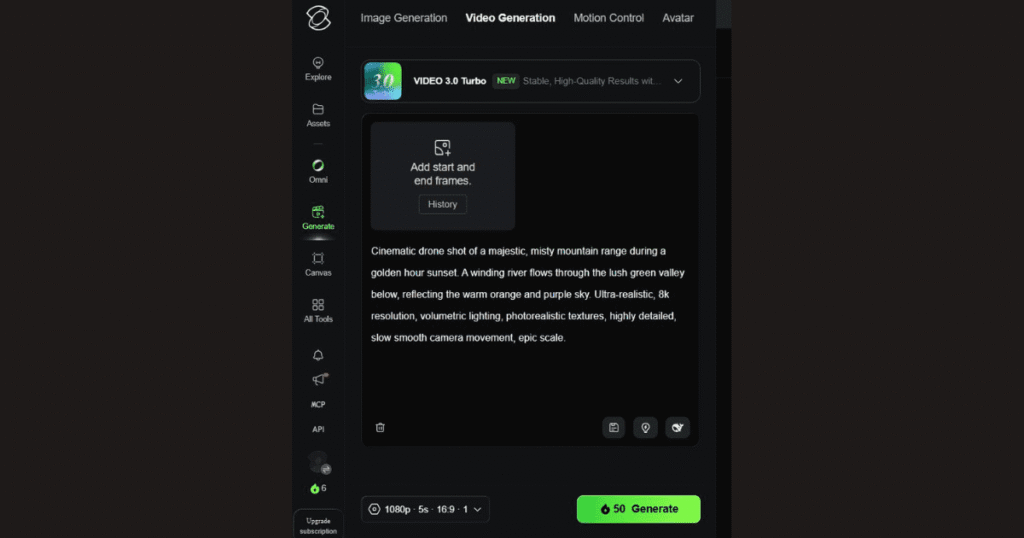
Tips to Get the Most Out of Kling AI Free
Using Kling AI Free is more than simply clicking the Generate button. Since the free plan includes limited credits, every generation matters. By following a few best practices, you can dramatically improve your results without spending additional credits.
Write Better Prompts
The biggest difference between average and professional-looking videos isn’t the AI model—it’s the prompt.
Instead of writing: “A cat walking.”
Write something like: “A fluffy white cat slowly walking through a rainy Tokyo street at night, cinematic lighting, realistic reflections, shallow depth of field, ultra-detailed, smooth camera movement.”
The second prompt gives Kling AI far more information to work with, resulting in a significantly better video.
Good prompts usually include:
- Subject.
- Environment.
- Lighting.
- Camera movement.
- Mood.
- Visual style.
- Quality keywords.
The more specific your prompt, the better your final video will be.
Before upgrading to a paid plan, spend time improving your prompts. Better prompting often delivers a larger quality boost than buying more Kling AI credits.
Start with Short Videos
One mistake many beginners make is generating long clips immediately.
Instead:
- Generate a 5-second scene.
- Review the motion.
- Improve the prompt.
- Generate again.
Once you’re satisfied, create additional scenes and combine them in your favorite video editor.
This workflow saves credits while producing much higher-quality videos.
Use Image-to-Video Whenever Possible
One of Kling’s strongest features is transforming still images into moving cinematic shots.
Instead of relying only on text prompts, try:
- Create a high-quality image.
- Upload it to Kling.
- Animate the image.
This often produces more consistent characters, cleaner compositions, and smoother motion than pure text-to-video generation.
If you haven’t explored this feature yet, check out our complete Kling AI Image to Video (2026) guide, where we explain the entire workflow with practical examples.
Generate During Low-Traffic Hours
Although not officially documented, many users report that generation queues are shorter during off-peak hours.
If you notice slow processing:
- Try again later.
- Avoid peak evening hours.
- Queue several projects instead of waiting for one at a time.
This simple habit can noticeably improve your experience on the Kling AI Free plan.
Save Every Successful Prompt
Whenever you create a video that looks amazing:
- Save the prompt.
- Save the settings.
- Save the output.
Building your own prompt library makes future projects much faster.
Many professional creators maintain a document containing dozens—or even hundreds—of proven prompts for different situations.
Don’t Waste Credits on Small Experiments
If you’re testing ideas like:
- Different camera angles.
- Character clothing.
- Lighting styles.
- Color grading.
It’s often better to experiment in your prompt editor first rather than generating every variation immediately.
Think through the scene before clicking Generate.
Your free credits are limited, so planning ahead makes every generation count.
Common Mistakes to Avoid When Using Kling AI Free
Most disappointing results aren’t caused by the AI—they’re caused by avoidable user mistakes.
Writing Very Short Prompts
The AI has little context.
Instead of: “A robot.”
Write: “A futuristic humanoid robot walking through a neon-lit cyberpunk city at night, cinematic lighting, realistic reflections, dramatic atmosphere.”
Expecting Hollywood Results Instantly
Even professional AI creators rarely get the perfect video on their first attempt.
They usually:
- Test.
- Refine.
- Generate again.
- Improve the prompt.
- Repeat.
Learning this workflow is far more valuable than simply purchasing additional credits.
Ignoring the Community
Thousands of creators share successful prompts, workflows, and techniques every week.
Studying these examples can dramatically shorten your learning curve.
Spending All Credits in One Session
Many beginners burn through all available free credits in just a few minutes.
Instead:
- Plan several projects.
- Test carefully.
- Use credits strategically.
This lets you learn more from each generation.
Is Kling AI Free Good Enough for Content Creators?
For many creators, the answer is yes.
The free version is capable of producing videos suitable for:
- YouTube Shorts.
- TikTok.
- Instagram Reels.
- Product mockups.
- Storyboarding.
- Concept videos.
- Social media marketing.
- Portfolio demonstrations
If you’re creating content occasionally or learning AI video generation, Kling AI Free provides more than enough functionality to build impressive projects.
However, if you’re producing videos daily or running a business, you’ll eventually reach the limits of the free credits. At that point, upgrading becomes more about efficiency than unlocking entirely new capabilities.
If you find yourself consistently running out of credits because you’re publishing content regularly—not because you’re experimenting—it may be the right time to compare the available paid plans. Understanding the Kling AI pricing first can help you choose a plan that fits your workflow instead of paying for features you don’t need.
🚀 Start Creating with Kling AI Today
You’ve learned how Kling AI Free works, how to use your credits wisely, and how to create better AI videos without paying upfront.
Now it’s time to put everything into practice.
👉 Try Kling AI for Free and Create Your First AI Video
Start experimenting with text-to-video, image-to-video, cinematic prompts, and creative AI workflows today. You can always upgrade later when your content needs grow.
Conclusion: Is Kling AI Free Worth Using in 2026?
If you’re wondering whether Kling AI Free is worth your time, the answer is yes—especially if you’re just getting started with AI video generation.
The free plan gives you an excellent opportunity to explore the platform, learn how prompts affect results, and create surprisingly high-quality videos without spending money. While it does come with limitations such as daily credits, queue priority, and restricted output options, it’s more than enough for learning, testing ideas, and even creating content for social media.
However, if you’re producing videos regularly, working with clients, or need faster rendering and higher resolutions, upgrading to a paid plan becomes a practical investment rather than an unnecessary expense. In many cases, the time saved alone is worth the subscription.
The best approach is simple:
- Start with Kling AI Free.
- Learn how to write better prompts.
- Experiment with both Text-to-Video and Image-to-Video.
- Upgrade only when the free plan no longer meets your workflow.
This way, you’ll understand exactly what you’re paying for and avoid spending money before you’re ready.
If you’ve reached this point, you’re already ahead of most beginners. Start with the Kling AI Free plan, experiment with different prompts, and see what kind of videos you can create. Once you consistently hit the free plan’s limits, you’ll know exactly whether upgrading makes sense for your projects—no guesswork required.
The best creators don’t start with expensive subscriptions. They start by mastering the tools they already have.
Continue Learning Kling AI
Now that you understand how Kling AI Free works, you can level up your skills with these in-depth guides:
- Kling AI Tutorial (2026): How to Use Kling AI Step by Step — A complete beginner’s guide covering every part of the platform from account creation to generating your first AI video.
- Kling AI Pricing (2026): Plans, Credits & Hidden Costs Explained — Learn how subscriptions work, how credits are consumed, and which plan offers the best value.
- Kling AI Image to Video (2026): How to Turn Images into Cinematic Videos — Discover how to animate still images into professional-looking cinematic videos with the best prompt techniques.
- Kling AI vs Runway (2026): Which AI Video Generator Is Better? — Compare features, pricing, video quality, speed, and workflows to decide which platform fits your needs.
- Best Kling AI Prompts (2026): 25 Prompts That Actually Work — Copy proven prompts that consistently generate more realistic, cinematic, and higher-quality AI videos.
- Kling AI Motion Control (2026) — Discover how to create realistic AI character animation using Motion Control, reference videos, and advanced motion transfer techniques.
- Runway AI Review (2026): Discover whether Runway is the best AI video generator for creators in 2026.
Reading these guides in order will give you a complete understanding of the Kling AI ecosystem—from learning the basics to choosing the right plan, creating better videos, and comparing Kling AI with its biggest competitors.

