
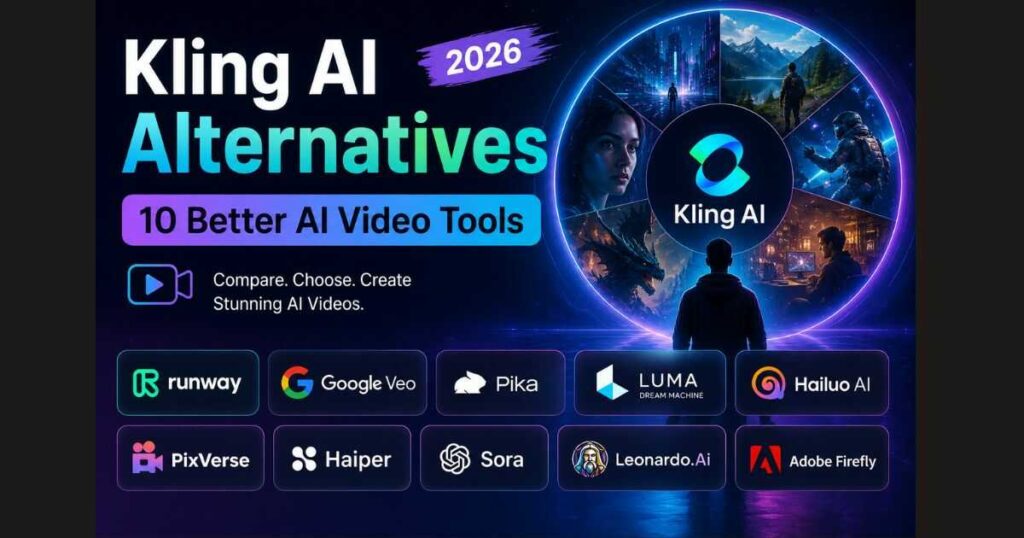
Kling AI Alternatives (2026): 10 Better AI Video Tools
Artificial intelligence has completely changed the way creators produce videos. Instead of spending hours filming, editing, and rendering, creators can now generate cinematic videos from simple text prompts or images within minutes.
Among these tools, Kling AI has quickly become one of the most talked-about AI video generators thanks to its impressive realism, smooth motion, and high-quality output. However, no single platform is perfect for every creator. Some users want faster rendering, others need better editing capabilities, while many simply want a more affordable option.
That’s exactly why so many people search for Kling AI Alternatives.
Whether you’re looking for a tool with more generous free credits, advanced video editing features, stronger character consistency, or professional production workflows, there are now several excellent AI video generators worth considering.
In this guide, we’ll compare the 10 best Kling AI Alternatives available in 2026, explain what makes each one unique, and help you decide which platform fits your workflow best.
By the end of this article, you’ll know which AI video generator is the best choice for your specific needs—whether you’re creating YouTube Shorts, cinematic animations, marketing videos, or social media content.
In this guide, we’ll compare the best Kling AI Alternatives to help you choose the platform that matches your creative workflow and budget.
🚀 Ready to Create Cinematic AI Videos?
Before exploring Kling AI alternatives, try Kling AI yourself and see why so many creators use it for realistic AI video generation, image-to-video animation, and cinematic content.
Try Kling AI Free →Why Look for Kling AI Alternatives?
Although Kling AI continues to improve rapidly, it isn’t necessarily the perfect solution for everyone.
Some creators may encounter:
- Limited free credits.
- Waiting queues during busy periods.
- Premium features locked behind paid plans.
- Fewer editing tools than professional video platforms.
- Different strengths depending on the type of content they create.
Fortunately, today’s AI video market has become extremely competitive. Every platform focuses on different advantages.
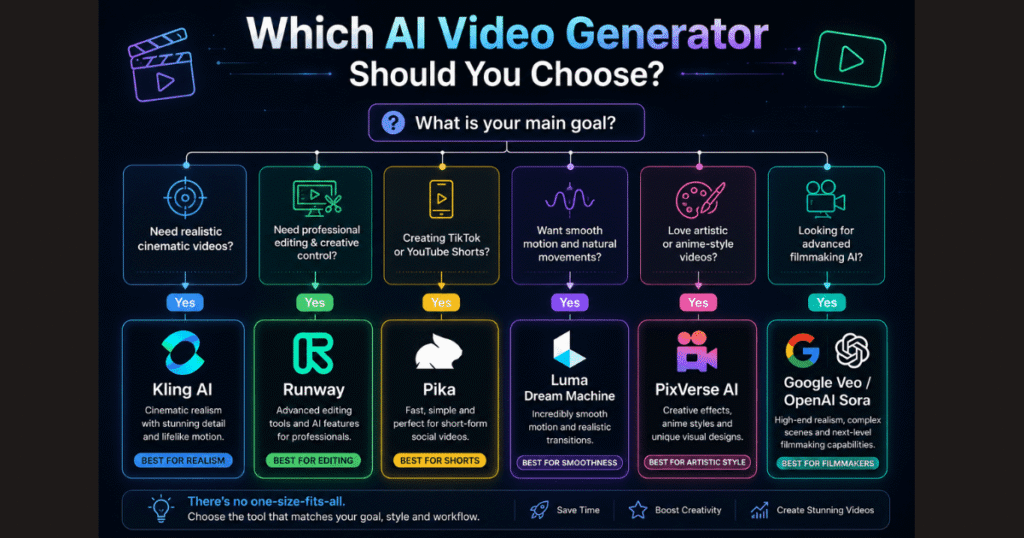
Some specialize in cinematic realism.
Others prioritize editing flexibility.
Some focus on speed.
Others offer more affordable subscriptions.
Understanding these differences allows you to choose the right tool instead of simply choosing the most popular one.
Quick Comparison of the Best Kling AI Alternatives
| Tool | Best For | Free Plan | Ease of Use |
| Runway | Professional creators | ✅ | ⭐⭐⭐⭐☆ |
| Google Veo | Cinematic realism | Limited | ⭐⭐⭐⭐☆ |
| Pika | Social media videos | ✅ | ⭐⭐⭐⭐⭐ |
| Luma Dream Machine | Natural motion | ✅ | ⭐⭐⭐⭐☆ |
| Hailuo AI | Fast video generation | ✅ | ⭐⭐⭐⭐☆ |
| PixVerse AI | Anime & creative videos | ✅ | ⭐⭐⭐⭐⭐ |
| Haiper AI | Quick experiments | ✅ | ⭐⭐⭐⭐⭐ |
| Sora | Premium cinematic quality | Limited | ⭐⭐⭐⭐☆ |
| Leonardo AI | Image-first workflows | ✅ | ⭐⭐⭐⭐☆ |
| Adobe Firefly Video | Creative professionals | Limited | ⭐⭐⭐⭐☆ |
🎬 See Why Kling AI Is Still a Top Choice
Not sure which AI video generator is right for you? Start with Kling AI and experience its realistic motion, cinematic video quality, and powerful text-to-video and image-to-video tools.
Start Creating with Kling AI →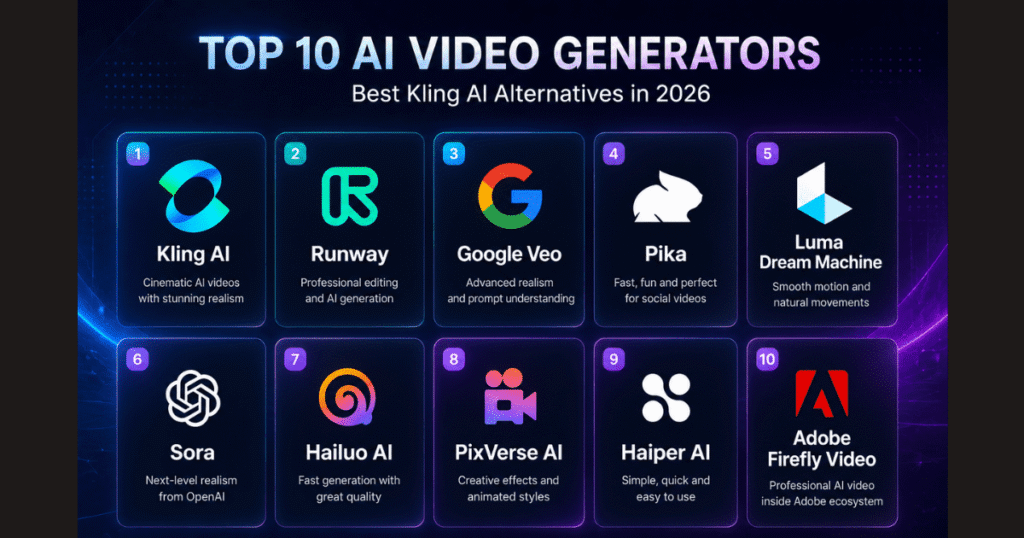
These Kling AI Alternatives offer different strengths, making them suitable for beginners, content creators, marketers, and professional filmmakers alike.
Runway
Runway remains one of the strongest competitors to Kling AI.
Unlike Kling AI, which focuses primarily on AI video generation, Runway combines generation with professional editing tools, making it popular among filmmakers, agencies, and creative teams.
Best features
- Professional AI video editing.
- Inpainting and object removal.
- Camera controls.
- Image-to-video generation.
- High-quality cinematic output.
Runway is an excellent choice if your workflow extends beyond simply generating videos and includes editing, compositing, and post-production.
If you frequently edit videos after generation, the free Runway plan is worth exploring before committing to a paid subscription.
Google Veo
Google Veo has quickly become one of the most advanced AI video generators available.
Its biggest advantage is understanding long and complex prompts while maintaining consistent characters, camera movements, and realistic physics.
Google Veo is especially attractive for creators producing cinematic storytelling videos.
Best features
- Exceptional realism.
- Long prompt understanding.
- Consistent subjects.
- High-quality lighting.
- Advanced physics simulation.
Although access is still limited in some regions, Veo is likely to become one of the biggest competitors to Kling AI over the coming years.
Pika
If you create TikTok videos, Instagram Reels, or YouTube Shorts, Pika deserves serious attention.
Instead of focusing exclusively on realism, Pika emphasizes creativity, speed, and entertaining animations.
It allows creators to generate visually engaging content with very little effort.
Best features
- Beginner-friendly interface.
- Fast generation.
- Fun visual effects.
- Strong free plan.
- Great for social media content.
Many creators actually use both Kling AI and Pika together depending on the project.
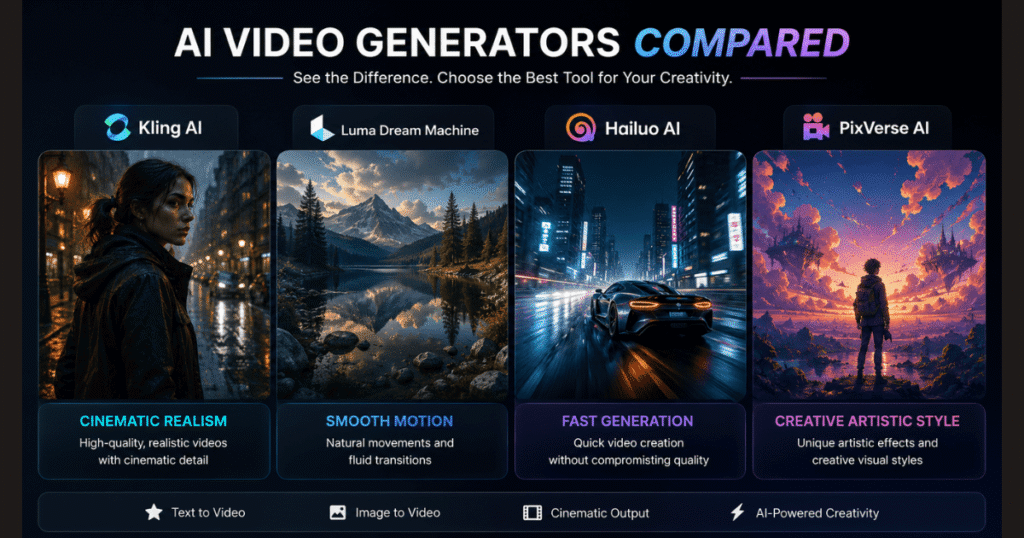
Luma Dream Machine
Luma Dream Machine has become one of the fastest-growing AI video generators thanks to its ability to produce smooth, natural-looking motion from both text prompts and images.
While Kling AI is often praised for cinematic quality, Luma focuses heavily on fluid animations and realistic movement, making it a favorite among creators who produce storytelling content.
Best Features
- Excellent motion consistency.
- High-quality Image-to-Video generation.
- Natural camera movement.
- Fast rendering times.
- Easy-to-use interface.
If your projects rely on realistic motion rather than complex editing, Luma is one of the strongest Kling AI Alternatives currently available.
Hailuo AI
Hailuo AI has gained popularity because it balances speed, quality, and simplicity.
Instead of overwhelming beginners with dozens of settings, it focuses on making AI video generation accessible to everyone.
Its prompt understanding continues to improve, and many creators now use it for quick social media videos, advertisements, and concept animations.
Best Features
- Fast video generation.
- Beginner-friendly interface.
- Strong prompt interpretation.
- Good visual quality.
- Affordable paid plans.
Although it may not yet match Kling AI’s cinematic realism, Hailuo AI offers excellent value for creators who need fast results.
PixVerse AI
PixVerse AI is an exciting option for creators who enjoy experimenting with creative styles.
Instead of aiming only for realistic videos, PixVerse supports fantasy visuals, anime-inspired animations, artistic effects, and highly stylized scenes.
This makes it particularly attractive for YouTube creators, storytellers, and short-form content producers looking for eye-catching visuals.
Best Features
- Creative visual styles.
- Anime-inspired animations.
- Image-to-video support.
- Fast rendering.
- Active feature updates.
If your goal is creativity rather than photorealism, PixVerse deserves a place on your shortlist of Kling AI Alternatives.
Haiper AI
Haiper AI is another impressive newcomer in the AI video space.
Its biggest strength is simplicity. Instead of offering dozens of advanced controls, Haiper focuses on helping creators generate videos quickly with minimal learning.
This makes it a great choice for beginners who want to experiment with AI-generated videos before investing in more advanced platforms.
Best Features
- Free access for many features.
- Very simple interface.
- Fast rendering.
- Text-to-video generation.
- Beginner-friendly workflow.
While professionals may eventually outgrow Haiper, it provides an excellent starting point for learning how AI video generation works.
Try Before You Commit: One advantage of today’s AI video market is that most platforms offer free plans or trial credits. Testing two or three Kling AI Alternatives with the same prompt can quickly reveal which tool matches your creative style best—without requiring a full subscription.
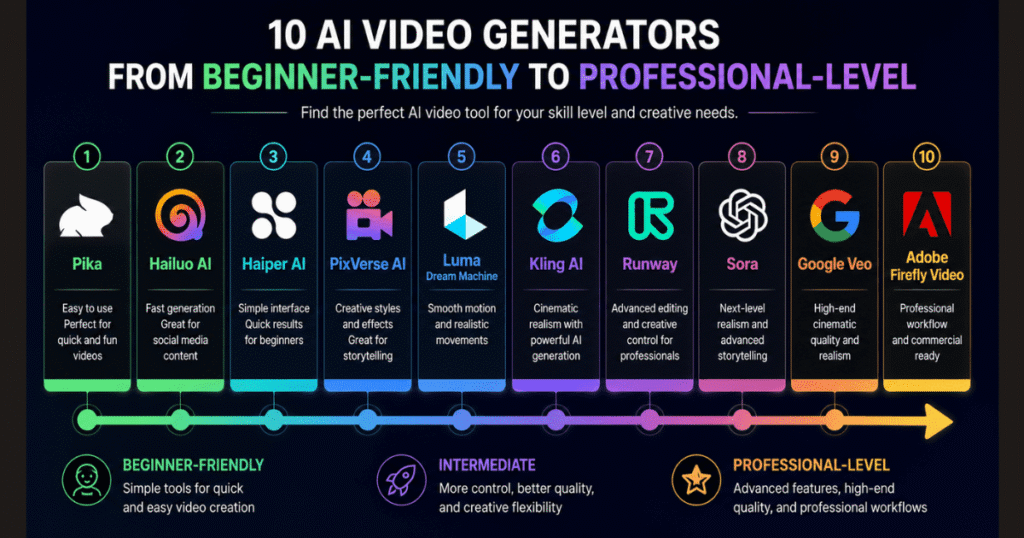
Which Kling AI Alternative Is Best for Beginners?
If you’re just starting your AI video journey, ease of use matters just as much as video quality.
Here’s a quick recommendation based on experience:
| Goal | Recommended Tool |
| Complete beginners | Pika |
| Fast social media videos | Hailuo AI |
| Creative animations | PixVerse AI |
| Cinematic storytelling | Kling AI |
| Professional editing | Runway |
| Realistic motion | Luma Dream Machine |
| Advanced filmmaking | Google Veo |
There isn’t a single winner for everyone.
Instead, the best platform depends on the type of videos you create and the workflow you prefer.
💡 Helpful Tip: If you’re already comfortable using Kling AI, don’t think of these tools as replacements only. Many professional creators combine multiple AI platforms in a single workflow—for example, generating a cinematic shot in Kling AI, enhancing another scene with Runway, and experimenting with creative visuals in PixVerse. This hybrid approach often delivers better results than relying on a single tool.
OpenAI Sora
OpenAI Sora has become one of the most anticipated AI video generators thanks to its remarkable ability to create highly realistic videos from detailed text prompts.
Although public access is still expanding, Sora has demonstrated impressive scene consistency, realistic physics, and cinematic storytelling capabilities that place it among the strongest Kling AI Alternatives available today.
Sora is particularly well suited for creators producing:
- Short films.
- Commercial advertisements.
- Story-driven videos.
- Concept animations.
- High-end visual content.
Best Features
- Outstanding realism.
- Excellent prompt understanding.
- Long and coherent scenes.
- Consistent character movement.
- Advanced physics simulation.
The main limitation is accessibility. Depending on your region and subscription, Sora may not be available as freely as some competitors.
Leonardo AI
Although Leonardo AI started as an AI image generation platform, it has rapidly expanded into AI video creation.
Its biggest advantage is creating highly detailed images first and then transforming them into animated videos.
For creators who spend time perfecting characters, environments, or product visuals before animation, Leonardo AI offers a workflow that feels natural and efficient.
Best Features
- Excellent image generation.
- High-quality image-to-video workflow.
- Strong character consistency.
- Detailed artistic control.
- Beginner-friendly interface.
Leonardo AI is an excellent option for designers, marketers, and content creators who already use AI-generated images as part of their creative process.
Adobe Firefly Video
Adobe has entered the AI video space with Firefly Video, integrating generative AI into its professional creative ecosystem.
For users already working with Photoshop, Premiere Pro, or After Effects, Firefly provides a familiar environment while adding powerful AI-assisted video generation.
Best Features
- Adobe ecosystem integration.
- Commercial-friendly content.
- Professional editing workflow.
- High-quality image generation.
- AI-assisted video creation.
Although Firefly is still evolving, it has enormous potential for professional creators who already rely on Adobe software every day.
Which Kling AI Alternative Should You Choose?
With so many excellent AI video generators available today, choosing the right one depends entirely on your goals.
Here’s a simple recommendation:
Choose Runway if you…
- Need professional video editing.
- Work on commercial projects.
- Want advanced editing tools.
Choose Google Veo if you…
- Care most about realism.
- Create cinematic storytelling videos.
- Need advanced prompt understanding.
Choose Pika if you…
- Focus on TikTok.
- Create YouTube Shorts.
- Want fast and entertaining videos.
Choose Luma Dream Machine if you…
- Prefer smooth natural motion.
- Mainly create Image-to-Video content.
- Value rendering speed.
Choose PixVerse AI if you…
- Love fantasy artwork.
- Produce anime-style content.
- Want creative visual effects.
Choose Kling AI if you…
- Want one of the best balances between quality and simplicity.
- Create cinematic AI videos regularly.
- Need impressive text-to-video and image-to-video generation without a steep learning curve.
For many creators, Kling AI remains one of the strongest all-around platforms despite the growing competition.
🔥 Want an All-Around AI Video Generator?
If you want a powerful balance of cinematic quality, realistic motion, and an easy-to-use workflow, Kling AI is still worth trying before switching to another platform.
Try Kling AI Today →Do You Really Need Only One AI Video Generator?
Probably not.
One interesting trend among experienced creators is that they rarely rely on a single platform.
Instead, they combine multiple AI tools depending on the project.
For example:
- Generate cinematic scenes with Kling AI.
- Edit and refine footage in Runway.
- Create stylized animations in PixVerse.
- Produce realistic motion using Luma.
- Experiment with advanced storytelling in Sora.
This flexible workflow often delivers better results than depending entirely on one generator.
A practical suggestion: Most of these platforms offer free plans, trial credits, or limited free generations. Before purchasing a subscription, try generating the same prompt in two or three different tools. Comparing the results yourself is often the fastest way to discover which platform fits your creative style and production needs.
Continue Learning Kling AI
If you’re still exploring Kling AI itself before switching to another platform, these guides can help you get even better results:
- Kling AI Review (2026): Features, Pricing, Pros & Cons — Learn what makes Kling AI one of the most popular AI video generators today.
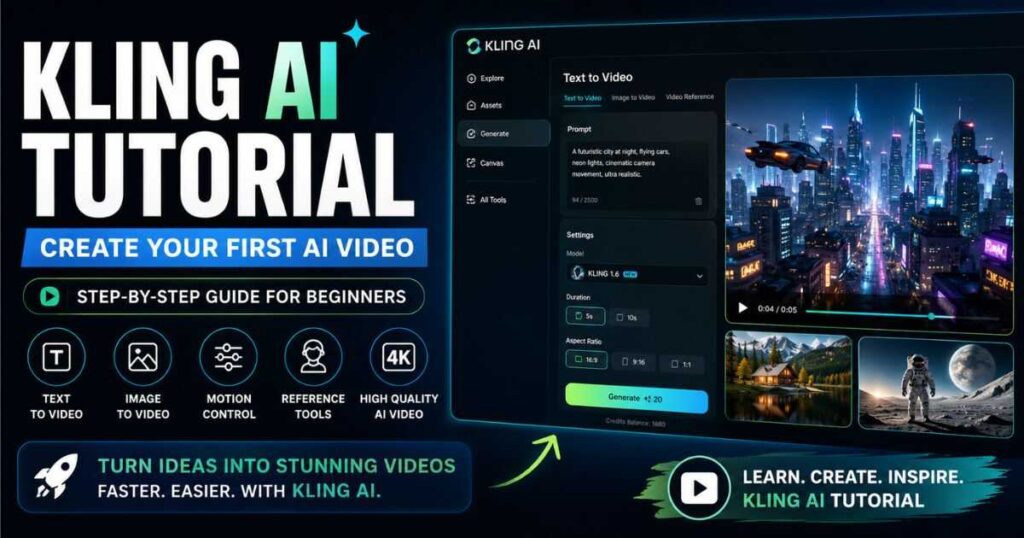
- Kling AI Tutorial (2026): How to Use Kling AI Step by Step — A complete beginner-friendly guide to generating your first AI videos.
- Kling AI Image to Video (2026): How to Turn Images into Cinematic Videos — Discover how to animate photos with realistic motion.
- Best Kling AI Prompts (2026): 25 Prompts That Actually Work — Copy proven prompts to create more cinematic and realistic AI videos.
- Kling AI Pricing (2026): Plans, Credits & Hidden Costs — Compare subscriptions and learn how to choose the right plan.
- Kling AI Free (2026): How to Use Kling AI Without Paying — Learn how to maximize the free plan before upgrading.
- Kling AI vs Runway (2026): Which AI Video Generator Is Better? — See a detailed head-to-head comparison between two of the most popular AI video platforms.
- Kling AI Motion Control (2026) — Discover how to create realistic AI character animation using Motion Control, reference videos, and advanced motion transfer techniques.
- Runway AI Review (2026): Discover whether Runway is the best AI video generator for creators in 2026.
- Runway AI Pricing (2026): Plans, Features & Value – A complete breakdown of subscription costs, credit limits, and how to choose the perfect plan for your workflow without overspending.
Frequently Asked Questions About Kling AI Alternatives
What is the best Kling AI alternative in 2026?
The answer depends on your needs.
If you’re looking for professional editing tools, Runway is one of the strongest choices.
If your priority is cinematic realism, Google Veo and OpenAI Sora stand out.
For beginners who want fast, creative videos, Pika and PixVerse AI are excellent options.
Meanwhile, Luma Dream Machine is a great choice for creators who prioritize smooth, natural motion.
Are there any free Kling AI alternatives?
Yes.
Many AI video generators offer free plans or trial credits, including:
- Pika.
- Luma Dream Machine.
- PixVerse AI.
- Hailuo AI.
- Haiper AI.
- Leonardo AI
Free plans usually include usage limits, watermarks, or reduced generation speed, but they’re often sufficient for learning the platform before upgrading.
Is Runway better than Kling AI?
Neither platform is objectively better.
Runway focuses more on professional editing and creative workflows, while Kling AI excels at generating highly realistic cinematic videos with a simple interface.
If your primary goal is AI video generation, Kling AI may be the better choice.
If you also need advanced editing capabilities, Runway could be the stronger option.
For a detailed comparison, check out our Kling AI vs Runway (2026) guide.
Which AI video generator produces the most realistic videos?
Several platforms currently compete for the highest level of realism.
Among the strongest options are:
- Kling AI.
- Google Veo.
- OpenAI Sora.
- Runway.
The final quality depends not only on the platform but also on the quality of your prompt and the source images you provide.
Should I switch from Kling AI?
Not necessarily.
Many professional creators don’t replace Kling AI—they simply add other tools to their workflow.
For example, you might use Kling AI for cinematic video generation, Runway for editing, and PixVerse for creative animations.
Choosing the right combination often produces better results than relying on a single platform.
Final Thoughts on Kling AI Alternatives
Choosing among today’s Kling AI Alternatives isn’t about finding a single “perfect” platform—it’s about finding the tool that best fits your creative goals.
If you prioritize cinematic realism and ease of use, Kling AI remains one of the strongest options available. However, tools like Runway, Google Veo, Pika, Luma Dream Machine, PixVerse AI, and others each bring unique strengths that may better suit specific projects or workflows.
The good news is that most platforms now offer free plans or trial credits. Instead of relying solely on reviews, spend a little time testing two or three tools with the same prompt. Seeing the results firsthand is often the fastest way to discover which AI video generator matches your style.
As AI video technology continues to evolve, learning multiple platforms will give you more creative flexibility and help you stay ahead of new trends.
Whether you decide to stick with Kling AI or explore one of these Kling AI Alternatives, the most important step is to start creating, experimenting, and refining your workflow. Every project teaches you something new—and the best AI video creators are the ones who never stop experimenting.
🚀 Start Creating with Kling AI Today
Ready to generate cinematic AI videos, animate images, and experiment with realistic AI content? Try Kling AI and discover what you can create before choosing your next AI video platform.
Try Kling AI Free →
I appreciate that the article frames the choice around workflow needs rather than declaring one winner. The point about limited free credits and waiting queues with Kling AI is often overlooked in these comparisons. I wonder whether the ranked tools also differ much in how consistent characters stay across multiple generations, since that seems to matter a lot for serialized content.
Great observation! Character consistency is definitely the holy grail right now. Tools like Midjourney with custom reference parameters or HeyGen for avatars handle it best, while pure video generators like Kling still require some prompt tweaking. Thanks for reading!