
HeyGen AI Avatars: How to Create Realistic AI Avatars (2026)
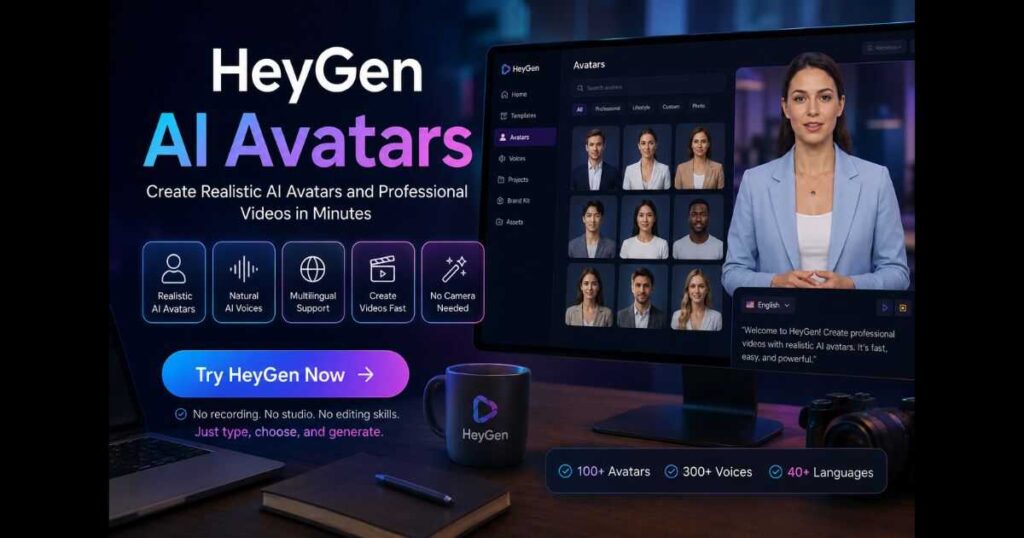
Artificial intelligence has completely transformed video creation, and HeyGen AI Avatars are leading this revolution. Instead of spending hours recording yourself on camera, you can now generate professional videos with realistic digital presenters in just a few minutes.
If you’re searching for the best way to create AI presenters for YouTube, online courses, marketing campaigns, customer support, or business presentations, this guide will show you how HeyGen AI Avatars work, what types of avatars are available, their best use cases, and how to get the highest-quality results.
Whether you’re a complete beginner or already using AI video tools, this comprehensive guide will help you understand everything about HeyGen AI Avatars and how they can save time while producing professional-looking content.
Want to create your own realistic AI presenter? Try HeyGen and experience how quickly you can produce studio-quality videos without recording yourself.
Table of Contents
- What Are HeyGen AI Avatars?
- Why Are HeyGen AI Avatars So Popular?
- Types of HeyGen AI Avatars
- Which Avatar Type Should You Choose?
- Key Features
- Real-World Use Cases
- How to Create Your First Avatar
- Best Practices
- Common Mistakes
- FAQ
What Are HeyGen AI Avatars?
HeyGen AI Avatars are realistic digital presenters generated using artificial intelligence. They can speak naturally, synchronize lip movements accurately, and deliver scripts in dozens of languages without requiring you to appear on camera.
Unlike traditional video production, where you need cameras, microphones, lighting, editing software, and repeated takes, HeyGen allows users to create presenter-style videos simply by typing a script.
The AI automatically handles:
- Facial expressions
- Lip synchronization
- Voice generation
- Body movement
- Eye contact
- Natural gestures
This dramatically reduces production time while maintaining a professional appearance.
Why Are HeyGen AI Avatars Becoming So Popular?
There are many AI avatar generators available today, but HeyGen AI Avatars have become one of the most recognized solutions because they combine realism with ease of use.
Businesses, marketers, educators, agencies, and YouTube creators increasingly rely on AI avatars to produce videos faster while keeping production costs low.
Some of the biggest advantages include:
No Camera Required
One of the biggest obstacles to creating video content is recording yourself.
Many people:
- dislike being on camera,
- don’t own professional equipment,
- don’t have a suitable recording environment.
HeyGen removes all of these barriers.
Professional Quality
Modern AI avatars look far more natural than older avatar systems.
Recent improvements include:
- smoother facial animation,
- better blinking,
- realistic head movement,
- improved lip synchronization,
- more natural speech pacing.
Faster Video Production
Traditional workflow:
- Write script
- Record video
- Record again after mistakes
- Edit
- Export
With HeyGen AI Avatars, the workflow becomes:
- Write script
- Select avatar
- Generate video
The time savings are enormous.
Multiple Languages
One of the strongest features of HeyGen AI Avatars is multilingual support.
Instead of hiring multiple presenters, users can create videos in numerous languages using the same avatar.
This makes HeyGen particularly useful for:
- international businesses,
- educational platforms,
- SaaS companies,
- global marketing campaigns.
Consistent Branding
Unlike human presenters who may change clothing, hairstyle, lighting, or background, AI avatars remain consistent across every video.
This consistency helps strengthen brand identity.
🚀 Want to create videos without a camera?
Try HeyGen AI Avatars and build professional AI videos in minutes.
Types of HeyGen AI Avatars
One reason HeyGen AI Avatars stand out is the variety of avatar options available.
Different projects require different presenter styles, and HeyGen provides several avatar categories to match various needs.
Let’s explore each one.
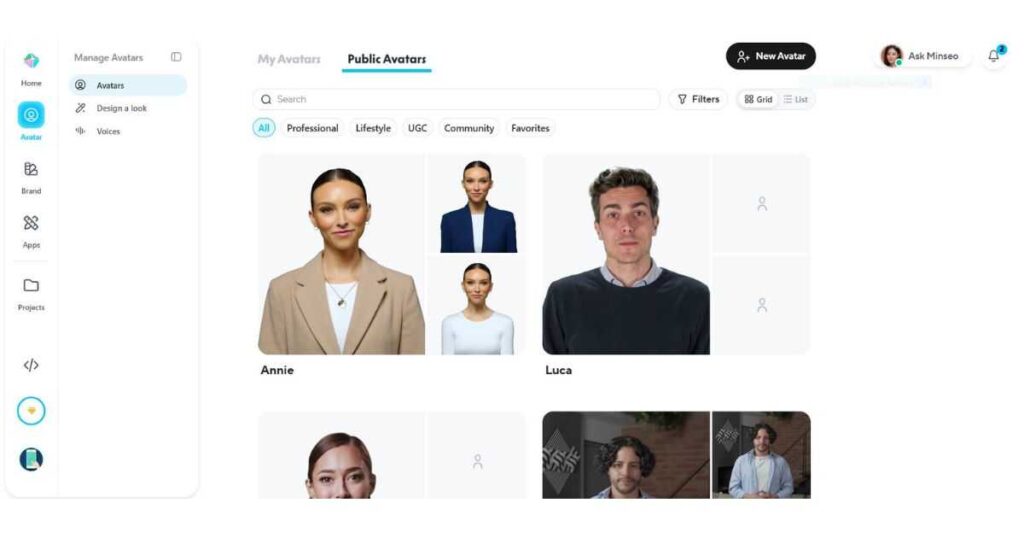
1. Public Avatars
Public avatars are the easiest way to begin using HeyGen AI Avatars.
These are professionally created digital presenters already available inside the platform.
You simply choose one and start generating videos.
Advantages:
- no setup required,
- professionally designed,
- ready in seconds,
- ideal for beginners.
Perfect for:
- tutorials,
- YouTube videos,
- explainer videos,
- presentations,
- product demos.
2. Instant Avatars
Instant Avatars allow you to create a personalized AI presenter with only a short recording.
Instead of using one of HeyGen’s built-in presenters, you create a digital version of yourself.
Benefits include:
- stronger personal branding,
- recognizable identity,
- consistent appearance,
- no repeated filming.
Many creators use Instant Avatars to publish videos every day without recording themselves repeatedly.
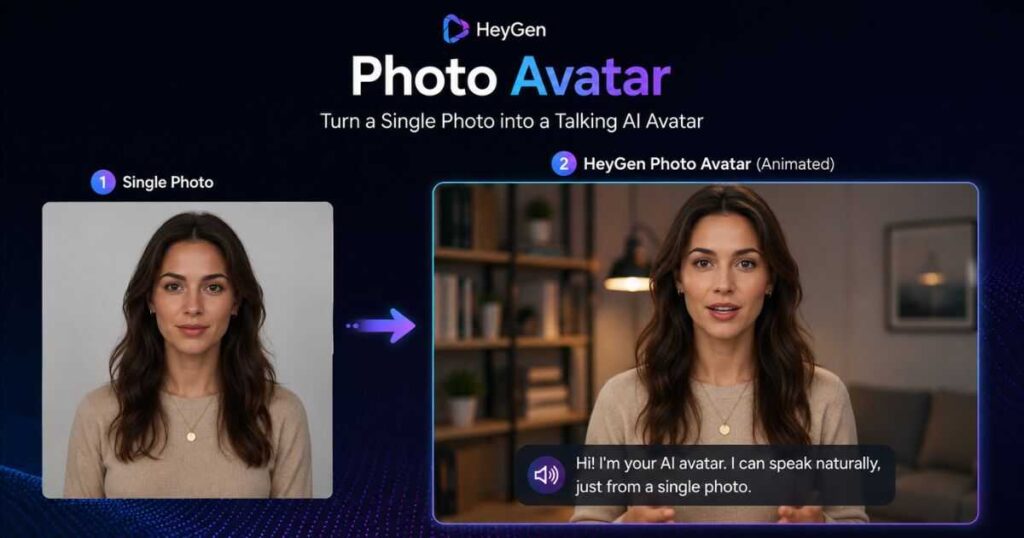
3. Photo Avatars
Photo Avatars transform a single photograph into a talking AI presenter.
This is useful when:
- creating historical characters,
- educational content,
- storytelling,
- marketing campaigns,
- creative presentations.
The AI animates the face naturally while speaking your script.
4. Studio Avatars
Studio Avatars provide one of the highest-quality experiences available inside HeyGen.
These avatars are professionally recorded under controlled studio conditions.
They offer:
- superior lighting,
- realistic clothing,
- excellent facial expressions,
- premium appearance.
Studio avatars are especially popular for:
- corporate videos,
- training materials,
- enterprise presentations,
- product launches.
Which HeyGen AI Avatar Should You Choose?
Different creators have different needs.
Here’s a quick comparison:
| Avatar Type | Best For |
| Public Avatar | Beginners |
| Instant Avatar | Personal branding |
| Photo Avatar | Creative projects |
| Studio Avatar | Professional business videos |
There is no single “best” option—it depends on your goals.
If you’re just starting, Public Avatars provide the fastest workflow.
If you’re building a personal brand, Instant Avatars are usually the better investment.
Key Features of HeyGen AI Avatars
One of the biggest reasons creators choose HeyGen AI Avatars over traditional video production is the combination of advanced AI features and an extremely user-friendly interface. Instead of juggling multiple software tools for scripting, recording, editing, subtitles, and translation, HeyGen brings everything together in one platform.
Understanding these features will help you get the most value from HeyGen AI Avatars and produce videos that look polished and professional.
AI Voices That Sound Natural
A realistic avatar is only useful if the voice sounds convincing.
Fortunately, HeyGen AI Avatars support hundreds of AI voices that are far more natural than traditional text-to-speech systems.
These voices include:
- Natural pauses
- Human-like intonation
- Emotional expression
- Multiple accents
- Different speaking styles
Whether you’re creating educational content, product demos, or YouTube videos, selecting the right AI voice significantly improves viewer retention.
Pro Tip: Always preview several voices before generating your final video. A different voice can dramatically change the overall feel of your content.
Accurate Lip Sync
Poor lip synchronization instantly makes an AI video look fake.
One of the strongest advantages of HeyGen AI Avatars is the platform’s highly accurate lip-sync technology.
The AI automatically matches:
- mouth movement
- facial animation
- pronunciation
- speech timing
The result feels much closer to a real presenter than older avatar generators.
Multiple Languages
Another reason many businesses choose HeyGen AI Avatars is multilingual support.
Instead of hiring different presenters for each country, you can generate videos in numerous languages while maintaining a consistent brand identity.
Popular languages include:
- English
- Spanish
- French
- German
- Portuguese
- Italian
- Japanese
- Korean
- Chinese
- Arabic
This makes HeyGen ideal for companies with global audiences.
Custom Backgrounds
Videos don’t always need a plain background.
With HeyGen AI Avatars, you can place your presenter in almost any environment.
Examples include:
- Office
- Classroom
- Podcast studio
- Conference room
- Modern workspace
- Virtual stage
- Custom uploaded background
Matching the background to your message increases professionalism and viewer engagement.
Templates That Save Time
Creating videos from scratch every time isn’t efficient.
HeyGen includes ready-made templates for:
- Marketing videos
- Product launches
- Tutorials
- Online courses
- Social media
- Presentations
- Customer support
- Sales videos
Templates dramatically reduce production time.
This is one of the biggest productivity advantages when learning how to use HeyGen AI Avatars efficiently.
Brand Kit Support
Businesses often need consistent branding across every video.
Depending on your plan, HeyGen allows you to maintain a consistent visual identity by using:
- Company colors
- Logos
- Fonts
- Brand assets
This helps every generated video match your overall marketing style.
How to Create HeyGen AI Avatars Step by Step
If you’ve never used the platform before, don’t worry.
Creating videos with HeyGen AI Avatars is surprisingly simple.
Below is the complete beginner workflow.
Step 1 – Create a HeyGen Account
Visit the HeyGen website and create an account.
After signing in, you’ll arrive at the dashboard where all projects, avatars, and templates are stored.
Step 2 – Create a New Video
Click the Create Video button.
You’ll have several starting options including:
- Blank project
- Ready-made templates
- AI Avatar videos
For beginners, templates are usually the fastest option.
Step 3 – Choose Your Avatar
Browse the avatar library.
You can select:
- Public Avatar
- Studio Avatar
- Instant Avatar
- Photo Avatar
Choose one that best matches your audience.
For example:
Business presentations:
- Professional-looking presenter
YouTube tutorials:
- Friendly casual presenter
Educational videos:
- Clean, neutral presenter
The right avatar can noticeably improve audience trust.
Step 4 – Enter Your Script
Paste or type your script.
Keep paragraphs relatively short.
Good scripts sound conversational rather than robotic.
Instead of writing:
Today we shall discuss the utilization of artificial intelligence…
Write:
Today I’ll show you exactly how to create professional videos using AI.
Natural writing always produces better results.
Step 5 – Choose the Voice
Now select your AI voice.
Experiment with:
- Male voices
- Female voices
- Different accents
- Speaking speed
A small voice adjustment can greatly improve the overall experience.
Step 6 – Customize the Scene
Before generating the video, customize:
- Background
- Text overlays
- Images
- Logos
- Colors
- Animations
These small improvements make videos look far more professional.
Step 7 – Generate the Video
Click Generate.
The AI processes:
- Voice
- Lip synchronization
- Avatar animation
- Facial expressions
- Rendering
Depending on the project size, this usually takes only a few minutes.
Step 8 – Export
After reviewing your video, export it in the desired quality.
You’re now ready to publish on:
- YouTube
- TikTok
- Online courses
- Company websites
You’ve now seen how easy it is to create AI avatar videos.
👉 Create Your First AI Avatar with HeyGen
How to Use HeyGen AI Avatars Like a Professional
Learning the basics is easy.
Mastering HeyGen AI Avatars takes a few additional habits.
Professional creators consistently use these techniques to produce higher-quality videos.
Use Templates Whenever Possible
Templates dramatically reduce editing time.
Instead of recreating every scene, modify an existing template to fit your content.
This keeps branding consistent while speeding up production.
Reuse Brand Kits
If you’re creating videos for a business, save your:
- Logo
- Colors
- Fonts
- Intro screens
- Outro screens
This avoids repetitive work.
Organize Your Projects
Create folders for:
- YouTube
- Client work
- Tutorials
- Marketing
- Product videos
As your video library grows, organization becomes extremely important.
Save Your Favorite Avatars
Rather than browsing hundreds of presenters every time, create a shortlist of avatars that match your brand.
Consistency helps viewers recognize your content immediately.
Batch Produce Videos
Professional creators rarely make one video at a time.
Instead they:
- write five scripts,
- generate five videos,
- edit five videos,
- publish throughout the week.
Batch production can save hours every month.
To learn more about the platform, you may also enjoy these guides on Videmint:
- How to Use HeyGen – Complete beginner tutorial.
- HeyGen Pricing Guide – Compare all plans and features before subscribing.
- HeyGen Review – Our hands-on review covering strengths, weaknesses, and real-world performance.
These articles complement this guide and help you get the most from HeyGen AI Avatars.
Ready to create professional AI presenters without cameras or expensive equipment? Sign up for HeyGen today, explore the avatar library, and start producing high-quality videos in minutes.
Common Mistakes When Using HeyGen AI Avatars
Even though HeyGen AI Avatars are incredibly easy to use, beginners often make a few mistakes that reduce the quality of their videos. Fortunately, most of these issues are easy to avoid once you know what to look for.
1. Writing Scripts That Sound Robotic
The most common mistake is writing like a machine instead of a person.
For example:
❌
Artificial intelligence provides multiple opportunities for businesses to improve efficiency.
Instead write:
✅
AI helps businesses create videos faster while saving both time and money.
Natural language makes your avatar feel far more believable.
2. Choosing the Wrong Avatar
Not every avatar fits every audience.
For example:
- A formal business presentation should use a professional Studio Avatar.
- A YouTube tutorial may perform better with a friendly casual presenter.
- A social media advertisement often benefits from a younger-looking avatar.
Choosing the right HeyGen AI Avatars for your audience can significantly improve engagement.
3. Ignoring Voice Selection
Many users simply choose the first available voice.
Instead, spend a few minutes comparing different voices.
Pay attention to:
- Pace
- Accent
- Tone
- Energy
- Pronunciation
The voice often influences viewer retention more than the avatar itself.
4. Making Scripts Too Long
Viewers lose attention quickly.
Instead of one long paragraph, divide your script into smaller sections.
Aim for:
- Short sentences
- Simple vocabulary
- Natural pauses
This also improves the AI’s speech rhythm.
5. Forgetting Branding
If you’re creating videos for a business, don’t forget to include:
- Logo
- Brand colors
- Website URL
- Consistent typography
- Call-to-action
Brand consistency makes your videos more recognizable.
6. Exporting Without Previewing
Always watch the generated video before exporting.
Look for:
- Pronunciation mistakes
- Awkward pauses
- Misaligned subtitles
- Incorrect names
- Voice timing
A quick preview can save you from publishing an unprofessional video.
Pro Tips for Using HeyGen AI Avatars Faster
Once you’re comfortable with the basics, these professional techniques can dramatically increase your productivity.
Build a Template Library
Instead of creating every project from scratch, prepare reusable templates for:
- Product reviews
- Tutorials
- Social media videos
- Educational lessons
- Client presentations
This reduces production time considerably.
Save Your Favorite Avatars
If you consistently use the same presenters, mark them as favorites.
This keeps your branding consistent and speeds up future projects.
Create Videos in Batches
Professional creators rarely produce one video at a time.
Instead they:
- Write multiple scripts.
- Generate several videos.
- Review them together.
- Schedule publication.
Batch production is one of the fastest ways to scale content creation.
Keep Your Scripts Conversational
The best HeyGen AI Avatars still perform best with conversational writing.
Imagine you’re explaining something to a friend.
Avoid:
- Complex vocabulary
- Long paragraphs
- Repetitive wording
Simple language almost always performs better.
Combine HeyGen With Other AI Tools
Many creators combine HeyGen with additional AI tools to create complete production workflows.
For example:
- ChatGPT for script writing
- Canva for thumbnails
- Runway for AI B-roll
- Kling AI for cinematic video generation
- CapCut for final editing
This combination produces highly polished videos in very little time.
Ready to apply these professional tips?
👉 Upgrade your workflow with HeyGen
Who Should Use HeyGen AI Avatars?
One reason HeyGen AI Avatars continue growing in popularity is their versatility.
They’re useful for:
Content Creators
Create YouTube videos without appearing on camera.
Businesses
Produce product demonstrations, onboarding videos, and promotional content.
Online Educators
Record courses without repeatedly filming lessons.
Marketing Agencies
Generate client videos much faster while reducing production costs.
Sales Teams
Personalize outreach videos for leads and customers.
Customer Support
Create multilingual help videos available 24/7.
Frequently Asked Questions
How do beginners use HeyGen AI Avatars?
Beginners simply create an account, select an avatar, paste a script, choose a voice, and generate their video. The platform requires no video editing experience.
Is HeyGen easy to use?
Yes.
One of the biggest strengths of HeyGen AI Avatars is their beginner-friendly interface. Most users can create their first AI video within minutes.
Can I use HeyGen AI Avatars for YouTube?
Absolutely.
Many creators use HeyGen AI Avatars for:
- Tutorials
- Product reviews
- Educational videos
- Business channels
- Faceless YouTube channels
How long does it take to learn HeyGen?
Most users become comfortable with the platform after creating just a few videos.
Learning advanced workflows, templates, and branding techniques may take a little longer, but the basics are very straightforward.
Are HeyGen AI Avatars realistic?
Yes.
Modern HeyGen AI Avatars feature natural facial expressions, realistic lip synchronization, and high-quality AI voices, making them among the most convincing AI presenters currently available.
Final Thoughts
HeyGen AI Avatars have made professional video production more accessible than ever before. Instead of investing in expensive cameras, lighting, microphones, and lengthy editing sessions, you can create polished AI presenter videos in a fraction of the time.
Whether you’re a YouTube creator, marketer, educator, freelancer, or business owner, HeyGen AI Avatars provide a practical way to scale video production while maintaining professional quality. By choosing the right avatar, writing conversational scripts, using templates, and following the best practices covered in this guide, you can produce engaging videos consistently and efficiently.
Now that you know how to use HeyGen AI Avatars effectively and understand the different avatar types, features, and professional workflows, you’re ready to start creating realistic AI videos for YouTube, marketing, education, customer support, or business communication.
🚀 Ready to create your own AI presenter? Sign up for HeyGen today and start building professional videos with realistic AI avatars in just a few minutes—no camera, studio, or editing experience required.
Continue Learning
Want to learn even more about HeyGen and AI video creation? Check out these related guides:
How to Use HeyGen: Step-by-Step Beginner Guide (2026) Learn how to create your first AI video in HeyGen, choose avatars, generate voiceovers, and export professional videos from start to finish.
HeyGen Pricing (2026): Plans, Features & Best Option Compare every HeyGen pricing plan, understand the available features, and choose the best subscription for your budget and content needs.
HeyGen Review (2026): Is It Worth Using? Discover our hands-on review covering HeyGen’s features, pros, cons, pricing, and whether it’s the right AI video generator for your workflow.
HeyGen vs Synthesia: Which AI Avatar Is Better? (2026) Compare HeyGen and Synthesia side by side, including AI avatar quality, languages, pricing, customization, and the best use cases for each platform.
Best AI Video Generator for YouTube (2026) Explore the top AI video generators for YouTube creators and discover which tools work best for faceless channels, tutorials, marketing, and automation workflows.
InVideo AI Review (2026): Is It Worth It? — Discover InVideo AI’s features, pricing, AI models, and whether it’s worth using for your video workflow.
How to Use InVideo AI: Step-by-Step Beginner Guide – A practical beginner-friendly guide showing how to use InVideo AI step by step to create, edit, and customize videos with AI.
InVideo AI Pricing (2026): Plans, Credits & Best Value — Read our complete guide to choose the right plan for your workflow.
Invideo alternatives (2026): 7 Best AI Video Tools — Compare the best AI video tools and find the right InVideo alternative for your workflow.
Is InVideo AI Free? Plans, Limits & Free Trial — Discover the free plan, usage limits, credits, and whether it’s worth using.
InVideo AI for YouTube: Create Better Videos Faster – Learn how to use InVideo AI to create high-quality YouTube videos faster, from scripting and visuals to editing and publishing.
Faceless YouTube Channel Ideas: 15 Niches to Try — Discover profitable niches and practical formats for building a successful faceless YouTube channel.

