
Runway AI Free: Is It Really Free? Here’s What You Get
If you are searching for Runway AI Free, you probably want a simple answer: can you actually use Runway without paying, and how much can you create before you need a subscription?
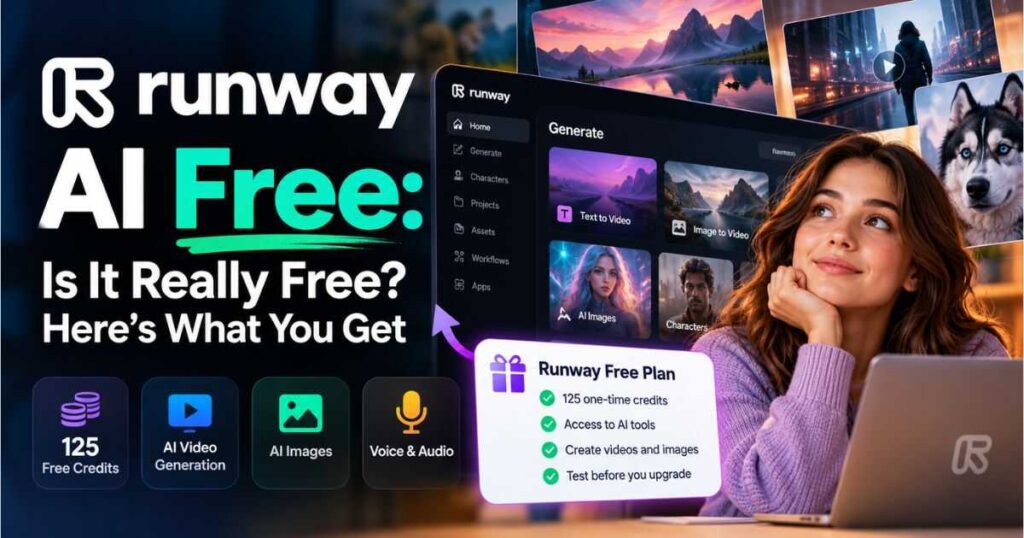
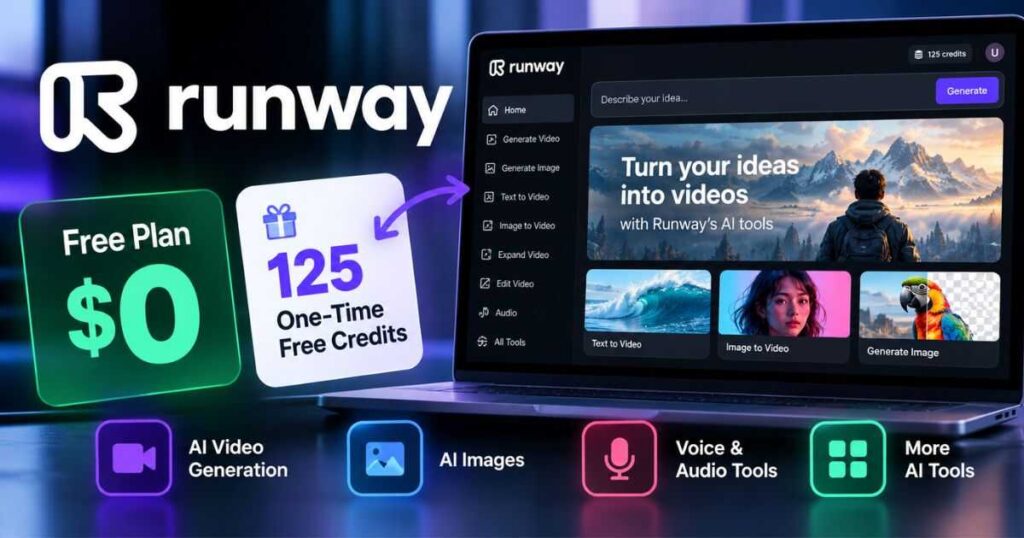
The short answer is yes, Runway has a free plan, but it is not an unlimited free AI video generator. The current Free plan gives you 125 one-time credits, access to a limited selection of Runway’s AI tools, and 5GB of asset storage. Those credits do not renew after you use them. Free outputs also carry a Runway watermark, and you cannot purchase additional credits while remaining on the Free plan.
That makes Runway AI Free useful for testing the platform, learning the interface, experimenting with AI creation, and deciding whether Runway fits your workflow. However, creators who plan to produce videos regularly will eventually need to compare the free tier with the paid plans.
This guide explains exactly what you get with Runway AI Free, what the limitations are, how the credits work, whether you can create videos without paying, and when upgrading makes sense.
Is Runway AI Free?
Yes. Runway AI Free is a genuine free plan, and you do not need to subscribe to a paid plan just to create an account and explore the platform.
The important distinction is that Runway’s Free plan is designed primarily for exploration and testing, rather than unlimited content production.
According to Runway’s current Free plan documentation, the plan includes:
- 125 credits
- The credits are provided once
- Credits do not expire
- Credits do not renew
- A limited selection of generative AI tools
- 5GB of asset storage
- Watermarks on free outputs
- No ability to purchase additional credits while on Free
Try Runway for Free: If you want to see exactly which tools are currently available on your account, you can create a free Runway account and test the platform before spending money.
What Do You Get With Runway AI Free?
The biggest mistake is to think that the Free plan simply gives you a smaller version of every paid feature.
It doesn’t.
Instead, Runway gives free users a limited collection of AI capabilities while reserving broader model access and higher usage limits for paid subscribers.
The current Free plan includes 125 one-time credits and 5GB of storage. Runway describes this tier as a way to explore its AI tools before committing to a paid plan.
Here’s a simplified overview:
| Feature | Runway AI Free |
|---|---|
| Monthly price | $0 |
| Credits | 125 one-time credits |
| Credits renew | No |
| Credits expire | No |
| Asset storage | 5GB |
| AI tools | Limited selection |
| All AI video models | No |
| All AI image models | No |
| Watermark | Yes |
| Additional credit purchases | No |
| Best for | Testing and learning |
The key point is that Runway AI Free gives you enough access to understand how the platform works, but it is not designed for unlimited YouTube production, commercial campaigns, or high-volume video generation.
How Many Credits Does Runway AI Free Give You?
The current Free plan provides 125 credits as a one-time allocation.
This is important because older information about Runway may mention different credit amounts. Runway’s current official documentation states that the Free plan provides 125 credits, and the pricing page currently confirms the same amount.
The credits are also not monthly credits.
For example, if you use all 125 credits today, you won’t receive another 125 credits next month.
| Credit characteristic | Free plan |
|---|---|
| Starting credits | 125 |
| Renewal | None |
| Expiration | No |
| Can unused credits roll into a new month? | Not applicable |
| Can you buy extra credits? | No |
| Need more credits? | Upgrade to Standard or higher |
Runway calculates usage according to the model or tool you’re using. Different generations can therefore consume different amounts of credits.
The platform also displays the cost before generation in supported workflows, making it easier to understand how much of your remaining balance a particular action will consume.
Why the 125 Credits Matter
The Free plan is best viewed as a testing budget.
Instead of immediately trying to produce a complete 10-minute YouTube video, use your credits strategically.
For example, you could test:
- Image generation.
- A short video workflow where available.
- Voice or audio-related tools.
- Character features.
- Video enhancement or upscaling.
- Different prompts and creative approaches.
This lets you understand whether Runway’s interface and output quality match your needs before subscribing.
Is Runway AI Free to Use for Video Generation?
This is where the answer becomes more complicated.
Runway AI Free is not an unlimited free video generator.
The Free plan gives access to a limited selection of generative tools, and the available models can change. Runway’s current AI video generator page says free users can create images and voiceovers, interact with Characters, upscale existing video, and use certain scene-building capabilities, while broader generation access requires a paid plan.
Runway also states that Standard and higher plans unlock access to all AI image and video models.
That means you should not approach the free tier expecting unrestricted access to every new Runway model.
Test Runway Before Paying: Start with the free account, explore the tools currently available to you, and use the 125 credits to determine whether Runway’s workflow fits your projects.
Is Runway AI Image to Video Free?
The answer depends on the specific model and tool available to your account.
Runway’s Free plan provides access to a limited selection of tools, rather than guaranteeing access to every image-to-video model. Runway explicitly says that if a model or tool displays an upgrade prompt, it is not currently included in the Free plan.
This is an important distinction when searching for Runway AI image to video free.
You may find tutorials or older articles claiming that a particular Runway model is available for free. However, Runway’s available models can change.
If image-to-video is your primary reason for using the platform, check the available tools inside your current Runway account before planning a larger project.
For a broader explanation of image-to-video workflows, see:
AI Image to Video: How to Turn Images Into Videos
That guide can help you understand the general workflow before deciding which AI video generator to use.
Does Runway AI Free Add a Watermark?
Yes.
This is one of the most important limitations to understand before using Runway AI Free for public or professional content.
Runway states that videos generated on the Free plan include a Runway watermark. Its current AI video generator documentation also confirms that images created on the Free plan carry a small Runway watermark.
Paid plans remove the watermark.
| Plan | Watermark |
|---|---|
| Free | Yes |
| Standard | No |
| Pro | No |
| Max | No |
This doesn’t make the Free plan useless. A watermark is perfectly acceptable when you’re experimenting, learning prompting, testing an idea, or deciding whether the platform is worth paying for.
But if you’re creating client work, advertisements, branded videos, or polished YouTube assets, the watermark becomes a significant limitation.
Remove the Free-Plan Limitation: If you like the results but need clean exports, check Runway’s paid plans and choose the lowest tier that provides the models and usage level you actually need.
What Can You Create With Runway AI Free?
The answer changes as Runway updates its Free plan, but the current platform gives free users several ways to explore AI-powered creation.
Runway’s current AI video generator page highlights free access to capabilities including image creation, voiceovers, conversations with Characters, video upscaling, and scene-building features, subject to the current tool and credit limitations.
That makes Runway AI Free particularly useful for experimentation.
1. AI Images
You can use available image-generation tools to experiment with visual concepts, characters, environments, product ideas, and other creative assets.
2. Voice and Audio
Runway’s current free experience includes access to certain voice-related capabilities, allowing creators to explore audio creation without immediately subscribing.
3. Characters
Runway also allows free users to explore Character-related functionality when available within the current Free offering.
4. Video Enhancement
The current free experience includes certain video-related tools such as upscaling, although usage remains subject to the available tools and credits.
5. Creative Experiments
Perhaps the best use of the Free plan is experimentation. You can learn how Runway thinks about prompts, references, generation settings, and creative workflows before investing in a larger production.
What Is Not Included in Runway AI Free?
The Free plan’s biggest limitation is not simply the number of credits.
It is restricted access to the overall Runway ecosystem.
Runway says the Free plan has access to a limited set of generative AI tools. If a particular model requires an upgrade, the platform will show an upgrade prompt. Standard and higher plans provide access to all AI image and video models.
Free users also cannot purchase additional credits.
This creates a simple progression:
Free → test the platform → credits run out → upgrade if Runway fits your workflow
That is fundamentally different from a free plan that continuously replenishes credits every month.
Runway AI Free vs Standard: What’s the Difference?
If you’re considering an upgrade, the Standard plan is the natural comparison.
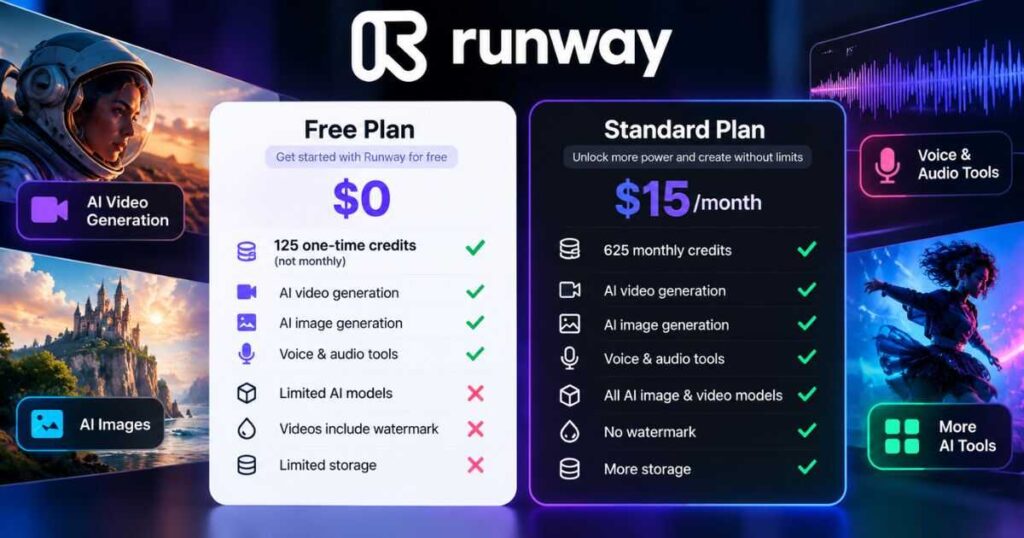
Runway’s current pricing page lists Standard at $15/month when billed monthly, or $12/month when billed annually, with 625 credits per month. It also removes watermarks, provides access to all AI video and image models, and includes additional storage and generation capabilities.
| Feature | Free | Standard |
|---|---|---|
| Price | $0 | $15/month |
| Annual billing price | — | $12/month |
| Credits | 125 one-time | 625/month |
| Credits renew | No | Yes |
| Watermark | Yes | No |
| AI model access | Limited | All AI image & video models |
| Storage | 5GB | 20GB |
| 4K upscaling | Limited/availability dependent | Yes |
| Best for | Testing | Regular creation |
The difference isn’t just 125 vs 625 credits.
Standard changes Runway from an experimentation platform into something much more practical for recurring content production.
When Should You Upgrade From Runway AI Free?
You don’t necessarily need to upgrade immediately.
Stay on Runway AI Free if:
- You’re learning how Runway works.
- You’re comparing AI video platforms.
- You only need occasional experiments.
- You’re still developing your creative workflow.
- You want to test prompts before spending money.
- You don’t mind the watermark.
Consider Standard when:
- You regularly create AI videos.
- You need more credits every month.
- You need access to the full model selection.
- You don’t want watermarks.
- You’re producing content for clients.
- You’re building YouTube or social media content consistently.
If you are producing content frequently, the question isn’t simply “Is Runway free?”
The better question becomes:
How much time and production value can Runway save me each month?
That is where the paid plans become more interesting.
Runway AI Free vs Pro vs Max
Standard isn’t the only upgrade option.
Runway’s current pricing page lists three major individual paid tiers above Free: Standard, Pro, and Max. The monthly prices are currently $15, $35, and $95 respectively when billed monthly. Annual billing lowers those effective monthly prices to $12, $28, and $76.
| Plan | Monthly price | Monthly credits | Best for |
|---|---|---|---|
| Free | $0 | 125 one-time | Testing |
| Standard | $15 | 625 | Regular creators |
| Pro | $35 | 2,250 | Serious creators |
| Max | $95 | 9,500 | Heavy individual usage |
Pro adds capabilities such as more parallel generations, additional projects, a Brand Kit, custom voice functionality, top-up credits, and more storage.
Max is designed for heavy individual usage and adds significantly more credits, credit rollover for one month, more projects and Brand Kits, studio-grade generation formats, HDR capabilities, and larger storage.
You can see the full breakdown here:
Runway AI Pricing: Plans, Features & Value
Is Runway AI Free Good Enough for YouTube?
For learning and experimentation, yes.
For a serious publishing workflow, probably not for long.
YouTube creators generally need a repeatable process. If you’re publishing several videos every week, 125 one-time credits can disappear quickly depending on which tools and models you use.
The Free plan can still be valuable at the beginning.
For example, you can use it to:
- Learn Runway’s interface.
- Test visual concepts.
- Develop prompts.
- Experiment with characters.
- Compare Runway with other AI video tools.
- Decide whether upgrading makes financial sense.
If your objective is building an entire faceless YouTube production system, however, you’ll probably want a larger recurring credit allowance.
For more guidance on AI-powered video production, see:
How to Make AI Videos: A Practical Step-by-Step Guide
Looking for a Runway Alternative for Faceless YouTube?
Runway AI Free is useful for testing AI video creation, but its 125 one-time credits may not be enough for a regular faceless YouTube workflow.
If you want to explore other options before paying for Runway, consider these alternatives:
- Kling AI: Worth exploring if your priority is generating cinematic AI videos, realistic motion, and custom scenes.
- InVideo AI: A good option to consider if you want a script-to-video workflow for creating faceless YouTube content.
The best choice depends on what you need. Try Runway’s free plan first, then compare these tools to find the workflow that fits your budget and content goals.
Explore your options:
Is Runway AI Free Worth Trying?
Absolutely.
The Free plan is particularly useful because it lets you experience the platform before committing to a subscription.
You don’t have to guess whether the interface makes sense.
You don’t have to decide based solely on reviews.
And you don’t have to pay $15, $35, or $95 immediately.
You can create an account, inspect the available tools, use your 125 credits, and determine whether Runway fits your workflow.
The most important thing is to use those credits intelligently.
Instead of spending everything on random generations, choose a few representative tests. Try the type of content you actually intend to produce.
For example, if you’re a YouTube creator, test a scene that resembles your real content. If you’re a marketer, test a product visual. If you’re a filmmaker, experiment with a short cinematic sequence.
That gives you a much more useful evaluation than simply generating random clips.
Start Your Free Test: Open Runway, use the free credits on a real project idea, and decide based on your own results rather than hype.

How to Get the Most From Runway AI Free
Because the credits don’t renew, planning matters.
Start With One Project
Don’t jump between dozens of ideas.
Choose one small project and use it to understand the platform.
Test Prompts Systematically
Instead of generating ten completely unrelated prompts, change one variable at a time.
Experiment with:
- Camera movement
- Subject description
- Lighting
- Environment
- Motion
- Composition
- Style
This will teach you more about AI video prompting while consuming fewer credits.
Save Your Best Prompts
If a prompt produces a strong result, save it.
A successful prompt can become a template for future projects.
Don’t Waste Credits on Endless Variations
AI generation can become addictive.
It’s easy to keep clicking Generate because the next version might be better.
Give each generation a specific purpose.
Use Runway Alongside Other Tools
You don’t have to rely on Runway for every stage of video production. Choosing different tools for different tasks can help you build a workflow that better fits your needs.
For example:
- InVideo AI: Use it for a script-to-video workflow when creating faceless YouTube content.
- Kling AI: Explore it for cinematic AI-generated scenes and image-to-video creation.
- Runway: Keep it in your workflow when its available tools fit your editing and visual creation needs.
Before paying for a Runway subscription, compare these options and choose the tools that best match your production goals and budget.
Explore our Kling AI Review and InVideo AI Review to learn more.
How to Create Consistent Characters With AI
Runway AI Free: Pros and Cons
Pros
- No monthly subscription required.
- 125 free credits to explore the platform.
- Credits don’t expire.
- Access to selected AI creative tools.
- 5GB of asset storage.
- Useful for learning the Runway interface.
- Good way to test whether the platform fits your workflow.
- No credit card is required to start the free experience.
Cons
- Only 125 credits.
- Credits don’t renew.
- Free access to models is limited.
- The available Free tools can change.
- Free outputs carry a watermark.
- Additional credits cannot be purchased on Free.
- Serious recurring production generally requires a paid plan.
The biggest advantage is that you can test Runway without financial commitment.
The biggest disadvantage is that the Free plan isn’t designed for unlimited production.
Frequently Asked Questions About Runway AI Free
Is Runway AI Free?
Yes. Runway currently offers a Free plan with 125 one-time credits, 5GB of storage, and access to a limited selection of AI tools.
Is Runway AI Free to use forever?
The plan itself is free, but the 125 credits are a one-time allocation. They do not renew after being spent.
Does Runway AI Free give you unlimited credits?
No. The Free plan provides 125 one-time credits.
Do Runway Free credits expire?
No. Runway says the one-time 125-credit deposit does not expire.
Can I buy more Runway credits without upgrading?
No. Additional credits cannot be purchased while you’re on the Free plan. You need to move to Standard or a higher paid plan.
Does Runway AI Free have a watermark?
Yes. Free-plan outputs carry a Runway watermark. Paid plans remove the watermark.
Can I use Runway AI Free for testing YouTube ideas?
Yes. The Free plan is well suited to testing prompts, learning the interface, experimenting with creative concepts, and evaluating whether Runway fits a YouTube workflow.
Does Runway Free include every AI model?
No. The Free plan has limited model and tool access. Standard and higher plans provide access to all AI image and video models.
Is Runway AI Free better than paid plans?
Not if you need regular production. Free is best for experimentation, while paid plans are designed for creators who need recurring credits, broader model access, and watermark-free outputs.
Final Verdict: Is Runway AI Free Really Free?
Runway AI Free is genuinely free, but it is not unlimited.
You get 125 one-time credits, 5GB of storage, and access to a changing selection of Runway’s AI tools. The credits don’t expire, but they also don’t renew. Once you’ve used them, you cannot purchase more credits without upgrading. Free outputs also carry a watermark.
For someone who has never used Runway, that’s actually a good deal.
You can explore the interface, experiment with AI creation, test prompts, evaluate the available models, and decide whether Runway deserves a place in your workflow without paying a monthly subscription.
But if you’re looking for a free, unlimited AI video generator, Runway AI Free isn’t that.
The Free plan is better understood as a hands-on trial with real creative capabilities.
For occasional experimentation, it may be all you need. For regular content production, you’ll probably want Standard or a higher plan once the 125 credits are gone.
Ready to test it? Start with the free plan, use the 125 credits strategically, and see whether Runway can improve your video production workflow before committing to a subscription.
And if you decide that you need more credits, broader model access, and watermark-free exports, compare the paid plans before upgrading rather than choosing the most expensive option automatically.
Continue Learning
If you’re exploring Runway beyond the Free plan, these guides can help you get more from the platform:
- Runway AI Review (2026): Is It Worth Using? — Explore Runway’s features, AI models, editing capabilities, character animation, strengths, weaknesses, and real-world use cases.
- Runway AI Pricing (2026): Plans, Features & Value — Compare Free, Standard, Pro, and Max and understand how Runway’s credits and pricing work.
- Runway AI Tutorial: How to Use Runway Step by Step — Learn how to navigate Runway and start creating AI content.
- Runway AI Alternatives — Compare Runway with other AI video platforms if you’re still deciding which tool fits your workflow.
- AI Image to Video: How to Turn Images Into Videos — Learn how image-to-video workflows work across AI video generators.
Bottom line: Start with Runway AI Free if you’re curious. You don’t need to pay to discover whether Runway is right for you—but if you plan to create consistently, expect the Free plan to function as a starting point rather than a complete long-term production solution.

