
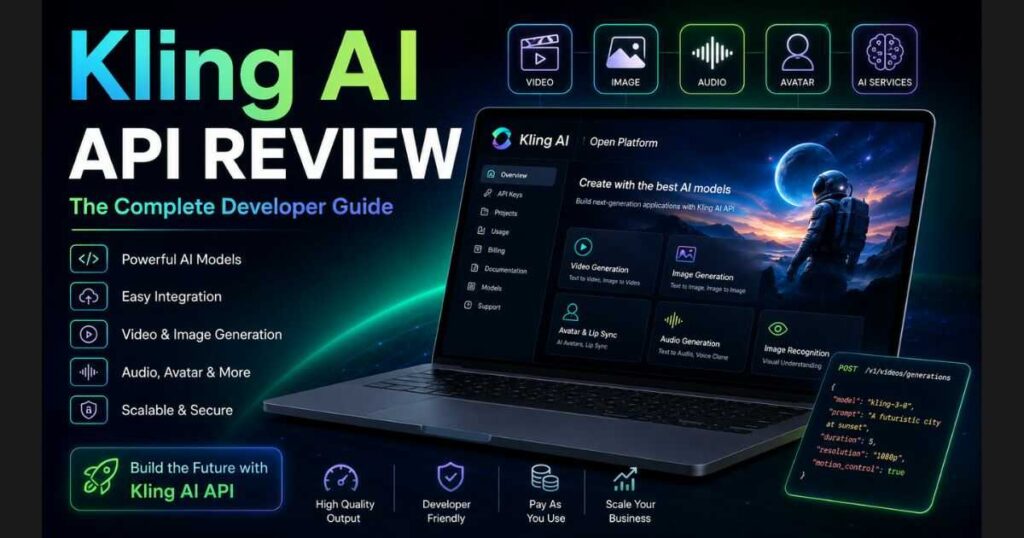
Kling AI API Review (2026): Features, Pricing & Worth It
Introduction
As AI-generated content becomes a core part of modern software, developers are looking for reliable APIs that can power everything from video generators to marketing automation platforms. In this Kling AI API Review, we’ll explore whether Kling AI’s official Open Platform delivers the performance, flexibility, and scalability needed for real-world applications in 2026.
Unlike the standard Kling AI web interface, the Kling AI API allows developers to access the platform’s latest AI models programmatically. Instead of creating content manually through a browser, applications can generate AI videos, images, avatars, audio, and other creative assets automatically using secure API endpoints.
One of the biggest advantages highlighted throughout this Kling AI API Review is that the platform brings nearly all of Kling AI’s creative technologies together under a single developer ecosystem. Rather than integrating multiple third-party APIs for different tasks, developers can build complete AI-powered workflows using one unified platform.
The API currently provides access to several of Kling AI’s newest models, including Kling 3.0, Kling 3.0 Turbo, Kling 3.0 Omni, Kling O1, Kling 2.6, Kling Image 3.0, Kling Image 3.0 Omni, and many other specialized services such as Avatar generation, Lip Sync, Native Audio, Image Recognition, and Audio Generation.
Whether you’re building:
- AI video generation software.
- SaaS platforms.
- Marketing automation tools.
- E-commerce creative solutions.
- AI content creation apps.
- Enterprise automation systems.
this Kling AI API Review will help you understand what the platform offers, how it works, its biggest strengths, and whether it’s worth integrating into your next project.
By the end of this guide, you’ll have a clear understanding of the available models, developer features, pricing structure, authentication workflow, and practical use cases—making it easier to decide if the Kling AI API deserves a place in your development stack.
🚀 Start Building with Kling AI API
Ready to integrate powerful AI video and image generation into your own application?
Get access to the official Kling AI Open Platform, explore the developer dashboard, generate your API key, and start building with some of the industry’s most advanced AI models.
What Is Kling AI API?
The Kling AI API is the official developer platform that enables applications to communicate directly with Kling AI’s generation models through REST APIs. Instead of using the browser interface for every task, developers can automate content creation by sending requests directly to Kling AI’s servers.
This allows applications to generate AI-powered content at scale while integrating seamlessly into existing software, websites, mobile apps, and business workflows.
One of the strongest aspects covered in this Kling AI API Review is the platform’s unified design. Rather than offering separate APIs for unrelated services, Kling AI brings multiple creative capabilities together within a single Open Platform.
Developers can build applications that generate videos, create images, animate avatars, synchronize lip movements, recognize uploaded images, generate audio, and much more—all from the same developer dashboard.
The API is designed for a wide variety of users, including:
- SaaS companies.
- AI startups.
- Mobile application developers.
- Marketing platforms.
- Creative agencies.
- Enterprise software teams.
- Automation developers.
- Independent creators building AI products.
Instead of targeting individual content creators, the API focuses on enabling businesses and developers to integrate Kling AI’s technology directly into their own products.
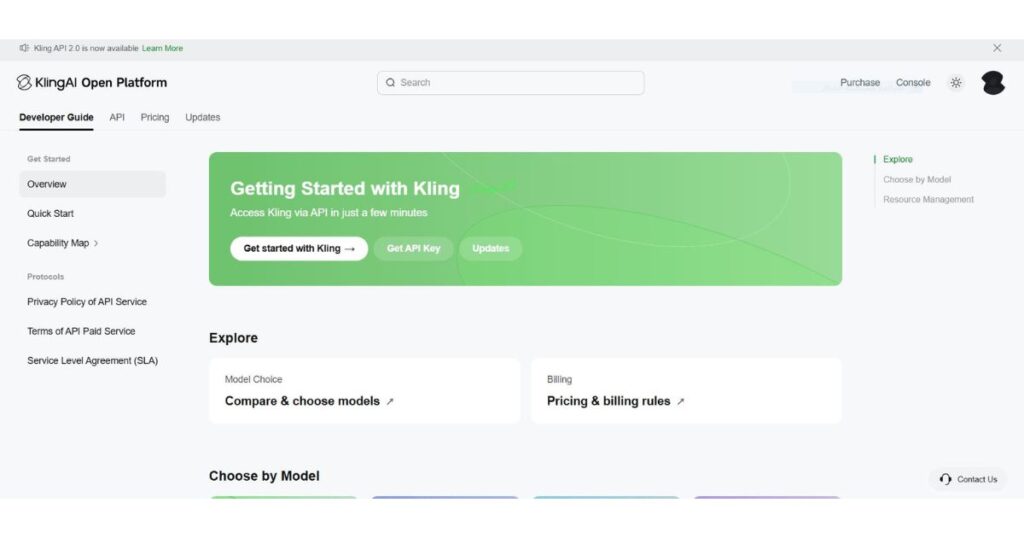
Another major advantage is that developers manage everything from one centralized dashboard. After creating an account, they can access API documentation, create projects, generate API keys, purchase usage credits, monitor requests, and manage billing without switching between different systems.
This streamlined experience significantly reduces development complexity, especially for teams building large-scale AI applications.
Kling AI API Review: Key Features
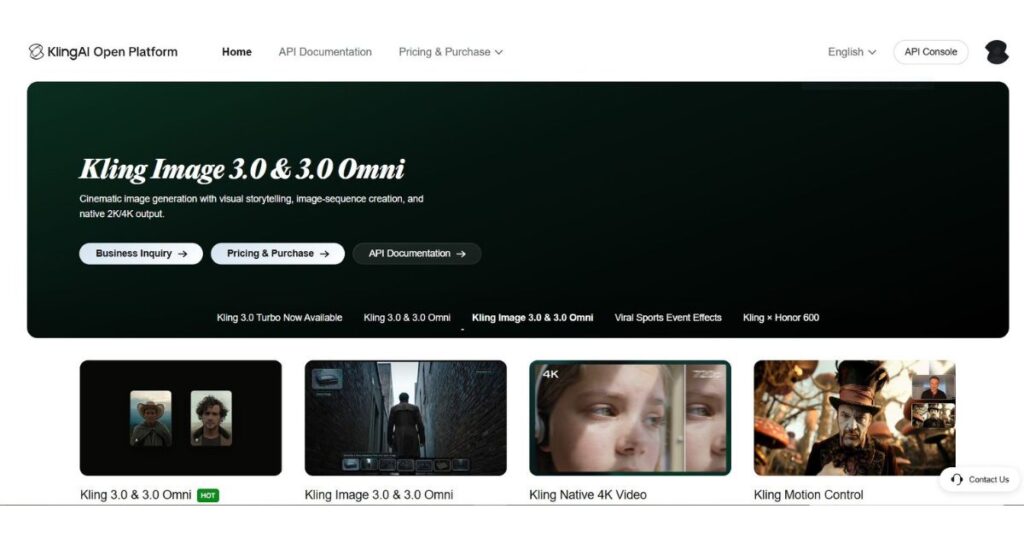
One reason this Kling AI API Review stands out is the breadth of creative services available through a single developer ecosystem. While many competing APIs specialize in only one task—such as text-to-image generation or video creation—Kling AI combines multiple AI services under one platform, making it easier to build complete creative applications.
Below are the platform’s most important capabilities.
AI Video Generation API
The Video Generation API gives developers access to Kling AI’s latest video models through programmable endpoints.
Depending on the selected model, applications can generate videos using:
- Text prompts.
- Reference images.
- Existing videos.
- Multi-image workflows.
- Motion Control.
- Native Audio.
Supported models currently include Kling 3.0, Kling 3.0 Turbo, Kling 3.0 Omni, Kling O1, Kling 2.6, and several legacy models for projects requiring different quality or pricing options.
AI Image Generation API
The Image API enables developers to create high-quality AI artwork directly from text prompts or modify existing images using image-to-image generation.
Current image models include:
- Kling Image 3.0.
- Kling Image 3.0 Omni.
- Kling Image O1.
- Kling Image 2.1.
- Kling Image 2.1 New.
- Kling Image 2.0.
- Kling Image 1.5.
- Kling Image 1.0.
Depending on the selected model, developers can generate images in resolutions up to 4K, making the API suitable for marketing materials, product photography, digital art, and commercial creative assets.
Native Audio Generation
Unlike many AI video APIs that require external sound generation, selected Kling video models support Native Audio.
This allows applications to create videos that already include environmental sounds, background audio, and synchronized effects, reducing post-production work and simplifying automated video pipelines.
Multi-Image Video Creation
The API also supports Multi-image to Video generation.
Instead of animating a single image, developers can upload multiple reference images to create richer storytelling sequences, product showcases, or cinematic transitions.
This feature is particularly useful for:
- Product presentations.
- Educational content.
- Story-driven videos.
- Marketing campaigns.
Avatar Generation
Kling AI also provides dedicated Avatar APIs, allowing developers to integrate AI presenters and digital characters directly into their applications.
These avatars can be used for:
- AI assistants.
- Customer support.
- Educational platforms.
- Virtual presenters.
- Interactive business applications.
Lip Sync API
Another powerful feature covered in this Kling AI API Review is the Lip Sync API.
Developers can synchronize spoken audio with animated characters, creating much more realistic digital presenters while reducing the need for manual editing.
Audio Generation
Beyond visuals, Kling AI also includes dedicated endpoints for:
- Text-to-Audio.
- Video-to-Audio.
- Custom Voice generation.
These services enable applications to automate audio production alongside video and image generation, making the platform suitable for multimedia AI products.
Image Recognition
The Image Recognition API allows developers to analyze uploaded images before using them inside larger AI workflows.
For example, applications can inspect an image, recognize visual elements, and then automatically feed that information into image generation, video generation, or editing tasks.
This creates more intelligent and context-aware creative pipelines.
One of the biggest takeaways from this Kling AI API Review is that Kling AI has evolved beyond being just a video generation platform. Through its Open Platform, developers can access a comprehensive suite of AI services—including video, image, audio, avatars, lip sync, and recognition APIs—from a single ecosystem. For businesses building AI-powered creative products, this unified approach can simplify development, reduce integration overhead, and provide greater flexibility as projects scale.
How Kling AI API Works
One of the strengths highlighted throughout this Kling AI API Review is that the developer workflow is surprisingly straightforward. Although the platform provides access to advanced AI models, integrating them into an application follows a familiar REST API pattern that most developers can implement quickly.
At a high level, every request follows the same lifecycle:
- Create a Kling AI developer account.
- Generate an API Key.
- Authenticate your requests.
- Send a generation request.
- Monitor the task status.
- Download the completed result.
This asynchronous workflow is designed to support long-running AI generation tasks such as video creation while keeping applications responsive and scalable.
Step 1 — Create a Kling AI Developer Account
Before accessing the API, you’ll need a Kling AI account.
Once logged in, open the main dashboard and navigate to the API section from the left sidebar near the bottom of the navigation menu. This opens the Kling AI Open Platform, where developers can manage projects, purchase API credits, access documentation, and create authentication credentials.
The developer dashboard also provides quick access to:
- API Documentation.
- Project Management.
- Billing.
- Usage Statistics.
- Pricing.
- API Keys.
- Model Documentation.
- SDK Resources.
Everything is centralized in one place, making it easy to manage multiple applications from a single account.
Step 2 — Generate Your API Key
Every application needs an API Key before it can communicate with the Kling AI platform.
Inside the Open Platform dashboard, navigate to API Keys and create a new key for your project.
Each key acts as your application’s unique identity when communicating with Kling AI’s servers.
For security reasons, you should:
- Never expose API keys in frontend code.
- Store keys securely using environment variables.
- Rotate compromised keys immediately.
- Create separate keys for production and development environments.
Following these best practices helps protect your account while simplifying project management.
Step 3 — Authenticate Your Requests
Once you’ve generated an API Key, your application can authenticate every request sent to Kling AI.
The platform uses API key authentication, allowing your server to securely communicate with Kling AI’s generation endpoints.
Every request includes your authentication credentials along with the required generation parameters.
Depending on the endpoint you’re using, requests may also include:
- Prompt.
- Model name.
- Resolution.
- Duration.
- Reference images.
- Reference videos.
- Optional generation settings.
Because the authentication system is consistent across all services, developers can easily switch between video, image, avatar, or audio APIs without learning completely different workflows.
Step 4 — Send a Generation Request
After authentication, your application submits a generation request to one of Kling AI’s supported models.
Depending on your project, this could include:
Video Generation
Generate cinematic AI videos from text prompts, images, or existing video references using models like:
- Kling 3.0.
- Kling 3.0 Turbo.
- Kling 3.0 Omni.
- Kling O1.
- Kling 2.6
Image Generation
Generate high-quality AI artwork using:
- Kling Image 3.0.
- Kling Image 3.0 Omni.
- Kling Image O1.
- Kling Image 2.1.
Other AI Services
Applications can also access:
- Avatar Generation.
- Lip Sync.
- Audio Generation.
- Image Recognition.
- Video Editing.
- Multi-image Video.
- Native Audio.
Because every service belongs to the same ecosystem, developers can combine multiple APIs into a single automated workflow.
Step 5 — Poll the Task Status
Unlike simple REST APIs that return results immediately, AI video generation requires additional processing time.
After submitting a request, Kling AI returns a Task ID rather than the finished video.
Your application periodically checks the task status until generation is complete.
Typical task states include:
- Pending.
- Processing.
- Completed.
- Failed.
This asynchronous design makes the API much more suitable for large-scale production environments where video rendering may take several minutes.
Step 6 — Download the Generated Result
Once the task status changes to Completed, the API returns links to the generated assets.
Depending on the endpoint, your application may receive:
- AI-generated videos.
- Generated images.
- Audio files.
- Avatar assets.
- Lip Sync outputs.
Applications can automatically download these files or pass them directly into the next stage of an automated production pipeline.
For example, an AI marketing platform could:
- Generate product images.
- Create promotional videos.
- Add AI-generated audio.
- Export the finished advertisement.
- Publish it automatically to social media.
This type of automation is one of the biggest reasons businesses choose the Kling AI API over the standard web interface.
🚀 Start Building with the Kling AI API
Want to automate AI image and video generation inside your own application?
Create a free Kling AI account, generate your API key, and start integrating powerful AI models into your software today.
Kling AI API Review: Supported Models
One of the biggest advantages discussed throughout this Kling AI API Review is the impressive range of AI models available through the Open Platform. Instead of supporting only one or two generation models, Kling AI gives developers access to an extensive ecosystem covering video generation, image generation, editing, avatars, audio, and image recognition.
This flexibility allows developers to choose the right model for each use case, whether they need maximum quality, faster rendering, native audio support, or lower operating costs.
The table below summarizes the primary models currently available through the Kling AI API.
| Model | Category | Primary Use Case | Native Audio | Motion Control |
| Kling 3.0 | Video | Premium cinematic video generation | Optional | ✅ |
| Kling 3.0 Turbo | Video | Faster AI video generation | ✅ | ❌ |
| Kling 3.0 Omni | Video | Unified multimodal generation and editing | Optional | ❌ |
| Kling O1 | Video | Storytelling, scene consistency, advanced editing | ❌ | Video Input Supported |
| Kling 2.6 | Video | Reliable video generation with Voice Control | ✅ | ✅ |
| Kling 2.5 Turbo | Video | Fast and cost-effective generation | ❌ | ❌ |
| Kling 2.1 | Video | Legacy high-quality video generation | ❌ | ❌ |
| Kling 2.1 Master | Video | Premium legacy model | ❌ | ❌ |
| Kling 2.0 Master | Video | Earlier professional model | ❌ | ❌ |
| Kling Image 3.0 | Image | Text-to-Image and Image-to-Image | — | — |
| Kling Image 3.0 Omni | Image | Advanced image generation up to 4K | — | — |
| Kling Image O1 | Image | Next-generation image generation | — | — |
| Kling Image 2.1 | Image | Image creation and editing | — | — |
| Avatar API | Avatar | AI presenters and digital humans | — | — |
| Lip Sync API | AI Service | Synchronize speech with avatars | — | — |
| Audio Generation API | Audio | Text-to-Audio and Video-to-Audio | — | — |
| Image Recognition API | Vision | Analyze uploaded images | — | — |
Rather than forcing developers to rely on a single AI model, the Kling AI Open Platform makes it easy to mix and match different services depending on each project’s requirements. A single application can generate images with Kling Image 3.0 Omni, create cinematic videos using Kling 3.0, animate avatars through the Avatar API, and synchronize speech with the Lip Sync API—all within the same developer ecosystem.
Kling AI API Pricing
No Kling AI API Review would be complete without examining the platform’s pricing. Whether you’re building a startup, SaaS product, AI automation workflow, or enterprise application, understanding API costs is essential for estimating operating expenses and choosing the right models.
Unlike the standard Kling AI web app, which relies on monthly subscriptions and credits, the Kling AI API uses a usage-based billing model. Developers purchase API units and pay only for the resources their applications consume.
Pricing varies depending on several factors, including:
- Selected AI model.
- Video resolution.
- Output duration.
- Generation type.
- Additional features such as Native Audio or Motion Control.
This flexible approach makes the API suitable for both small development projects and high-volume production environments.
Video API Pricing
Video generation is billed per second, allowing developers to scale costs according to the length and quality of each generated video.
The latest flagship models naturally cost more than older versions but deliver significantly better quality, consistency, and features.
Simplified Video Pricing
| Model | Billing | Starting Price |
| Kling 3.0 Turbo | Per second | From $0.112/sec |
| Kling 3.0 | Per second | From $0.084/sec |
| Kling 3.0 Omni | Per second | From $0.084/sec |
| Kling O1 | Per second | From $0.084/sec |
| Kling 2.6 | Per second | From $0.042/sec |
| Kling 2.5 Turbo | Per second | From $0.042/sec |
| Kling 2.1 | Per second | From $0.056/sec |
| Kling 1.6 | Per second | From $0.056/sec |
Additional premium capabilities such as Native Audio, Motion Control, Video Extension, and 4K generation increase the per-second cost depending on the selected model.
For example:
- Kling 3.0 Turbo includes Native Audio by default.
- Kling 3.0 offers optional Native Audio and Motion Control.
- Kling O1 charges a higher rate when video input is used.
- Kling 2.6 supports Voice Control, Native Audio, and Motion Control with separate pricing.
This pricing structure allows developers to optimize costs by selecting the model that best matches each project’s quality requirements.
Image API Pricing
Image generation follows a much simpler pricing model.
Instead of charging by generation time, images are billed per generated image.
Simplified Image Pricing
| Model | Resolution | Starting Price |
| Kling Image 3.0 | 1K–2K | $0.028/image |
| Kling Image 3.0 Omni | 1K–2K | $0.028/image |
| Kling Image 3.0 Omni | 4K | $0.056/image |
| Kling Image O1 | 1K–2K | $0.028/image |
| Kling Image 2.1 | 1K–2K | From $0.014/image |
| Kling Image 2.0 | 1K–2K | From $0.014/image |
| Kling Image 1.5 | 1K | From $0.014/image |
| Kling Image 1.0 | 1K | From $0.0035/image |
Higher-end models provide better prompt understanding, improved realism, stronger image editing capabilities, and support for larger resolutions.
Developers can choose between lower-cost legacy models for high-volume generation or premium models when image quality is the highest priority.
Additional AI Services
Beyond video and image generation, the Kling AI API also provides specialized AI services with independent pricing.
These include:
| Service | Billing |
| Avatar Generation | Per second |
| Lip Sync | Per 5 seconds |
| Audio Generation | Per request |
| Custom Voice | Per request |
| Image Recognition | Per request |
| Text-to-Audio | Per request |
| Video-to-Audio | Per request |
This modular pricing allows developers to pay only for the services they actually use, making it easier to control costs as applications grow.
Is Kling AI API Pricing Competitive?
Based on this Kling AI API Review, Kling AI follows a pricing strategy that balances flexibility with access to premium AI models.
Rather than forcing developers into fixed monthly subscriptions, the usage-based system makes it possible to:
- Build prototypes with relatively low upfront costs.
- Scale gradually as usage increases.
- Pay only for successful AI generation tasks.
- Choose lower-cost legacy models for budget-sensitive applications.
- Upgrade to premium models only when higher quality is required.
For startups and SaaS platforms, this approach provides significantly more flexibility than purchasing expensive enterprise licenses before validating a product.
Real-World Use Cases
One of the reasons the Kling AI API has attracted growing interest is its versatility. Instead of serving only AI enthusiasts, it enables businesses to integrate professional AI generation directly into their own products.
Here are some of the most common use cases.
SaaS Platforms
Software companies can integrate the Kling AI API to offer AI-powered video and image generation without building proprietary machine learning models.
Popular examples include:
- AI design tools.
- Content marketing platforms.
- Creative automation software.
- Social media management applications.
AI Video Applications
Developers building AI video generators can leverage Kling AI’s latest models for:
- Text-to-video generation.
- Image-to-video animation.
- Motion Control.
- Native Audio.
- Video editing.
- Storytelling workflows.
This dramatically reduces development time while providing access to state-of-the-art generation quality.
Marketing Automation
Marketing platforms can automate content production by generating:
- Product advertisements.
- Promotional videos.
- Social media creatives.
- AI-generated banners.
- Campaign assets.
With API integration, these assets can be created automatically based on product data or marketing campaigns.
E-commerce
Online stores can use the API to transform static product images into engaging marketing content.
Applications include:
- Product showcase videos.
- AI lifestyle images.
- Animated product demonstrations.
- Promotional banners.
- Seasonal campaign visuals.
This allows merchants to create fresh creative assets without hiring designers for every campaign.
Workflow Automation
Businesses can combine the Kling AI API with automation platforms to build complete AI production pipelines.
For example:
- Receive a customer order.
- Generate product images.
- Create promotional videos.
- Produce AI-generated audio.
- Publish assets automatically to social media.
This type of end-to-end automation can save hours of manual work every week.
Content Creation Platforms
Many AI content creation tools require users to generate large amounts of media quickly.
The Kling AI API enables these platforms to provide:
- AI-generated YouTube visuals.
- Marketing videos.
- Educational animations.
- Storytelling content.
- Social media assets.
through a single integrated API.
🚀 Build Your Next AI Project with Kling AI
Ready to integrate professional AI generation into your own application?
Access the official Open Platform, generate your API key, and start building AI-powered applications with Kling AI’s latest video and image models today.
Kling AI API vs Web Interface
A common question throughout this Kling AI API Review is whether developers should use the API or simply rely on the standard Kling AI web application.
The answer depends on your workflow.
If you’re an individual creator producing videos manually, the web interface is usually the easier option.
However, if you’re building software, automating content generation, or creating AI-powered products, the API offers significantly greater flexibility.
| Feature | Kling AI API | Kling AI Web App |
| Automation | ✅ | ❌ |
| Batch Generation | ✅ | ❌ |
| Custom Applications | ✅ | ❌ |
| REST API Access | ✅ | ❌ |
| Workflow Automation | ✅ | ❌ |
| No-Code Interface | ❌ | ✅ |
| Visual Editor | ❌ | ✅ |
| Developer Integration | ✅ | ❌ |
| Suitable for Businesses | ✅ | Limited |
| Best for Individual Creators | Limited | ✅ |
For developers and SaaS companies, the Kling AI API is the clear choice because it enables scalable automation and seamless integration into custom software. Meanwhile, the web interface remains ideal for creators who prefer a visual, no-code experience.
Kling AI API Review: Pros and Cons
After exploring the platform’s features, supported models, pricing, and developer experience, it’s clear that the Kling AI API has matured into a powerful solution for businesses building AI-powered applications. Like any developer platform, however, it comes with both strengths and limitations.
Pros
✅ Access to the latest Kling AI video and image models
✅ Unified API for video, image, avatar, lip sync, audio, and image recognition
✅ Well-organized Open Platform dashboard and documentation
✅ RESTful API that’s easy to integrate into custom applications
✅ Usage-based pricing suitable for projects of all sizes
✅ High-quality video generation with support for 4K on selected models
✅ Advanced capabilities including Motion Control, Native Audio, and Omni workflows
✅ Regular model updates and expanding developer ecosystem
✅ Scalable infrastructure for startups, agencies, and enterprise applications
Cons
❌ Usage-based billing can become expensive for high-volume video generation.
❌ Some premium models require more API units than earlier generations.
❌ Asynchronous task processing means videos are not generated instantly.
❌ Developers need programming knowledge to integrate the API.
❌ Certain advanced capabilities are only available with specific models.
Fortunately, most of these limitations are expected for a professional AI developer platform and are outweighed by the flexibility and creative capabilities it provides.
Is Kling AI API Worth It?
After completing this Kling AI API Review, one question remains:
Is it worth integrating into your application in 2026?
For most developers, startups, and businesses, the answer is yes.
Rather than offering a single image or video generation endpoint, the Kling AI API delivers a complete creative ecosystem that supports multiple AI workflows through one developer platform. From text-to-video generation and image creation to avatars, lip sync, native audio, and image recognition, developers can build sophisticated AI-powered applications without managing multiple providers.
The platform is especially valuable for:
- SaaS companies building AI features.
- Marketing automation platforms.
- AI video generators.
- E-commerce solutions.
- Creative agencies.
- Enterprise automation projects.
- Developers creating custom AI workflows.
While hobby developers can experiment with the platform, businesses that generate media at scale will gain the greatest value from its automation capabilities and continuously expanding model lineup.
If your goal is to build professional AI-powered products rather than manually create content through a browser, the Kling AI API is one of the strongest options currently available.
Overall Rating
| Category | Rating |
| Ease of Integration | ⭐⭐⭐⭐⭐ |
| Documentation | ⭐⭐⭐⭐⭐ |
| AI Model Quality | ⭐⭐⭐⭐⭐ |
| Developer Experience | ⭐⭐⭐⭐⭐ |
| Pricing Flexibility | ⭐⭐⭐⭐☆ |
| Feature Set | ⭐⭐⭐⭐⭐ |
| Scalability | ⭐⭐⭐⭐⭐ |
Overall Rating: 9.3 / 10
The Kling AI API combines modern AI models, comprehensive developer tools, and flexible pricing into one of the most capable AI generation platforms available in 2026. While usage costs should be monitored for large-scale deployments, its overall value makes it an excellent choice for professional development teams.
🚀 Start Building with Kling AI API
Ready to integrate professional AI generation into your own software?
Access the official Kling AI Open Platform, generate your API key, and start building AI-powered applications using the latest video, image, avatar, and audio generation models.
Frequently Asked Questions
What is the Kling AI API?
The Kling AI API is the official developer platform that enables applications to integrate Kling AI’s video generation, image generation, avatars, lip sync, audio generation, image recognition, and other AI services through programmable REST APIs.
How do I get a Kling AI API key?
After creating a developer account, navigate to the API section from the left-hand menu inside the Kling AI dashboard. Open the API Keys page, generate a new key, and use it to authenticate your API requests.
Does the Kling AI API support video generation?
Yes. The API supports multiple video generation models, including Kling 3.0, Kling 3.0 Turbo, Kling 3.0 Omni, Kling O1, Kling 2.6, and earlier versions. Depending on the model, developers can also access features such as Motion Control, Native Audio, and 4K output.
Can I generate AI images through the API?
Absolutely. The platform includes dedicated image generation endpoints supporting models such as Kling Image 3.0, Kling Image 3.0 Omni, Kling Image O1, and previous image generation models for both text-to-image and image-to-image workflows.
Is the Kling AI API suitable for commercial applications?
Yes. Businesses, agencies, SaaS companies, and enterprise teams can integrate the API into commercial products. Pricing is based on usage, making it easy to scale applications as demand grows.
Which developers benefit most from the Kling AI API?
The platform is ideal for:
- AI startups.
- SaaS developers.
- Marketing automation platforms.
- Content creation tools.
- E-commerce applications.
- Enterprise automation.
- Creative agencies.
- Custom AI workflow builders.
Continue Learning
Expand your knowledge of the Kling AI ecosystem with these in-depth guides:
- Kling AI Review (2026) — Discover the complete platform, its core features, and overall performance.
- Kling AI Pricing (2026) — Compare subscription plans, monthly credits, and find the best plan for your workflow.
- Kling AI Canvas Review — Learn how Canvas streamlines multi-scene creative projects and visual planning.
- Kling AI Video 3.0 Review — Explore the latest video model, including quality improvements, Native Audio, and advanced generation capabilities.
- Kling O1 Review — Understand Kling AI’s unified multimodal model for text, images, editing, and consistent storytelling.
- Kling AI Motion Control — Master realistic character animation using reference videos and AI motion transfer.
- HeyGen Review (2026): Features, Pricing & Verdict – Explore HeyGen’s features, pricing, AI avatars, and overall value in our complete review.
Final Verdict
This Kling AI API Review shows that Kling AI has evolved beyond a consumer-facing AI video generator into a comprehensive developer platform capable of powering professional AI applications.
The combination of cutting-edge video models, high-quality image generation, avatars, native audio, lip sync, and image recognition within a single Open Platform gives developers an impressive toolkit for building modern AI products. The well-structured documentation, straightforward authentication process, and flexible usage-based pricing make integration accessible for both startups and established businesses.
Although large-scale video generation can become costly over time, the ability to choose from multiple models and pay only for what you use offers far greater flexibility than many fixed subscription services.
If you’re building an AI-powered application in 2026, the Kling AI API is absolutely worth considering. Its expanding model lineup, developer-focused ecosystem, and production-ready capabilities make it one of the strongest AI generation APIs currently available.
🚀 Experience the Kling AI API Today
Ready to integrate AI-powered image and video generation into your application?
Explore the official Open Platform, generate your API key, and start building with Kling AI’s latest developer APIs today.

