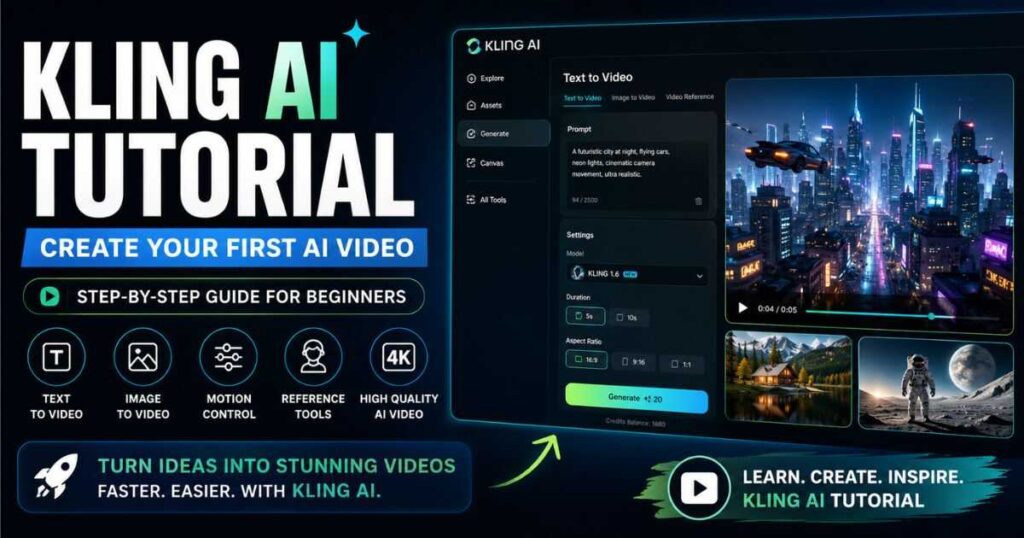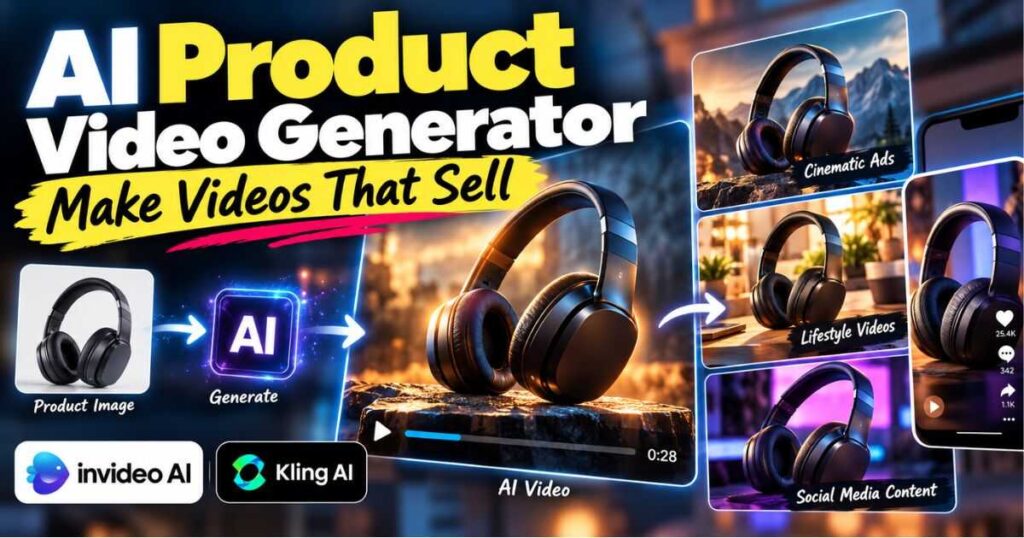
AI Product Video Generator: Make Videos That Sell
Selling products online is no longer just about having great photos. Shoppers increasingly expect to see products in action, understand how they work, and imagine themselves using them before they buy. That is where an AI product video generator can make a major difference.
Instead of filming products manually, hiring actors, setting up lights, recording multiple takes, and spending hours editing, you can use AI to turn product images, descriptions, and creative ideas into engaging videos.
But there is an important distinction: generating a product video is easy; creating a product video that actually sells is much harder.
The best AI product videos do more than make a product move on screen. They show benefits, create desire, demonstrate use cases, establish trust, and give viewers a reason to take action.
In this guide, you’ll learn how an AI product video generator works, how to create product videos with AI, which tools are worth considering, how to turn product photos into video ads, and how to build a workflow that produces content suitable for ecommerce stores, social media, paid advertising, and product pages.
What Is an AI Product Video Generator?
An AI product video generator is a tool that uses artificial intelligence to create videos from inputs such as product photos, text descriptions, scripts, reference images, or prompts.
Depending on the platform, you may be able to generate:
- Product advertisements
- Product demonstrations
- Social media ads
- Ecommerce videos
- Product showcases
- UGC-style product videos
- Short promotional clips
- Cinematic product commercials
- Product launch videos
- Video content for landing pages
The simplest workflow might look like this:
Product image → AI generation → Animation → Editing → Final product video
More advanced workflows can include scripts, voiceovers, music, captions, multiple scenes, camera movements, transitions, and AI-generated environments.
This makes an AI product video generator particularly useful for ecommerce businesses that need many variations of their creative without producing every video from scratch.
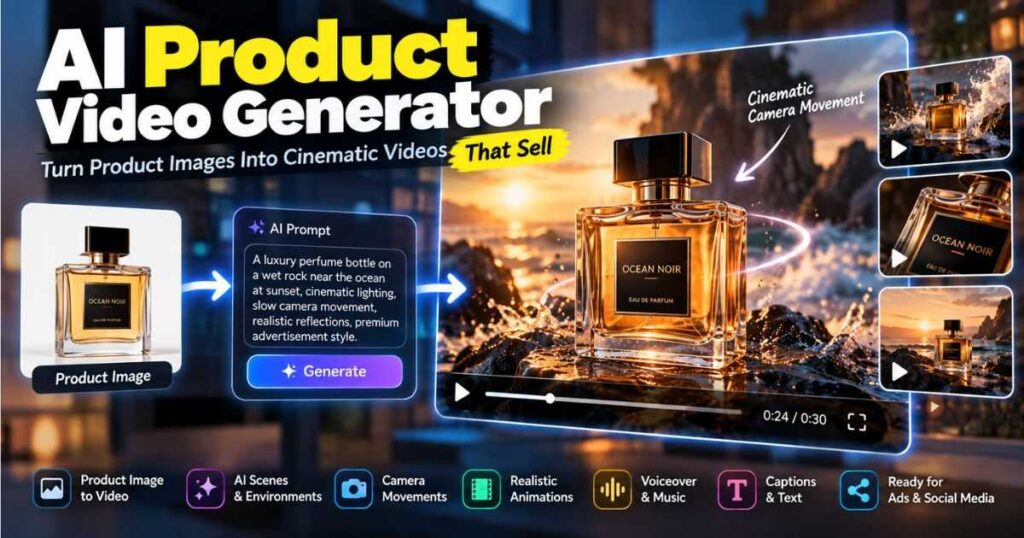
Why Use an AI Product Video Generator?
Traditional product video production can become expensive quickly.
You may need a camera, lighting, a suitable location, props, models, editing software, and someone who understands video production.
AI doesn’t eliminate every part of that process, but it can dramatically reduce the amount of manual work required.
| Traditional production | AI-assisted production |
|---|---|
| Camera equipment | Product images |
| Physical location | AI-generated environments |
| Actors/models | AI-generated subjects or avatars |
| Manual filming | AI-generated scenes |
| Multiple retakes | Regenerate variations |
| Manual editing | AI-assisted editing |
| Large production costs | Subscription + generation credits |
| Longer production time | Faster experimentation |
The biggest advantage isn’t simply saving money.
It’s speed and experimentation.
You can create several versions of the same product video and test different hooks, scenes, camera movements, and calls to action.
For ecommerce marketers, that ability can be extremely valuable.
What Can You Create With an AI Product Video Generator?
An AI product video generator can be used for much more than a basic slideshow.
Here are some of the most useful formats.
1. Product Showcase Videos
These focus primarily on appearance.
For example:
A premium wireless headphone rotates slowly on a dark studio pedestal while soft lighting highlights the metallic details.
This type of video works well for products where design and appearance are major selling points.
2. Product Demonstration Videos
Instead of simply showing the product, demonstrate how it is used.
For example, a kitchen appliance could appear in a realistic kitchen while showing the product preparing food.
The viewer immediately understands the purpose of the product.
3. Social Media Product Ads
Short-form product videos are ideal for platforms such as TikTok, Instagram Reels, Facebook, and YouTube Shorts.
A simple structure is:
Hook → Problem → Product → Benefit → CTA
For example:
Still struggling with messy cables?
Then show the product solving the problem.
4. UGC-Style Product Videos
You can also create videos inspired by user-generated content.
These can focus less on polished advertising and more on demonstrating how a product fits into everyday life.
5. Cinematic Product Commercials
For premium products, you can create dramatic visuals with:
- Cinematic lighting
- Slow camera movements
- Close-ups
- Product rotations
- Macro shots
- Environmental scenes
- Reflections
- Atmospheric backgrounds
Tools such as Kling AI can be particularly useful when you need more creative, cinematic product footage.
How to Make Product Videos With AI
Creating a product video with AI doesn’t have to be complicated.
A practical workflow has seven stages.
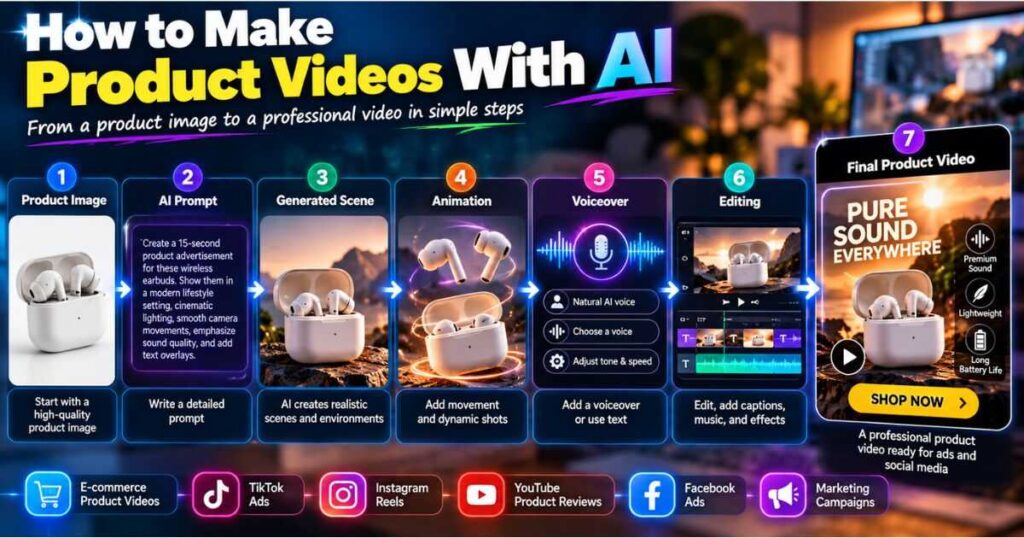
Step 1: Start With a Strong Product Image
Your source image matters.
Use a high-quality product image with:
- Clear product details
- Good lighting
- Minimal distortion
- Sharp edges
- Appropriate resolution
- A clean background when possible
If the source image is poor, the AI may have difficulty preserving the product accurately.
Step 2: Decide What the Video Should Accomplish
Before writing a prompt, ask:
What should the viewer understand after watching this video?
Are you trying to:
- Introduce the product?
- Demonstrate how it works?
- Highlight a feature?
- Show a lifestyle use case?
- Promote a discount?
- Generate clicks?
- Build brand awareness?
Your answer should determine the entire video.
Step 3: Write the Hook
The first few seconds matter enormously for short-form advertising.
Instead of:
Here’s our new coffee machine.
Try:
Your morning coffee could look like this.
Or:
The $50 gadget that changed my desk setup.
The second approach creates curiosity.
Step 4: Create the Product Scene
Now tell the AI what should happen.
For example:
Premium wireless headphones placed on a modern black desk, subtle camera push-in, soft studio lighting, realistic reflections, luxury technology advertisement, shallow depth of field.
Step 5: Add Movement
Static products can become much more engaging when the camera moves naturally.
You can use:
- Slow push-in
- Pull-back
- Orbit
- Tracking shot
- Pan
- Tilt
- Close-up
- Macro shot
If you need help writing camera instructions, our guide to AI Camera Prompts explains how different camera movements can change the appearance and energy of an AI-generated video.
Step 6: Add Voiceover or Text
Not every product video needs narration.
Sometimes a visual hook and short text are enough.
For example:
Lightweight. Powerful. Built for everyday use.
For more complicated products, narration can explain the benefits while the visuals demonstrate them.
Step 7: Finish With a CTA
Don’t make the viewer guess what to do next.
Your CTA might be:
- Shop now
- Learn more
- Try it today
- Get yours today
- See the full collection
- Start your free trial
The CTA should match the purpose of the campaign.
AI Product Video Generator Workflow
A useful way to think about AI product video creation is as a production pipeline.
| Stage | What you need | AI can help with |
|---|---|---|
| Product research | Product benefits | Idea generation |
| Concept | Video angle | Creative concepts |
| Script | Hook + benefits | Script generation |
| Visuals | Product images | Image/video generation |
| Animation | Product movement | AI animation |
| Voice | Narration | AI voiceover |
| Editing | Scenes + audio | AI-assisted editing |
| CTA | Desired action | Copy suggestions |
| Testing | Multiple versions | Rapid variations |
The important part is that the AI product video generator should not be responsible for your entire marketing strategy.
You still need to decide what you want the viewer to do.
How to Use an AI Product Video Generator With InVideo AI
If you want an AI product video generator that can handle more of the production process in one place, InVideo AI deserves serious consideration.
This is especially useful if you don’t simply want to generate a short cinematic clip. You may want to take a product concept, build several scenes, add narration, captions, music, and editing, and turn everything into a finished marketing video.
Videmint’s broader testing and coverage of AI video tools also positions InVideo AI as an all-in-one option for creators who want to move from an idea or script toward a complete video workflow.
Why InVideo AI Works Well for Product Videos
An ecommerce workflow can look like:
Product idea → Script → Scenes → Voiceover → Visuals → Editing → CTA
Instead of manually assembling every component, you can use InVideo AI to accelerate much of the process.
This is particularly useful when you need to create multiple videos for different products.
Example InVideo AI Prompt
Try something like:
Create a 30-second ecommerce product advertisement for a premium wireless desk lamp. Start with a close-up of the lamp in a modern home office, then show the lamp illuminating a workspace at night. Highlight its minimalist design, adjustable lighting, and suitability for focused work. Use cinematic lighting, smooth camera movements, premium commercial aesthetics, clean typography, energetic pacing, and finish with a clear call to action to shop now.
The important thing is to describe the marketing objective, not just the appearance of the product.
🚀 Want to Create Product Videos Faster?
If you want an all-in-one workflow for turning ideas, scripts, and product concepts into finished AI videos, InVideo AI is one of the tools I would test first.
👉 Try InVideo AI and create your first product video.
You can also explore our detailed InVideo AI Review to understand its workflow, features, and limitations before choosing a plan.
How to Use Kling AI for Product Videos
Kling AI is a different type of tool.
Instead of focusing primarily on turning an entire marketing brief into a finished video, Kling is particularly useful when you need custom AI-generated visual scenes.
Its image-to-video capabilities can be useful for animating product images, while its broader creative tools can help build cinematic marketing visuals. Videmint’s Kling AI coverage specifically highlights product advertisements and image-to-video workflows as relevant use cases.
Imagine you have a picture of a luxury watch.
Instead of displaying that picture for five seconds, you could create a scene where:
- The watch sits on a marble surface.
- Light moves across the metal.
- The camera slowly approaches.
- The background remains elegant and minimal.
- The watch becomes the visual focus.
That can make a basic product image much more useful.
Kling AI Product Video Prompt
Use the provided product image as the exact reference. A luxury stainless-steel watch rests on polished black marble in a premium studio environment. The camera slowly moves toward the watch while soft directional light creates realistic reflections across the metal. Maintain the exact product design, proportions, colors, and details. Cinematic luxury commercial style.
When Should You Choose Kling AI?
Use Kling when you need:
- Cinematic product scenes
- Image-to-video animation
- Creative advertisements
- Product showcases
- Custom visual environments
- Short promotional clips
For a deeper look at its broader workflow, see our Kling AI Omni Complete Guide.
🎬 Create Cinematic Product Videos With Kling AI
If you already have high-quality product images and want to turn them into more dynamic cinematic footage, Kling AI is worth testing.
👉 Try Kling AI and animate your product images.
AI Product Video Generator vs AI Product Video Maker
You may see both terms when researching these tools.
They are closely related, but there can be a practical difference.
An AI product video generator generally emphasizes generating video content using AI.
An AI product video maker can imply a broader editing and production environment where you assemble different elements into a finished video.
| Feature | AI Product Video Generator | AI Product Video Maker |
|---|---|---|
| Generate video | ✅ | ✅ |
| Animate images | Often | Often |
| Templates | Sometimes | Usually |
| Editing | Varies | Usually stronger |
| Text overlays | Varies | Usually |
| Voiceover | Depends on tool | Often |
| Timeline editing | Not always | More common |
| Best for | Generation | Complete production |
In practice, the terminology overlaps heavily, so don’t choose a platform based only on its name.
Look at the actual workflow.
Best AI Product Video Generator Features to Look For
Not every platform will be equally useful for ecommerce.
Before subscribing, look for these capabilities.
Product Image Support
The tool should work well with product images and preserve important visual details.
Image-to-Video
This is especially valuable if you already have professional product photography.
Camera Control
Camera movement can dramatically improve the quality of a product advertisement.
Prompt Control
You should be able to describe the scene rather than relying entirely on templates.
Editing
If you’re creating a complete advertisement, editing capabilities can save you from moving between multiple applications.
Voiceover
Useful for product demonstrations and explanatory videos.
Captions
Important for social media, where many people watch videos without sound.
Commercial Usage
Always check the platform’s current licensing and commercial-use terms before using generated assets in paid advertising or client work.
How to Make AI Product Videos That Actually Sell
This is where many AI-generated advertisements fail.
They look impressive but don’t communicate a compelling reason to buy.
A good product video should answer three questions:
What is it?
Why should I care?
What should I do next?
Focus on Benefits, Not Just Features
A weak advertisement says:
2,000 mAh battery.
A stronger advertisement explains:
Keep using your device throughout the day without constantly searching for a charger.
The specification is useful, but the benefit creates meaning.
Show the Product Solving a Problem
Instead of showing a water bottle rotating against a blank background, show someone taking it on a long hike.
Instead of showing a desk lamp sitting on a table, show how it transforms a dark workspace.
Instead of showing headphones floating in the air, show the product being used during a commute.
Context creates desire.
A Simple Formula for AI Product Video Ads
Try this structure:
0–3 seconds: Hook
Create curiosity or identify a problem.
3–8 seconds: Problem
Show the situation the customer recognizes.
8–15 seconds: Product
Introduce the product as the solution.
15–23 seconds: Benefits
Show the most important advantages.
23–27 seconds: Proof
Use a visual demonstration, review, result, or product detail where appropriate.
27–30 seconds: CTA
Tell viewers what to do next.
This structure isn’t mandatory, but it’s a useful starting point for short-form product advertising.
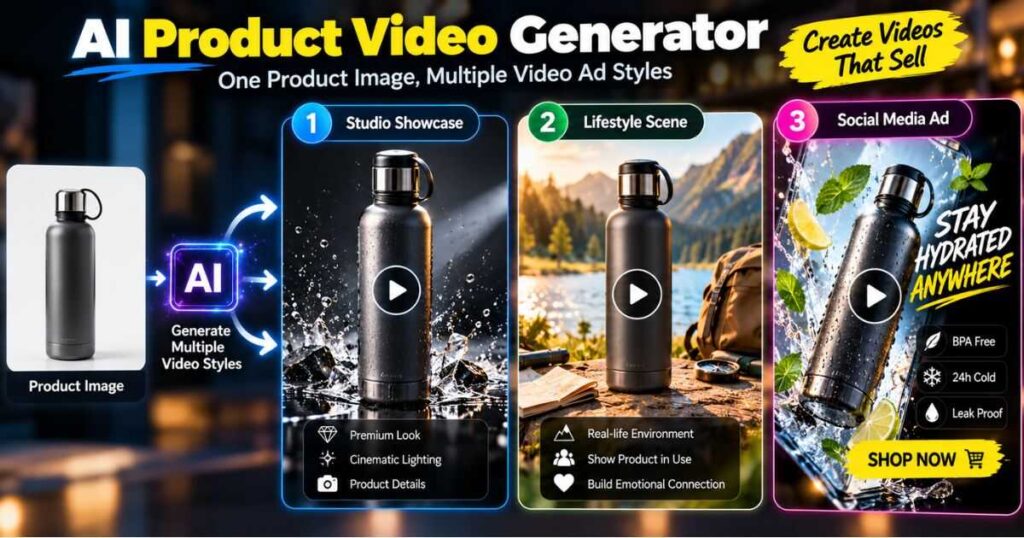
AI Product Videos From Product Images
One of the most interesting applications of an AI product video generator is turning existing product photography into video.
Imagine an ecommerce store with 500 products.
Creating custom footage for every product manually could be extremely expensive.
With AI, you can potentially take an existing product image and create multiple concepts around it.
For example:
Image 1: Product on a white background
Video 1: Premium studio showcase
Video 2: Product in a realistic home
Video 3: Close-up feature demonstration
Video 4: Social media advertisement
Video 5: Lifestyle scene
The same source asset can therefore support multiple creative directions.
However, always inspect the generated output carefully. AI can sometimes alter product details, text, logos, proportions, or other important elements.
For products where visual accuracy is critical, don’t assume that an attractive generation is automatically an accurate advertisement.
How to Write Better Prompts for Product Videos
Your prompt should tell the AI what matters.
A useful structure is:
Product + Environment + Action + Camera + Lighting + Style + Goal
For example:
A premium black smartwatch displayed on a modern office desk, the screen activates and displays fitness metrics, slow cinematic push-in, subtle reflections, soft morning light, realistic commercial photography, premium technology advertisement.
This is much more useful than:
Make a cool smartwatch video.
If you want to improve your prompting skills, our guide How to Write AI Video Prompts That Actually Work explains how to structure prompts around the subject, action, environment, camera, lighting, and visual style.
You can also use our AI Video Prompt Examples as inspiration when building different product-video concepts.
Common AI Product Video Mistakes
1. Making the Product Look Unrealistic
If the AI changes the shape or details of your product, the video can hurt rather than help your brand.
2. Too Much Visual Complexity
The product should remain the hero.
A complicated background can distract viewers.
3. No Clear Hook
A beautiful five-second shot doesn’t necessarily make an effective advertisement.
4. Too Many Features
Choose the most important benefits rather than listing everything.
5. No CTA
Don’t finish the video without telling the viewer what to do.
6. Using One Video Everywhere
A product page, TikTok ad, Instagram Reel, and YouTube commercial may require different formats and pacing.
7. Publishing Without Reviewing
Always inspect AI-generated videos frame by frame when product accuracy matters.
AI Product Video Generator: Which Workflow Is Best?
There isn’t one universal workflow.
Your best option depends on what you’re trying to create.
| Goal | Recommended approach |
|---|---|
| Complete product advertisement | InVideo AI |
| Cinematic product shots | Kling AI |
| Animate product photos | Kling AI |
| Script + voice + editing | InVideo AI |
| Short social ads | InVideo AI + AI-generated visuals |
| Premium creative campaign | Kling AI + editor |
| Large product catalog | AI-assisted batch workflow |
| Product demonstration | Script + AI video + voiceover |
For many ecommerce creators, the most practical combination is:
InVideo AI → main production
Kling AI → custom cinematic scenes
This hybrid workflow gives you speed without forcing every part of the project into the same tool.
How to Scale Product Video Creation
Once you’ve created one successful product video, don’t stop there.
Create variations.
For the same product, test:
- Different hooks
- Different opening shots
- Different backgrounds
- Different camera movements
- Different CTAs
- Different voiceovers
- Different lengths
- Different audiences
For example:
Version A: Focuses on price.
Version B: Focuses on convenience.
Version C: Focuses on design.
Version D: Focuses on the problem it solves.
Version E: Uses a lifestyle scenario.
This is one of the biggest advantages of using an AI product video generator: you can experiment much faster than with traditional production.
Is an AI Product Video Generator Worth It?
For ecommerce businesses, creators, agencies, and marketers producing large amounts of visual content, the answer can be yes.
The biggest advantage isn’t that AI magically creates perfect advertisements.
It doesn’t.
The real advantage is that an AI product video generator can dramatically reduce the time required to experiment with product-video concepts.
Instead of spending days planning one shoot, you can potentially create multiple creative directions from the same product assets.
But the technology should support your marketing strategy, not replace it.
A great product video still needs:
- A strong hook
- A clear audience
- A real benefit
- Good visual storytelling
- Accurate product representation
- Appropriate pacing
- A compelling CTA
AI handles much of the production work.
You still need to decide what is worth producing.
Final Verdict: AI Product Video Generator
An AI product video generator can turn ordinary product images and ideas into engaging promotional videos much faster than traditional production workflows.
The most effective approach isn’t simply to generate something visually impressive.
Instead, build a system around the customer:
Problem → Product → Benefit → Demonstration → Desire → CTA
For creators who want an all-in-one workflow, InVideo AI is an excellent place to start because it can help bring scripts, scenes, narration, visuals, and editing together in one production process. Videmint’s current AI-tool coverage similarly identifies InVideo AI as a strong all-in-one option for creators.
For more cinematic and custom product visuals, Kling AI can complement that workflow by turning product references into dynamic scenes and promotional footage.
The smartest strategy may therefore be to use both:
InVideo AI for production + Kling AI for standout visuals.
Start with one product, create several concepts, test different hooks, and identify which style gets the strongest response.
That’s when an AI product video generator stops being just another AI tool and becomes part of a real ecommerce content system.
Continue Learning
Want to build a stronger AI video workflow? Explore these related Videmint guides:
- How to Write AI Video Prompts That Actually Work — Learn how to write clearer prompts for more predictable AI video results.
- AI Video Prompt Examples: 50+ Prompts That Work — Explore practical prompts you can adapt for different video concepts.
- AI Camera Prompts — Learn how camera movements can make AI-generated product footage more dynamic.
- InVideo AI Review — Explore InVideo AI’s broader video creation workflow before subscribing.
- Kling AI Omni Complete Guide — Learn how Kling AI can be used for image-to-video, cinematic generation, and product-focused creative work
- Runway AI Free: Is It Really Free? Here’s What You Get — Discover the free plan, 125 credits, key features, and its limitations.
If your goal is to create product videos that look good and sell, don’t focus only on generating better footage. Focus on building a better message around the product—and then use AI to produce that message faster.